Section 5 - Commissioning
COMMISSIONING
58 Installation and Maintenance
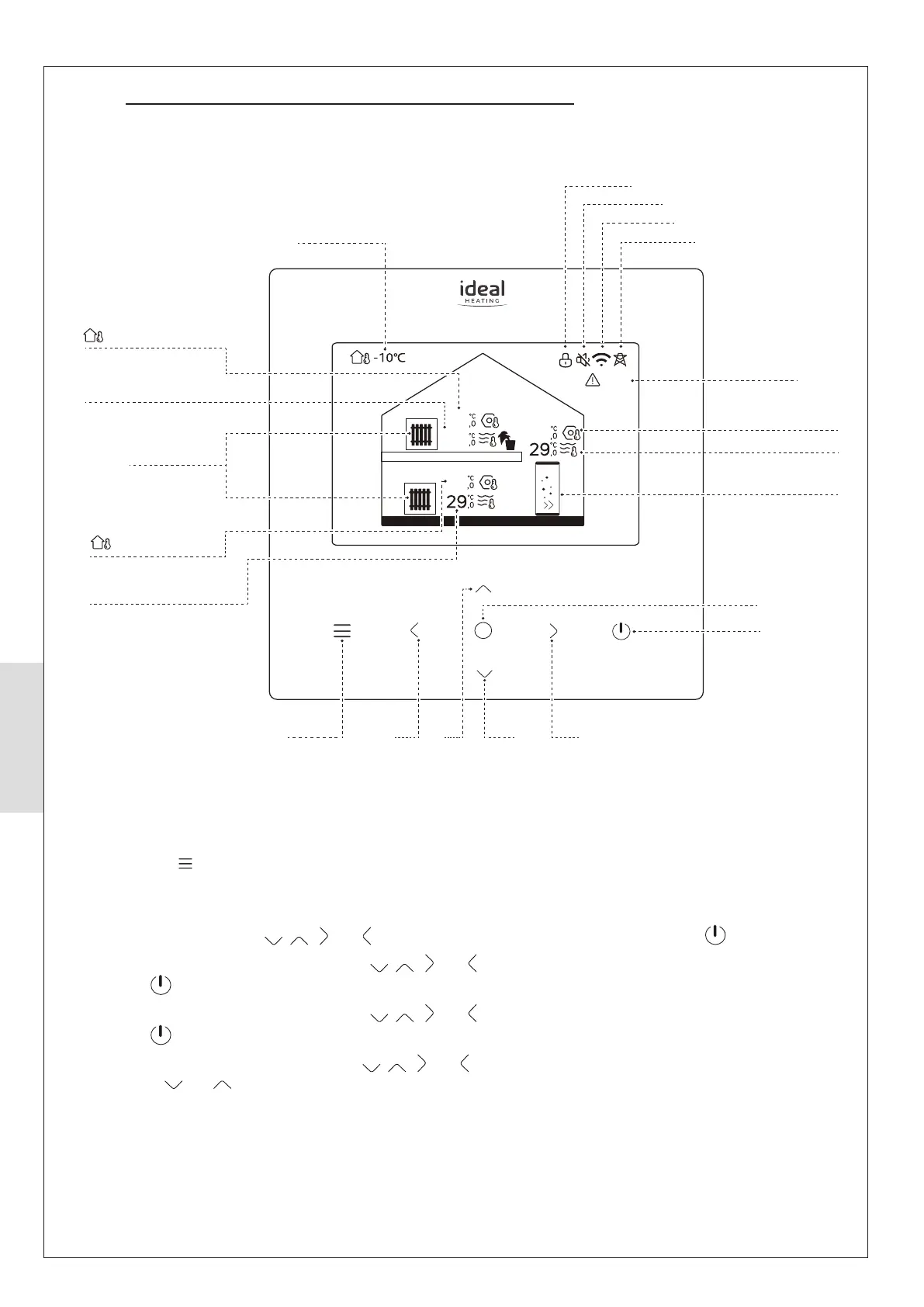
5.6 HEAT PUMP INDOOR CONTROL BOX HOMEPAGE
The Heat Pump controls are located on the front of the control
box. This is the centralised control for the full heating system.
For Operating Status press O.
For Menu press
(refer to 5.8).
Press any touch-button to re-activate the screen.
To enable/disable DHW press
, , and until the DHW tank symbol is illuminated. Then press .
To enable/disable central heating Zone 1 press , , and until central heating Zone 1 symbol is illuminated.
Then press .
To enable/disable central heating Zone 2 press , , and until central heating Zone 2 symbol is illuminated.
Then press .
To change the DHW target temperature press , , and until the DHW tank symbol is illuminated. Then press
O, then press and .
Zone1
25
40
40
40
Zone2
E01
Smart Grid Active
Fault Indication
DHW Target Temperature
DHW Actual Temperature
Orange for Heating,
Grey when Off
On/Off
Enter
Right
Outside Temperature
Zone 2 Actual Temperature
Zone 1 Actual Temperature
Orange for Heating
Blue for Cooling
Grey when Off
Screen Locked
Zone 2 Target Temperature
(lights when Zone 2 On,
grey when Zone 2 Off)
Shown if controllled by
Room Temperature
Zone 2 Target Temperature
(lights when Zone 2 On,
grey when Zone 2 Off)
Shown if controllled by
Room Temperature
Down
LeftMenu/Back Up
Wi-Fi Connected
Silent Mode Active
Figure 57. Control Box Homepage display



 To Next Page