Section 5 - Commissioning
COMMISSIONING
57
Installation and Maintenance
Zone1
37
5
25
39
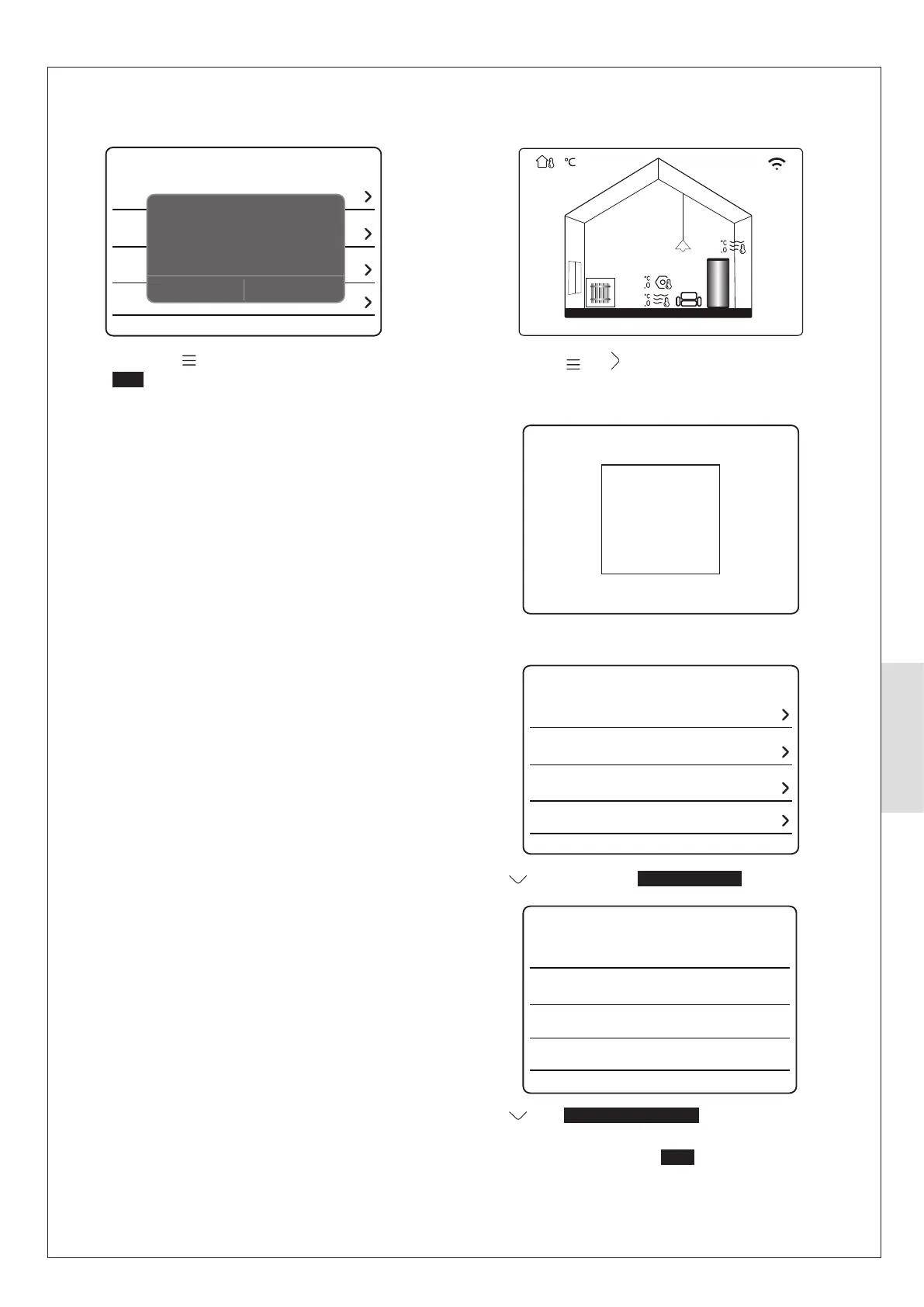
Press and hold and together.
Note: TW2 zone 2 thermistor must be clipped to the zone 2
Please input the password
For serviceman
32 4
Enter 234
DHW setting
Cooling setting
Heating setting
Auto mode setting
For serviceman
Press
twice and select Heating setting
dT1SH
2⁰C
RAD
5⁰C
dTSH
Zone 1 H-emission
Heating setting
NO
Force defrost
Press until Zone 1 H-emission is highlighted then
press O.
Press up or down buttons until
RAD is shown and press O to
Repeatedly press Select YES to save.
Repeat the above to set Zone 2 H-emission as required.
5.5.6 Setting Emitter Type
Set the Emitter Type as follows:
Service call
Restore factory settings
Test run
Special function
For serviceman
Setting is enabled. Quit For
serviceman mode?
NO YES
Repeatedly press
to exit the For serviceman menu.
Select YES to save.
Set zone 2 for weather compensation as per the
previous page.



 To Next Page