Section 5 - Commissioning
COMMISSIONING
75
Installation and Maintenance
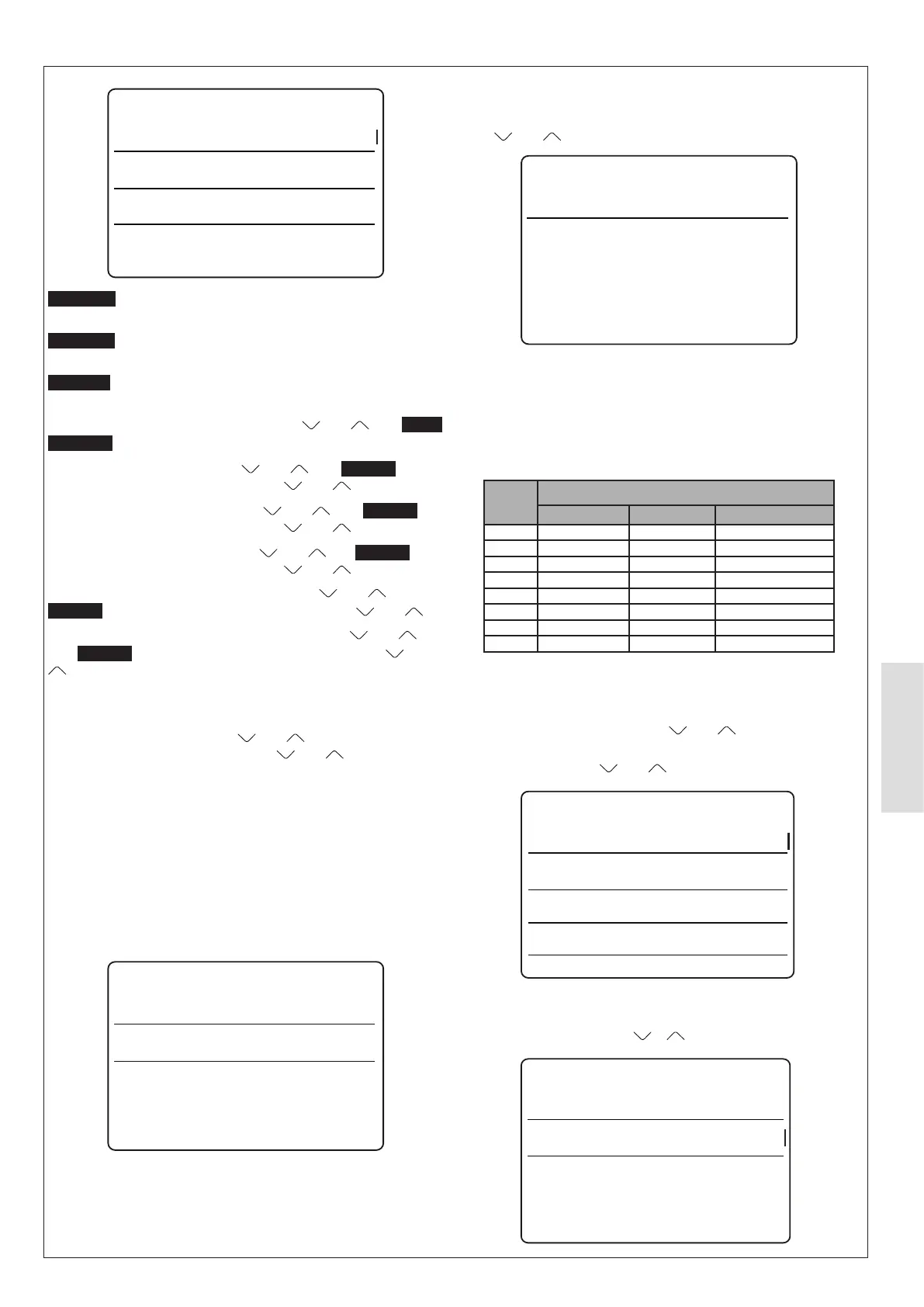
Floor drying up
t_Drypeak
Start time
15:00
45⁰C
01-01-2023
Start day
t-Drypeak
(default 45 °C)
Start time
function begins.
Start day
begins.
To enable/disable Floor drying up, select
and until Floor
drying up is illuminated. Then press O.
To change t_Dryup time, press
and until t_Dryup is
illuminated. Then press O, then press and .
To change t_Highpeak time, press and until t_Dryup is
illuminated. Then press O, then press and .
To change t_Drydown time, press and until t_Dryup is
illuminated. Then press O, then press and .
To change Floor drying up Start time, press and until
t_Dryup is illuminated. Then press O, then press and .
To change Floor drying up Start day. Then press and
until t_Dryup is illuminated. Then press O, then press and
.
5.8.9.11 For serviceman, Auto restart
To change a parameter press and until the parameter is
illuminated. Then press O. Then use and .
If Auto restart cooling/heating mode is set to YES when the
appliance automatically restarts after a mains electricity
interruption, then hot water will be enabled. If it is set to NO
cooling / heating mode water will be disabled.
When the appliance automatically restarts after a mains
electricity interruption:
If DHW mode is set to YES, then hot water will be enabled.
If DHW mode is set to NO. Then hot water will be disabled.
Auto restart
Auto restart cooling/heating mode
Auto restart DHW mode
YES
YES
- Auto restart cooling/heating mode default: YES
- Auto restart DHW mode default: YES
5.8.9.12 For serviceman, Power input limitation
To change the power input limitation setting, press O and then
press
and .
Power input limitation
Power input limitation 1
If the supply has less capability than the appliance. power input
limitation limits the current drawn by the appliance to match the
maximum available current from the mains electricity supply.
This function should not be required.
Default setting is 1 (no limitation).
Table 19 Table of Limitation
Setting
Model
4.5kW, 6kW 8kW 10kW, 12kW, 14kW
1 13.5A 17.5A 28A
2 12A 16A 26A
3 11A 15A 24A
4 10A 14A 22A
5 9A 13A 20A
6 8A 12A 18A
7 8A 12A 18A
8 8A 12A 18A
5.8.9.13 Forserviceman,Inputdenition
To change a parameter:
Scoll through the settings with the
and touch-buttons until
the correct parameter is illuminated.
Press O. Then use the
and touch-buttons.
M1 M2
NO
NO
Remote ON/OFF
Smart grid
Tbt
Input definition
P_X port NO
product (all defaults are NO).
NO
Defrost
Tbt
P_X PORT
Input definition



 To Next Page