15
RDX A8 User and Service Guide — Version 1.0
b. Installing in a rack
NOTICE
First, read the section Installation Precautions, Page 13.
Skip to section c, Page 16;
if the unit will not be rack mounted.
Required tools:
• #3 Phillips screwdriver
Rack mounting the RDX A8:
1. Determine the location in the rack for the unit to be installed.
2. Use a pencil to mark the location on each vertical rail in the rack.
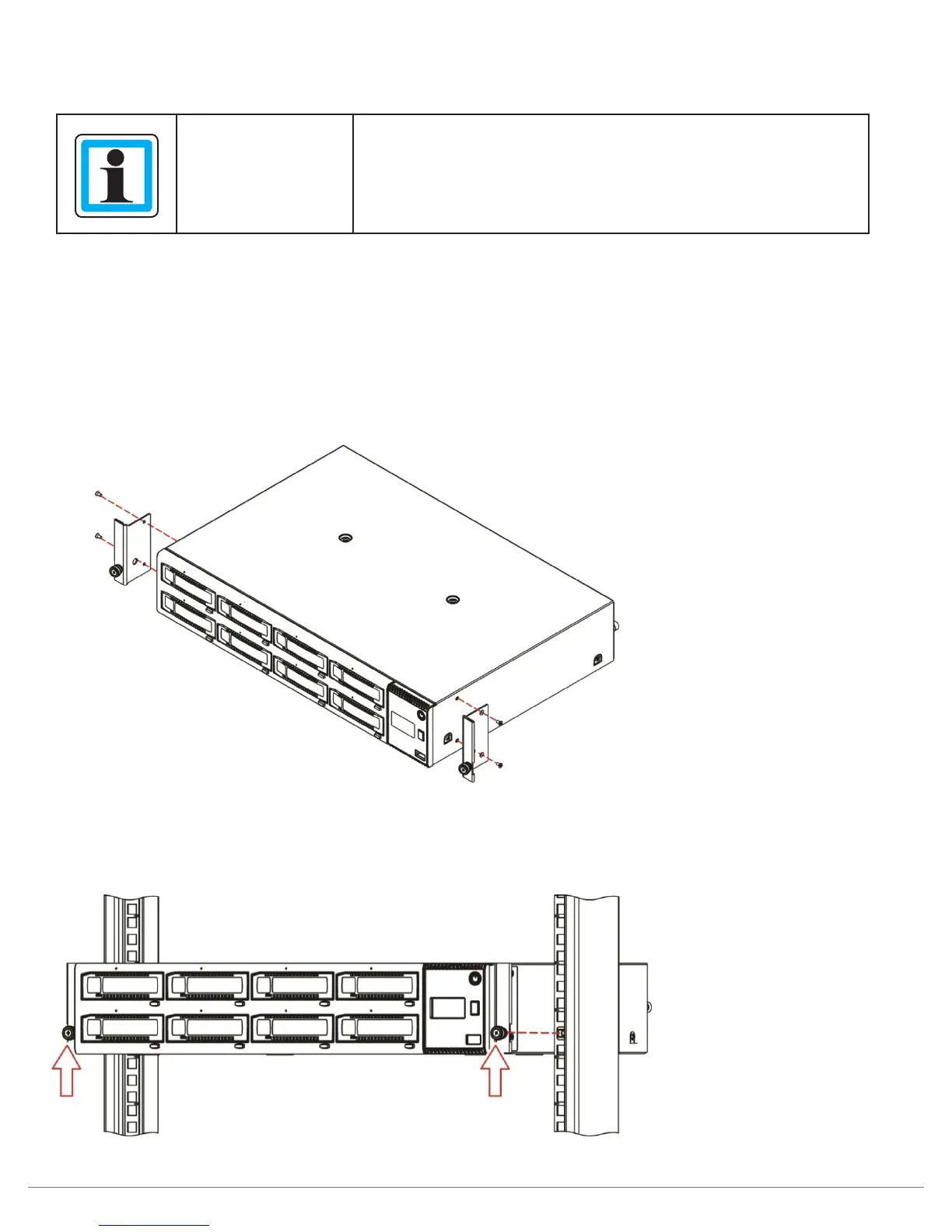
3. Install the rack ears of the unit using T10 Torx screwdriver to tighten the Torx screws included
in the rack mount kit.
Figure 4—Installing the rack ears
4. Locate and install appropriate clipnuts into rack rails.
5. Secure the unit to the rack using a #3 Phillips screwdriver or your fingers to tighten the
two captive thumb screw(s) on each side of the unit.
Figure 5—Securing the unit to the rack



 To Next Page