30
RDX A8 User and Service Guide — Version 1.0
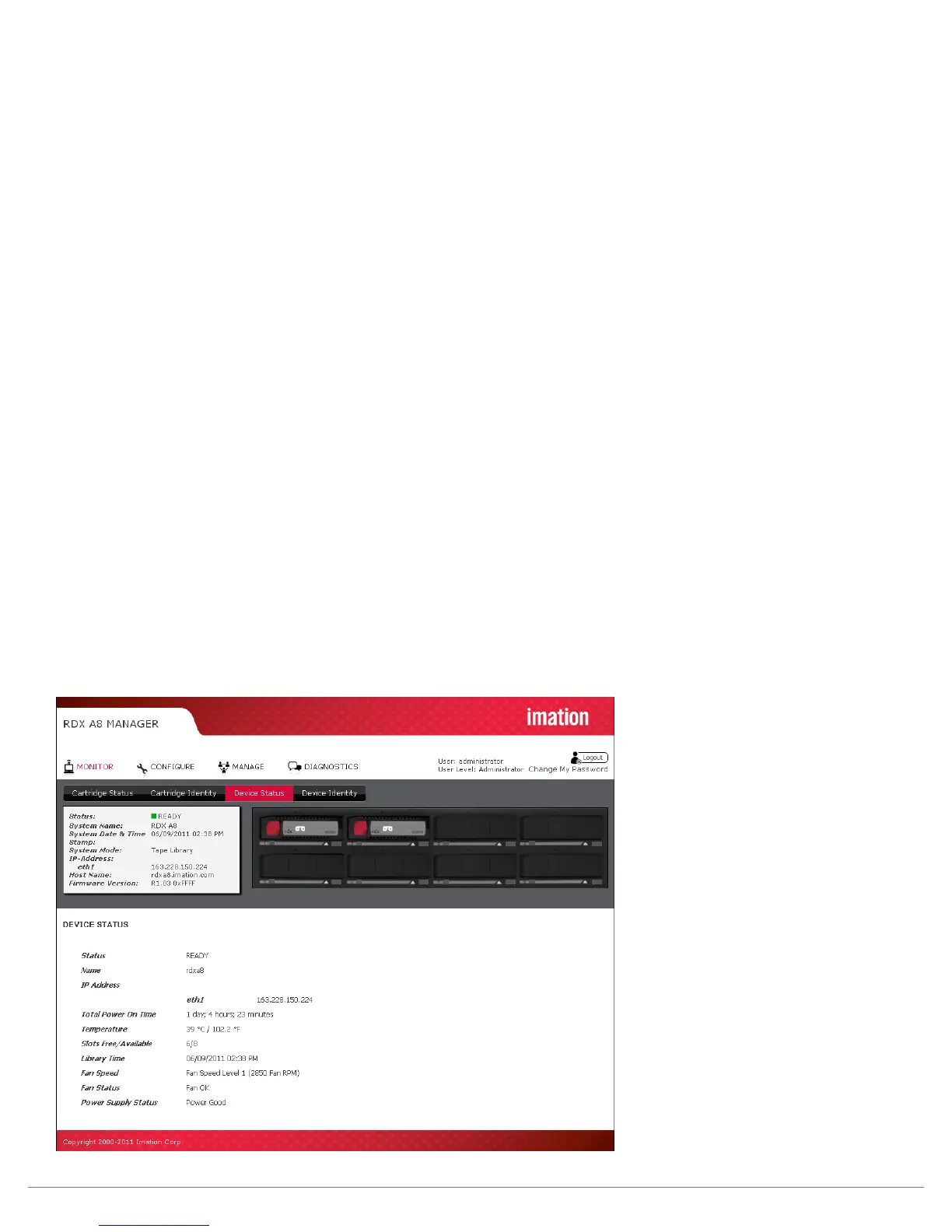
iii. Device Status page
Status:
This page displays the overall system status. Some of this information is also displayed in the
System Information Block.
Name:
This field displays the System Name.
IP Address:
This field displays the IP address for the device. This address is used to provide access both to the
RDX A8 Manager connection and the iSCSI connection.
Total Power On Time:
This field displays the total power on time since the last system reboot event.
Temperature:
This field displays the current system temperature in both Celsius and Fahrenheit scales.
Slots Free/Available:
This field displays the number of empty cartridge slots followed by the total number of slots.
Library Time:
This field displays the current unit date and time from the internal system clock. The unit time may be set
on the “CONFIGURE/Date & Time” tab.
Fan Speed:
This field displays at which of 4 speeds the fan is currently running.
Fan Status:
This field displays the system fan status -- Fan OK or Fan Error. The Fan Status will be set to Fan Error if:
the fan is not running, not running at the proper speed, or if an over temperature condition is sensed.
Power Supply Status:
This field displays the power supply status -- Power Good or Power Error. The Power Supply Status will be set
to Power Error if any of the monitored voltages fall below or exceed normal operating parameters.
Figure 15—RDX A8 Manager Monitor Device Status



 To Next Page