57
RDX A8 User and Service Guide — Version 1.0
4. RDX cartridges
This section describes the use of the RDX cartridge in the RDX A8. The RDX cartridge utilizes a
removable 2.5” mobile HDD to offer the reliability and performance of disk technology along with
the manageability of removable media.
For physical and functional specifications, please see section Product specification, Page 60.
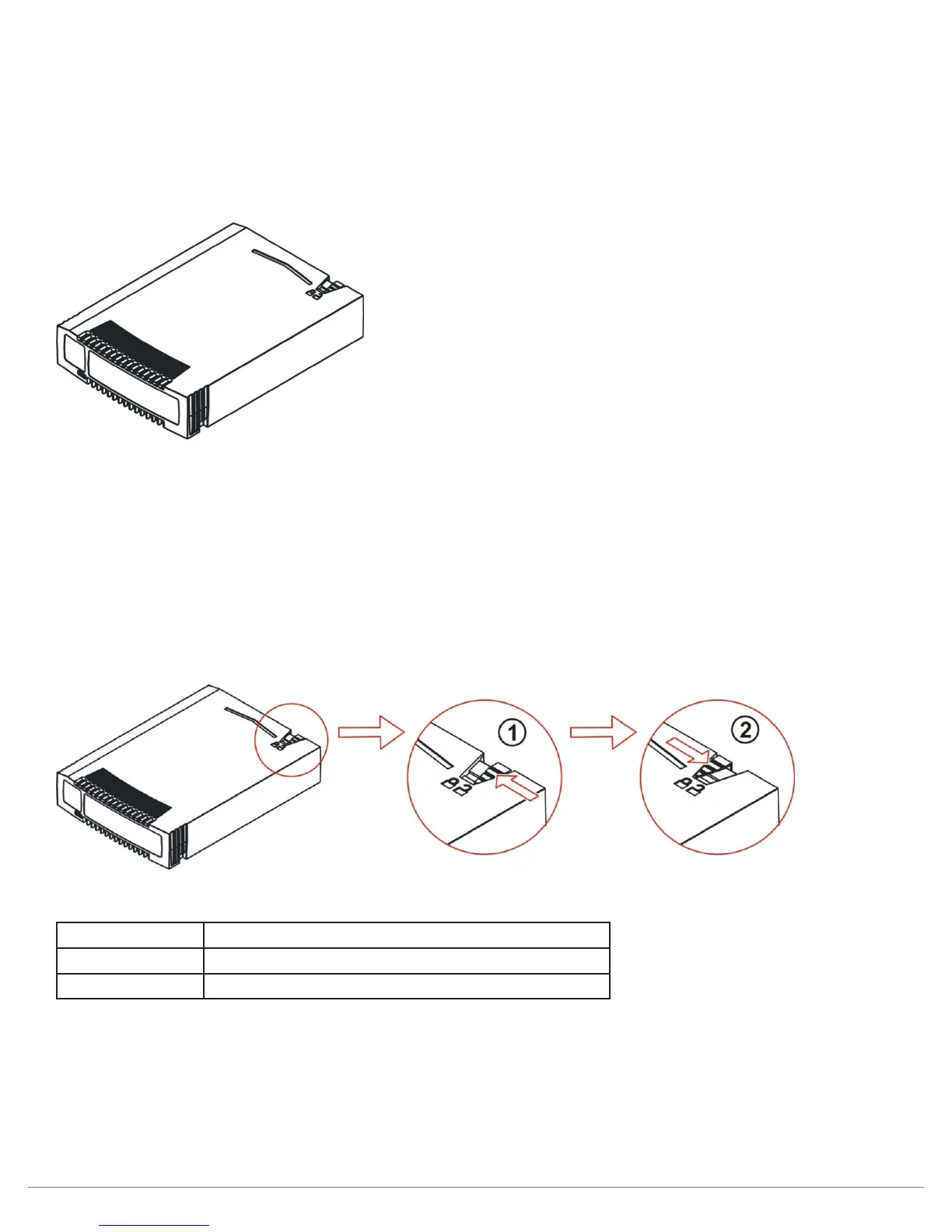
Figure 37—Cartridge overview
RDX cartridges contain HDDs with SATA I or SATA II interfaces capable of transferring data at either
1.5 GB/s or 3.0 GB/s.
a. Write-protecting cartridges
The write protect slider is located on the top right rear of the cartridge. With the slider and in the right
most position, the cartridge is shown to be writable (unlocked) and in the left most position the cartridge
is shown to be write-protected (locked).
Figure 38—Write-protecting cartridges
Number Description
1 Cartridge is writable.
2 Cartridge is write-protected.



 To Next Page