8
RDX A8 User and Service Guide — Version 1.0
b. Front panel
The front panel of the RDX A8 is constructed of durable plastic and is designed to provide both visual
appeal and protection from entry of dust/dirt. The eight spring-loaded cartridge bay doors prevent entry
of dust when no cartridge is inserted, protect the unit from ESD, and control the cooling airflow through
the device. The bezel surface may be cleaned with a water dampened lint free cloth.
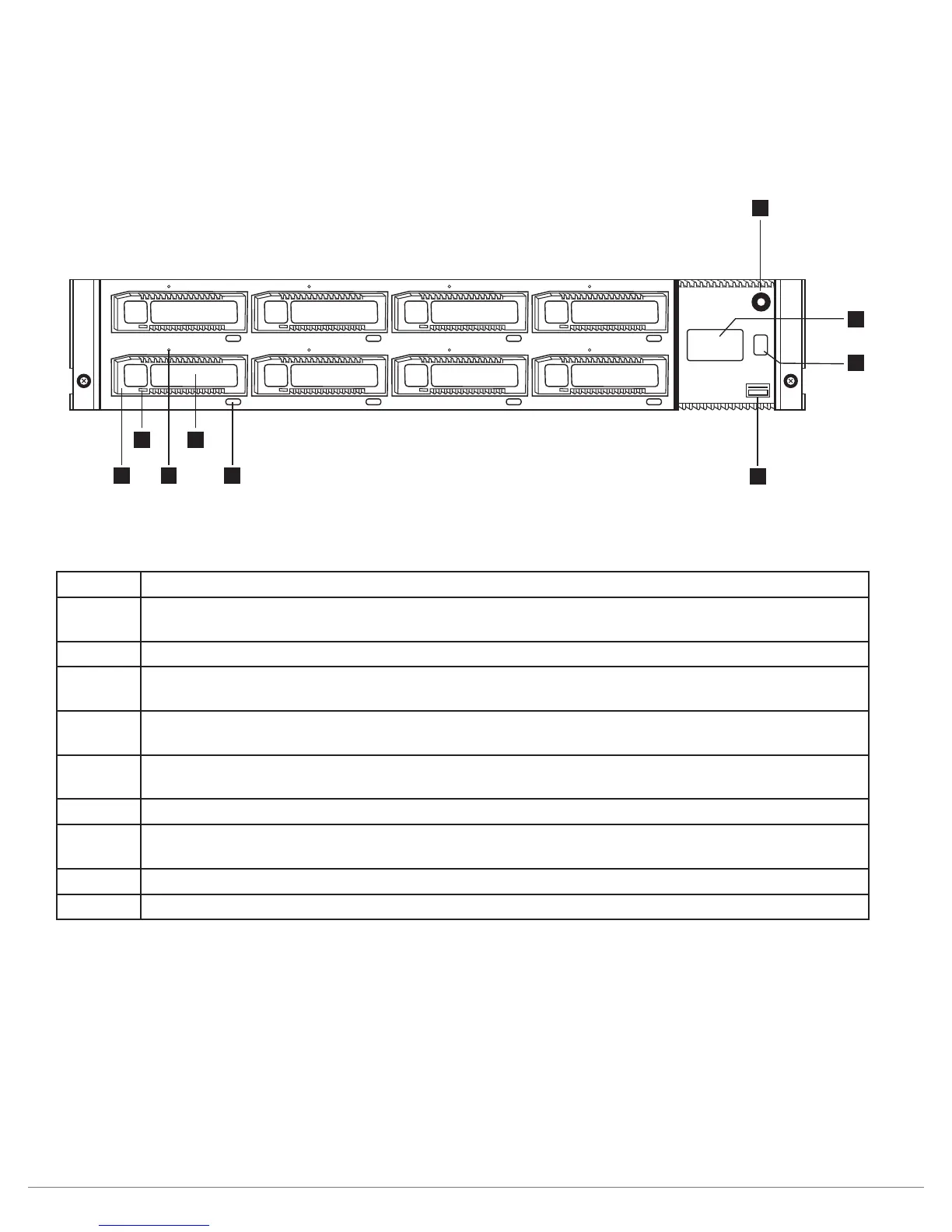
i. Front panel layout
Figure 1—Front panel
Number Description
1 AC power button - Soft power switch with LED button indication (2 colors) and
power icon graphic.
2 Operator Control Panel (OCP) - 64x128 graphics display with RGB back light.
3 OCP Navigation Button - display mode selector switch - used to play/pause information
on the operator display. Also used to locally acknowledge/clear error messages.
4 USB 2.0 service port - used in future implementation for special maintenance and
configuration functions.
5 Cartridge eject button (8 places) - soft eject button with LED through button indication
(2 colors) - used to eject individual RDX cartridges (when allowed by application).
6
Cartridge identification label (on RDX media)- May be used to identify individual cartridges
7 Emergency eject port (8 places) - used to manually eject individual cartridges when unit
power is off or in error conditions.
8 Cartridge indicator - RDX cartridge fault indication LED.
9
RDX cartridge slot (8 places) - RDX dock location that accepts any type of RDX standard media.
Table 1—Front panel
1
2
3
4
5
6
7
8
9



 To Next Page