28
RDX A8 User and Service Guide — Version 1.0
h. Monitoring cartridge and device status – The MONITOR tab
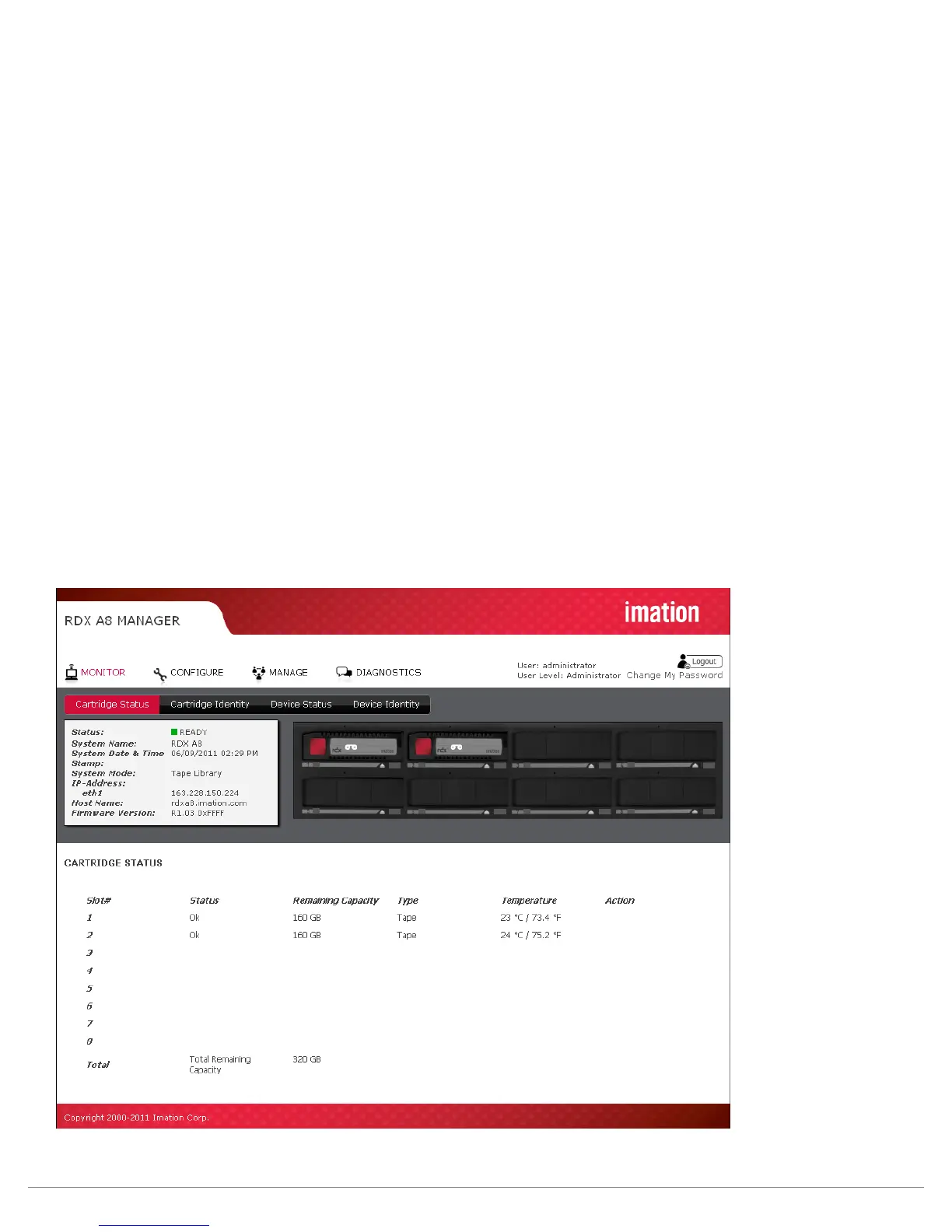
The RDX A8 unit user home page is the “MONITOR” tab for all account logins. Following is a brief description
of each function.
i. Cartridge Status page
Slot #:
This field shows the row heading indicating the slot number.
Status:
Ok -- indicates normal operation of the cartridge. Error -- indicates a problem with the RDX cartridge.
Remaining Capacity:
This field shows the remaining storage capacity of the media when in tape emulation mode only.
Note that in JBOD mode cartridge remaining capacity must be viewed from the host file system.
Type:
This field indicates the format of the cartridge as either tape or disk. Note that using the RDX A8
in tape library emulation mode requires that the cartridges be formatted as tape.
Temperature:
This field shows the individual cartridge temperature in both Celsius and Fahrenheit scales.
Action:
This field is reserved for future use.
Figure 13—RDX A8 Manager Monitor Cartridge Status



 To Next Page