9
RDX A8 User and Service Guide — Version 1.0
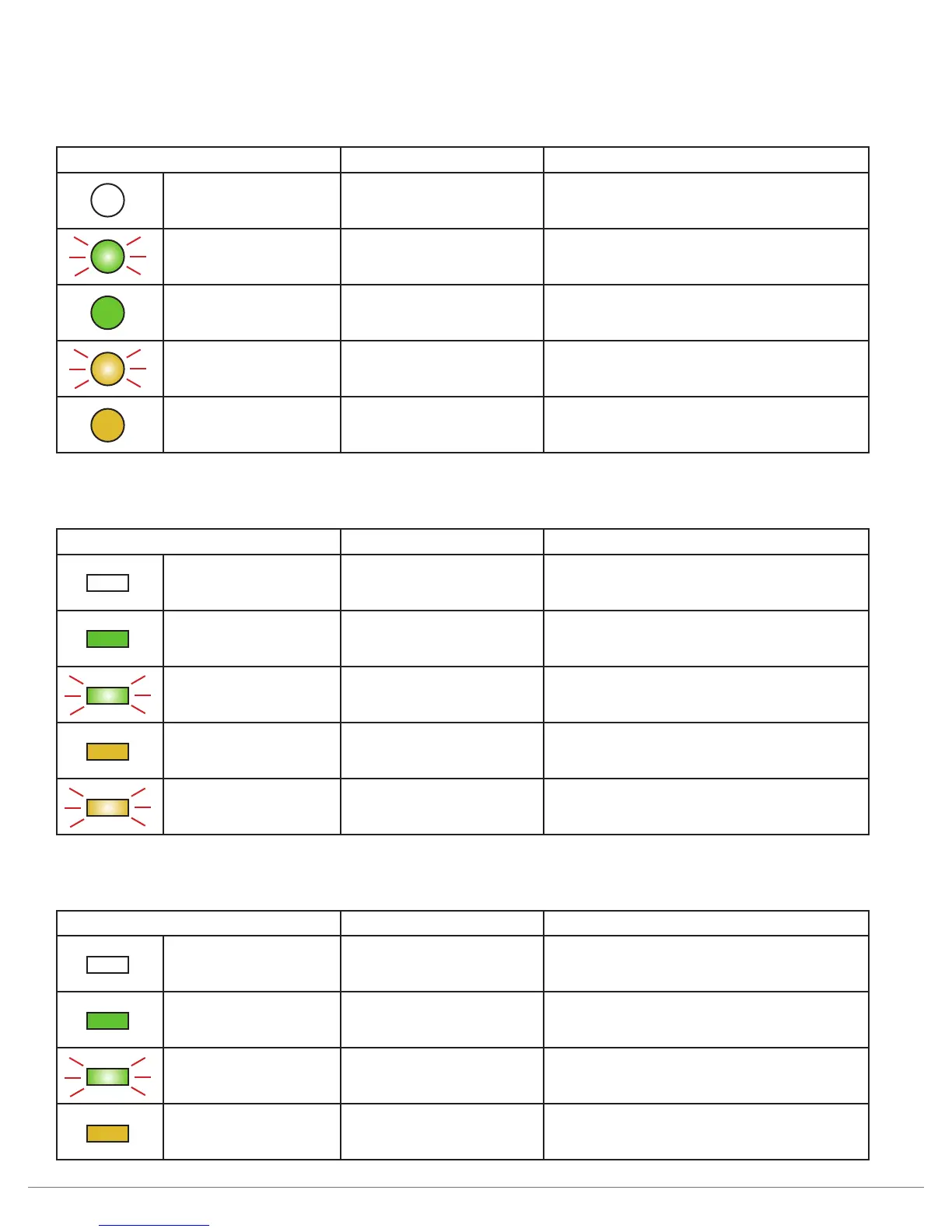
ii. LED Behavior
1. Power button
LED State Status Description
Off No power
No AC Power is present at the RDX A8
rear connector.
Blinking green Unit staring
Unit is in the process of becoming ready
for operation.
Steady green Power on Unit is ready for operation.
Blinking amber Unit shutting down Unit is in the process of shutting down.
Steady amber Standby Unit is in standby, AC power is present.
2. Cartridge eject button
LED State Status Description
Off No power No cartridge inserted
Steady green Ready
Cartridge is inserted and the RDX
is operating properly.
Blinking green Ejecting Unit is ejecting the cartridge.
Steady amber Fault Unit has detected a fault condition.
Blinking amber Prevent
Prevent media removal set,
host is accessing the cartridge.
3. Cartridge indicator
LED State Status Description
Off No power No cartridge inserted
Steady green Ready
Cartridge is inserted and the RDX
is operating properly.
Blinking green Ejecting Unit is ejecting the cartridge.
Steady amber Fault Unit has detected a fault condition.



 To Next Page