29
RDX A8 User and Service Guide — Version 1.0
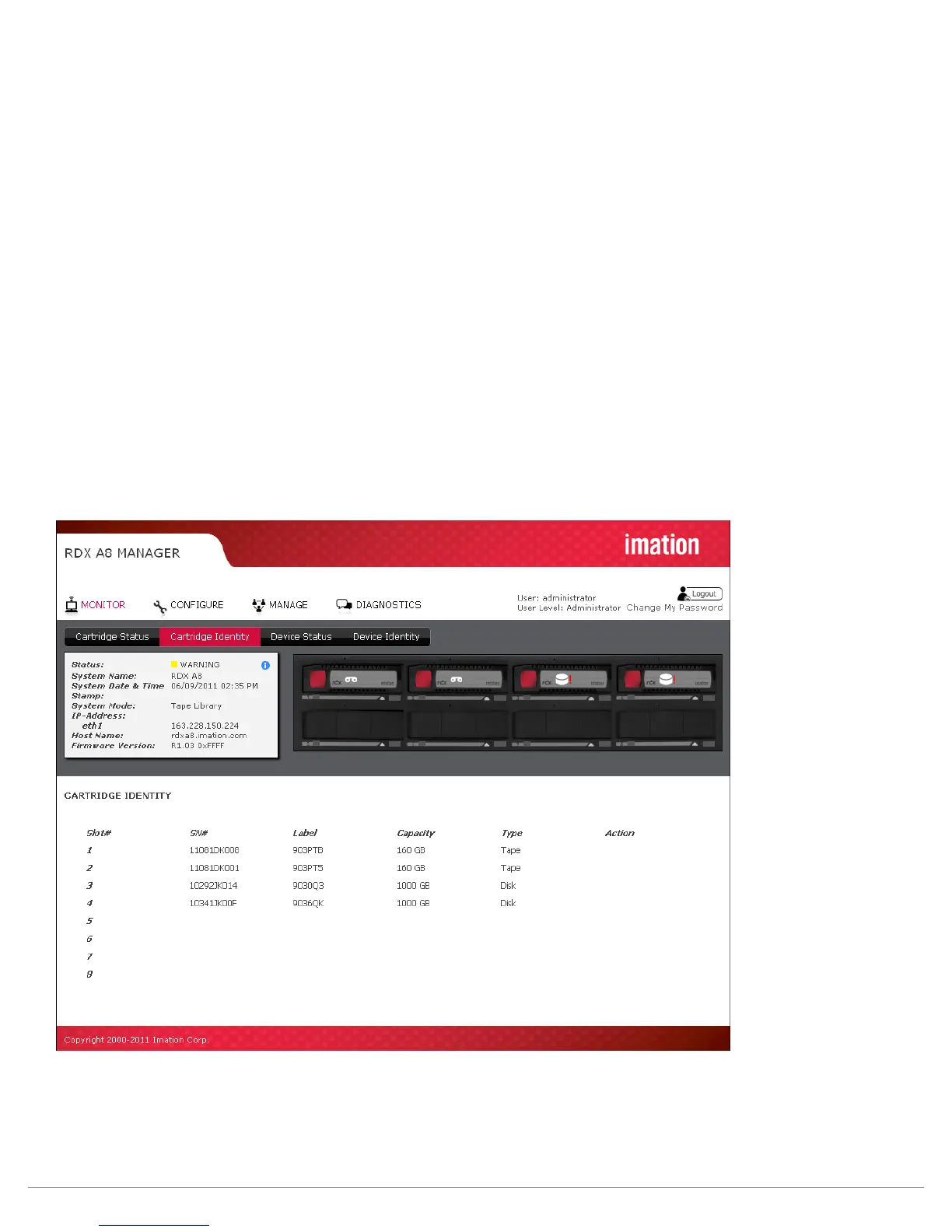
ii. Cartridge Identity page
Slot #:
This field shows the row heading indicating the slot number.
SN#:
This field displays the physical RDX cartridge serial number.
Label:
This field displays the cartridge label. Note that this label field will always display the default cartridge
label when the RDX A8 system is operated in JBOD mode. When the RDX A8 system is operated in
Tape Library mode, Tape formatted RDX cartridges will display either the default cartridge label or
the user assigned custom label.
Capacity:
This field shows the storage capacity of the RDX cartridge in GB.
Type:
This field indicates the format of the cartridge as either tape or disk. Note that using the RDX A8
in Tape Library mode requires that the cartridges be formatted as tape.
Action:
This field is reserved for future use.
Figure 14—RDX A8 Manager Monitor Cartridge Identify



 To Next Page