19
RDX A8 User and Service Guide — Version 1.0
i. OCP Display Content
Once the RDX A8 unit completes the power up boot sequence the OCP will become active. The OCP will
display the system information screen which identifies the unit’s IQN name, current IP address / status of
Ethernet port 1, as well as the unit current firmware revision level.
The normal display mode rotates through nine screens. The System Information screen is followed by
eight individual screens indicating slot status. Following slot 8 the rotation is repeated, beginning with
the System Information screen.
After initial power up the OCP will hold on the System Information screen. The OCP may be set to
automatically rotate through all screens by pushing and holding the OCP Navigation button for a
three seconds (long push).
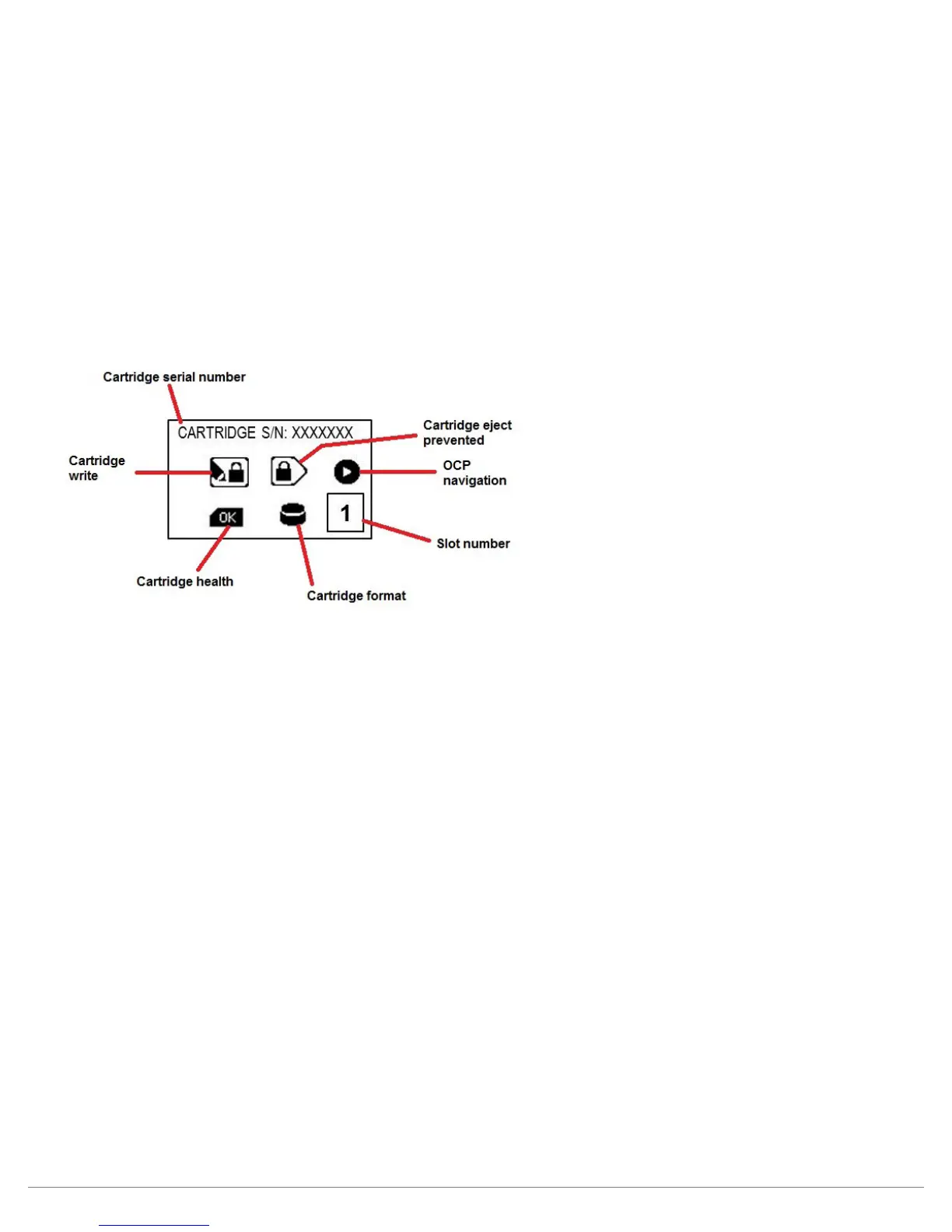
The general layout of the Slot Status screen is shown in the figure below:
Figure 7—OCP Slot Status



 To Next Page