24
RDX A8 User and Service Guide — Version 1.0
f. Login Procedures
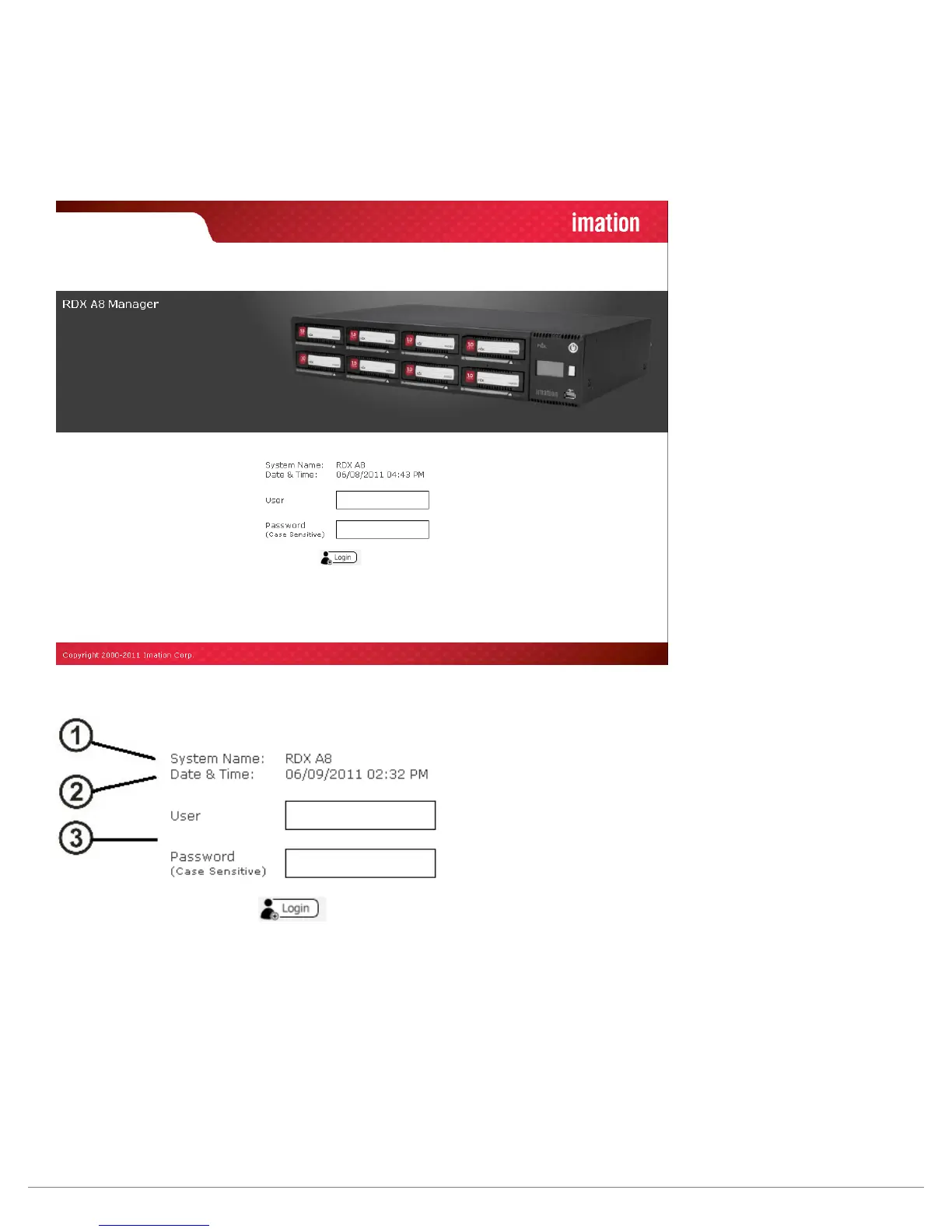
Access the RDX A8 Manager remote management interface via a web browser. Using the IP address visible on the
unit’s front panel OCP, enter the IP address into your browser address bar and navigate to the RDX A8 Login page.
i. Login Page
Figure 9—RDX A8 Manager Login Page
Figure 10—RDX A8 Manager Login Detail
1. System Name:
Displays the name currently assigned to the RDX A8 unit. The factory default setting is “RDX A8”. This field may
be changed on the “CONFIGURE/Device” tab. This field may only consist of alphanumeric characters.
2. Date & Time:
The current system date and time is displayed in MM/DD/YY and 12 Hr. time format. This field may be changed
on the “CONFIGURE/Date & Time” tab. These fields may only consist of alphanumeric characters.
3. User name & Password authentication:
This is the location were the user enters in their specific login information. Access to RDX A8 Manager
menus is granted by login levels as follows:



 To Next Page