17
RDX A8 User and Service Guide — Version 1.0
d. Powering up and Powering down the unit
The RDX A8 power button indicator will be solid amber when AC power is present at the unit indicating
the unit is in Standby mode.
Before powering up the system insure that the network cable connection to the host system is plugged
into the RDX A8 Ethernet port 1 -- the right hand port when looking directly at the rear of the unit. A live
network connection is necessary to insure the unit receives an IP address from the host network DHCP
server or is assigned a static IP address if DHCP services are unavailable.
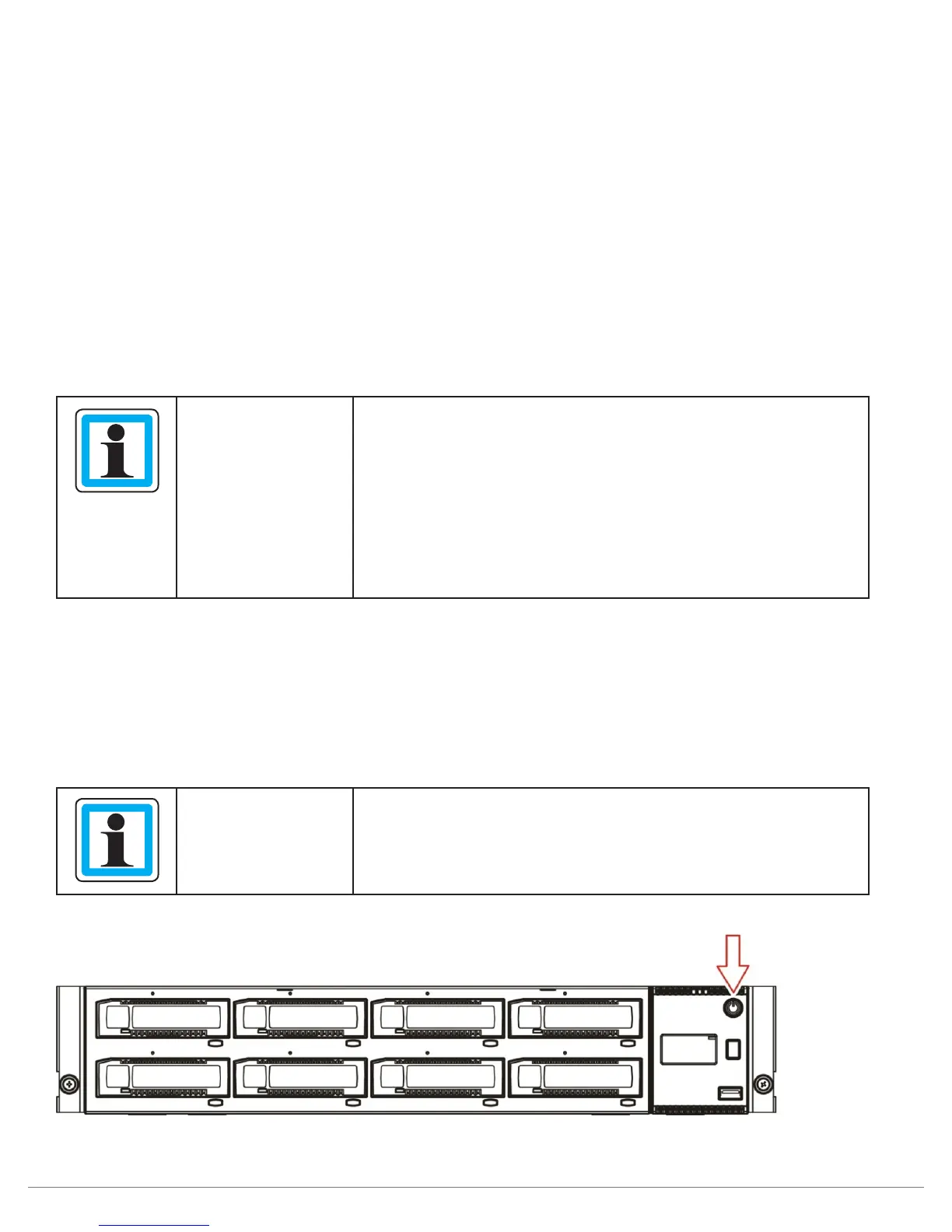
Press and release the power button on the front panel to power up the RDX A8. During the power up
process the power button indicator will change from solid amber to flashing green indicating the unit
is in the process of becoming ready. The RDX A8 unit will take approximately 120 seconds (2 minutes)
to complete the power up boot sequence. During power up a progress bar will be displayed in the
OCP after approximately 90 seconds providing boot progress indication for the remaining start up
sequence operations.
NOTICE
The RDX A8 will always start from standby mode if the last
power shutdown of the unit was performed via a normal shut-
down to standby mode (shutdown initiated by the pressing the
power button).
If the unit was stopped or rebooted because of an AC power
interruption the unit will automatically boot backup to operation
mode without the necessity of a power button push. This allows
the RDX A8 to recover from power errors without additional
operator intervention.
After successful completion of the power up sequence, the rear network interface will be available for
both the RDX A8 Manager and iSCSI communication. The RDX A8 OCP (Operator Control Panel) will also
become active and will display the RDX A8 unit’s IP address for ETH1. Please take note of this IP address
which will be used to access the RDX A8 Manager and for the iSCSI communication portal.
To power down the unit press and hold the power button for 4 seconds and release. The power indicator
will flash amber indicating the unit is in the process of powering down. Once the unit has completed the
power shutdown sequence the power indicator will be solid amber indicating the unit is in Standby Mode.
NOTICE
Do not insert RDX cartridges until the preliminary RDX A8
configuration process is completed!
Figure 6—Power up/down the unit



 To Next Page