35
RDX A8 User and Service Guide — Version 1.0
iii. Network settings
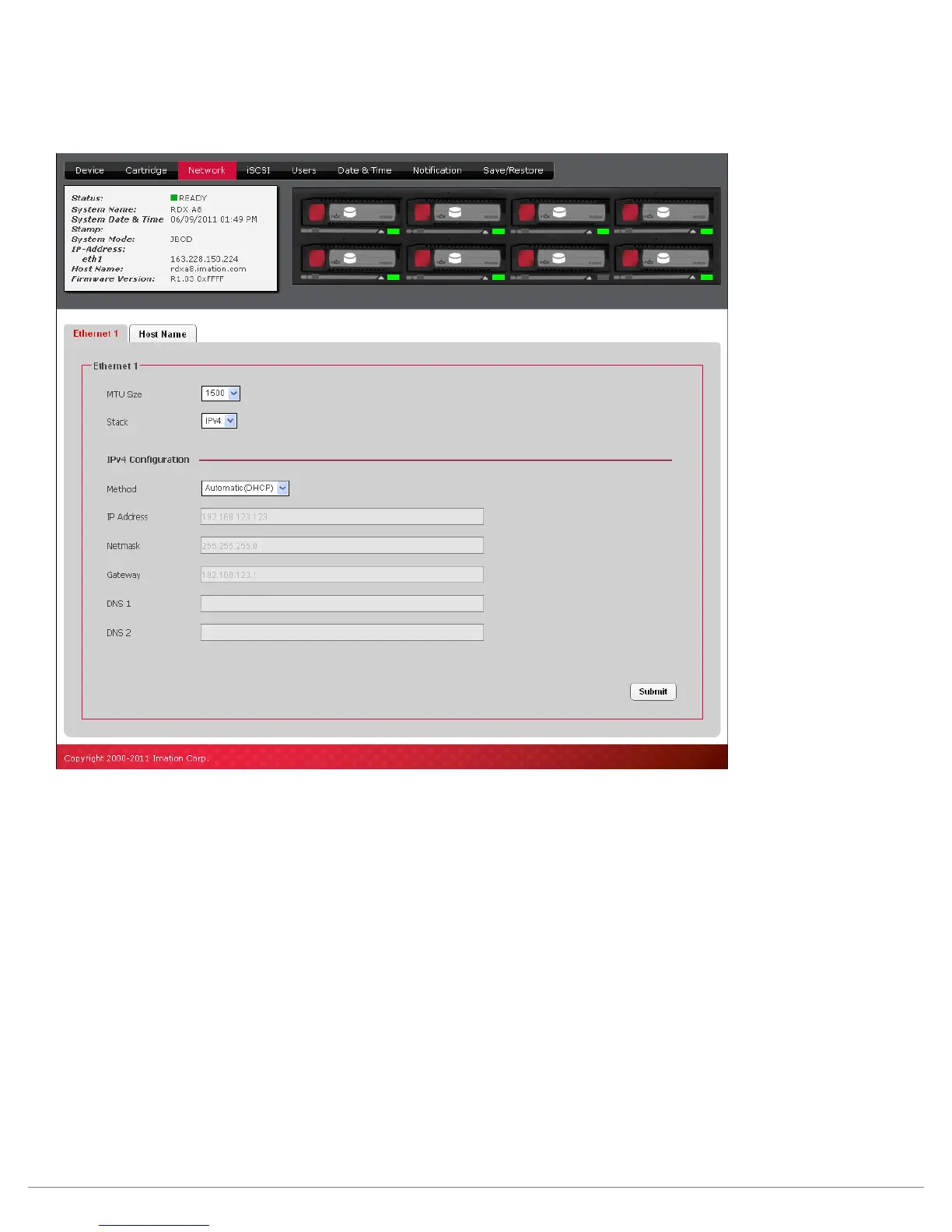
The “CONFIGURE/Network” tab allows the user to configure the parameters for the network interface.
.
Figure 19—RDX A8 Manager Configure Ethernet
MTU Size:
The Maximum Transmission Unit (MTU) Size controls the maximum data packet size over the network.
The choices are 1500 and 9000 – 1500 is the default size.
Stack:
The Stack selects the version of the Internet protocol the RDX A8 will use when communicating on
the network. Current selection option, and default choice, is IPV4.
Method:
The Method will select the IP addressing mode the RDX A8 will use. The two options are DHCP or Manual.
The RDX A8 default configuration is DHCP.
• DHCP – the RDX A8 will seek out the DHCP-sever on your network and automatically obtain an
IP address from the server each time it powers up.
• Manual – The RDX A8 will use the IP address and other network parameters set on this page for
network communication.
IP Address:
Manually assigned IP address that the RDX A8 will use for network communication.



 To Next Page