32
RDX A8 User and Service Guide — Version 1.0
i. Administrator operations – The CONFIGURE tab
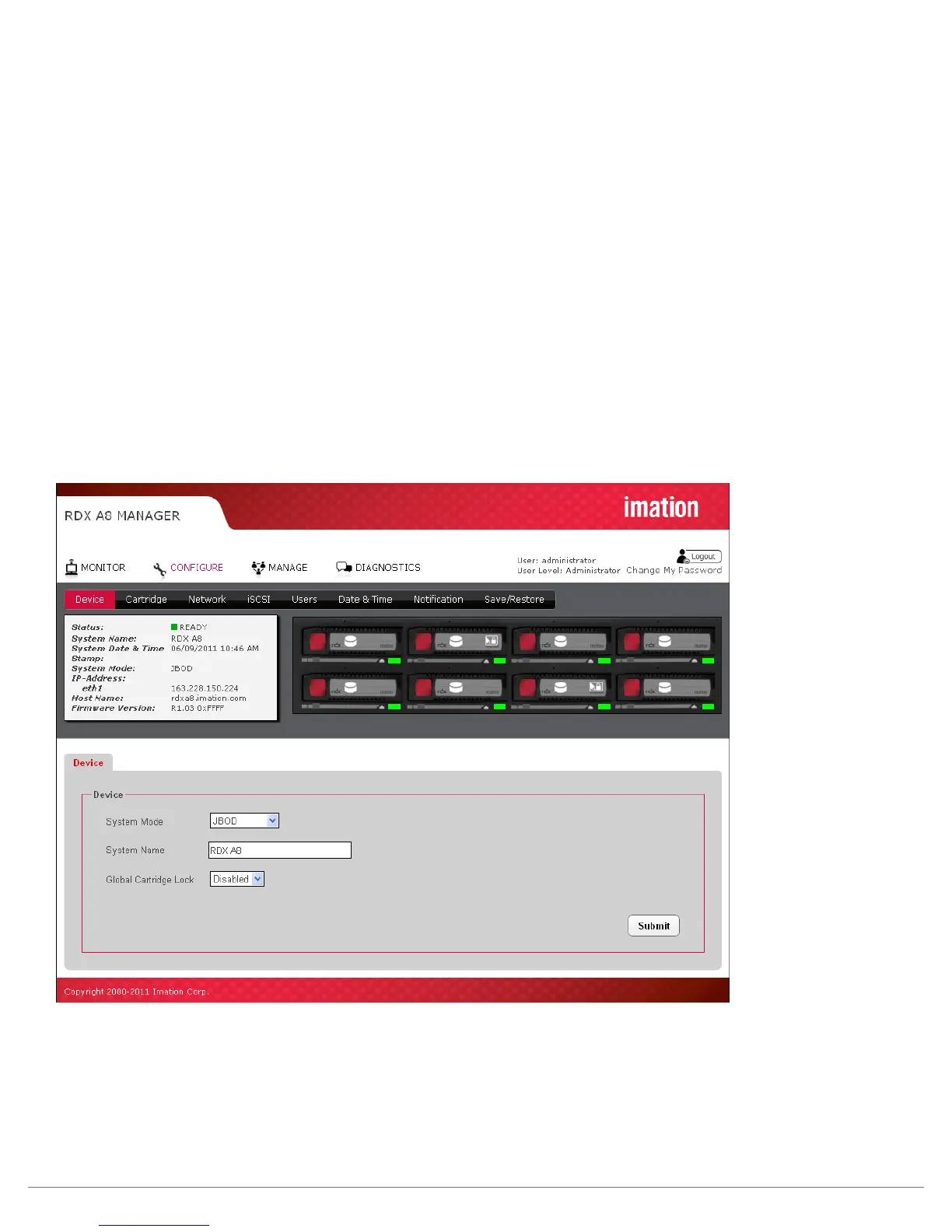
The CONFIGURE tab allows the user to set various operating parameters of the RDX A8.
The CONFIGURE tab is available to users with access level of Administrator or Service.
i. Device - Set Operating Mode
The Device page allows the user to configure the operating mode of the RDX A8, as well as the System Name
and the Global Cartridge Lock status.
System Mode
The System Mode field allows the user to select the operating mode of the device. The choices are
‘Tape Library”, and “JBOD”. The RDX A8 system comes preconfigured from the factory as default in the
“JBOD” operation mode.
The RDX A8 default operating mode is JBOD. If you have completed installation of the iSCSI initiator and
connected to the unit via the Targets tab, you are ready to address the eight drives. If you are planning
on using the RDX A8 in the Tape Library mode, you need to change the operation mode via the
RDX A8 Manager interface.
The Operating Mode selected will apply to all eight slots of the RDX A8 unit.
Figure 17—RDX A8 Manager Configure Device



 To Next Page