106
INSTALLER
USERMAINTENANCE TECHNICIAN
TECHNICAL DATA
3.14 PASSWORDPROTECTED SPECIAL FUNCTIONS
e appliance is equipped with some special functions, access to which is granted if this is in stand-by ( ) or OFF.
If the boiler is in summer, winter or in Stand-by mode from Remote control, the following functions are available:
- dI;
- Fu;
- tA;
- tM.
If the boiler is in O mode from the boiler control panel, the following functions are available:
- SM;
- MA;
- dI;
- Fu.
MODEINFORESET
+
-
+
-
74
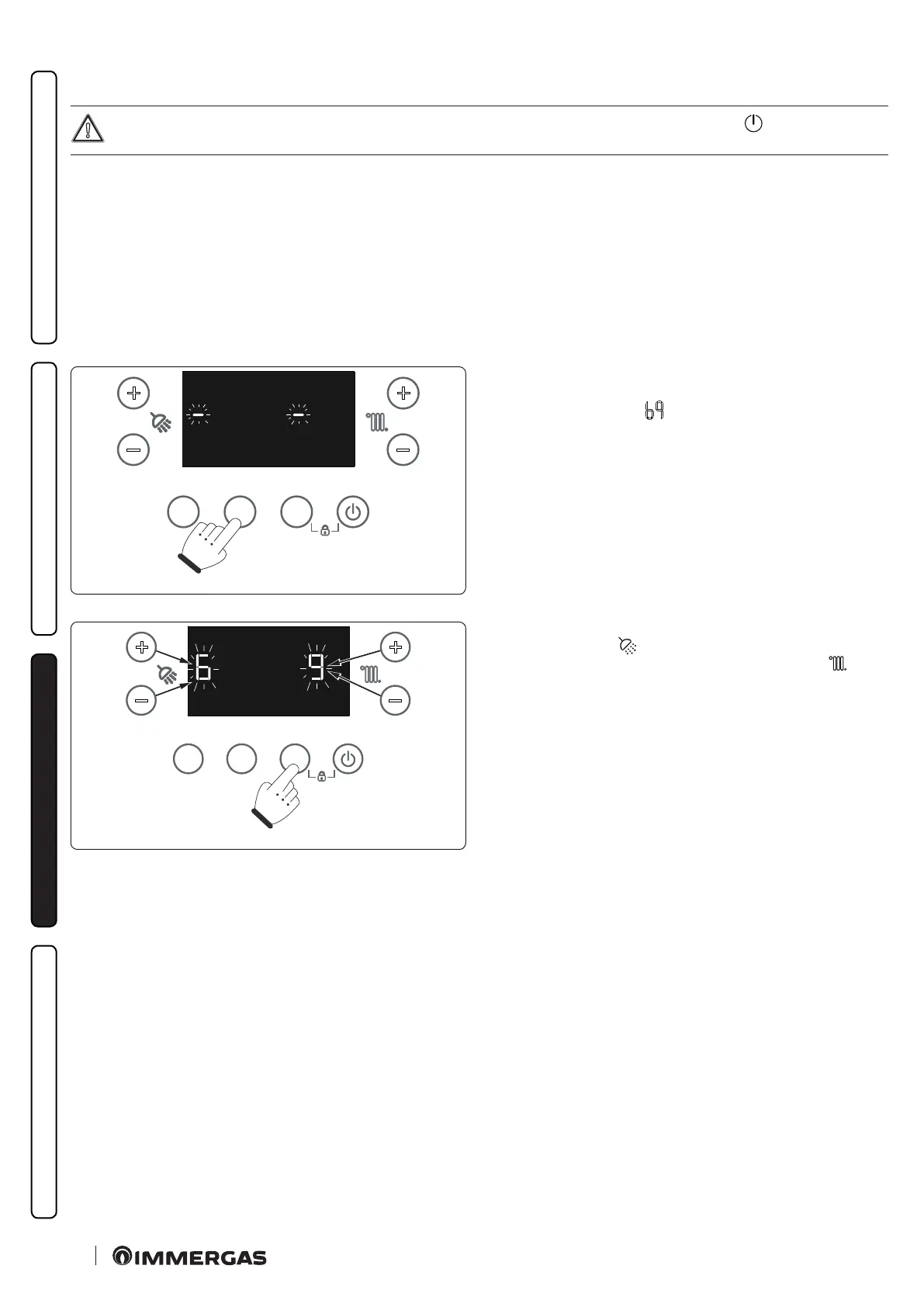
Press and hold the "INFO" button for more than 5 seconds.
e display will show two dashes “--” ashing.
Now enter the password (
) to access the programming menus.
MODEINFORESET
+
-
+
-
75
To enter the digit on the le, use the +/- buttons (5-6) to adjust the
DHW temperature (
); to enter the digit on the right, use the +/-
buttons (7-8) to adjust the central heating temperature ( ).
Press MODE to conrm the password.
Once you have entered the menu, you can cycle through the following available functions by pressing the "INFO" button:
- Screed heater (SM) : only visible when the boiler is OFF;
- Maintenance (MA) : visible only with boiler OFF;
- Automatic venting (dI);
- Flue (Fu);
- Automatic calibration (tA) : only visible when the boiler is NOT in OFF;
- Manual calibration (tM): only visible when the boiler is NOT in OFF.
To select the function press the "MODE" button; to exit wait for the automatic end of the activated function or press the "RESET" button.







 To Next Page