95
INSTALLER
USERMAINTENANCE TECHNICIAN
TECHNICAL DATA
3.13 P.C.B. PROGRAMMING
e device is prepared for possible programming of several operation parameters.
By modifying these parameters as described below, the device can be adapted according to specic needs.
MODEINFORESET
+
-
+
-
67
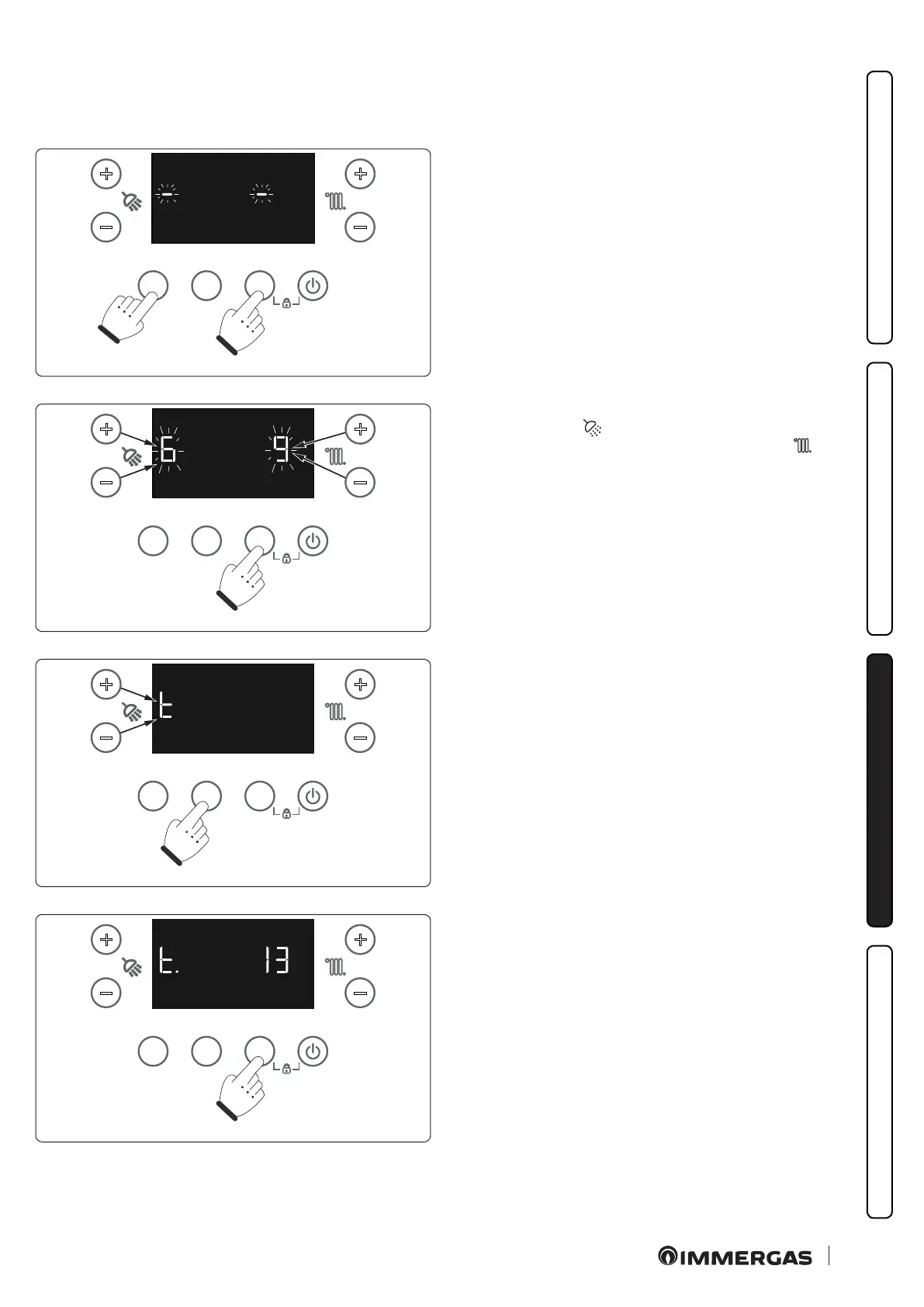
To access the programming phase, press and hold the "MODE"
and "RESET" buttons for more than 5 seconds; the display shows
two dashes "-" single blinks and you must enter the password (69)
to access the programming menus.
MODEINFORESET
+
-
+
-
68
To enter the digit on the le, use the +/- buttons (5-6) to adjust the
DHW temperature (
); to enter the digit on the right, use the +/-
buttons (7-8) to adjust the central heating temperature (
).
Press MODE to conrm the password.
MODEINFORESET
+
-
+
-
69
Once you have entered the menu, the family of parameters is dis-
played.
Press "INFO" to scroll the list of parameter families.
Scrolling though the list of parameter families occurs in a circular
mode: GPtAGP…
Once you have selected the required family (E.g. t), press "MODE"
to conrm and enter in the family.
MODEINFORESET
+
-
+
-
70
Once you have entered in the family, press "INFO" to scroll the list
of parameters and select the required one (E.g. t.13). en press
"MODE" to conrm and view the value.







 To Next Page