109
INSTALLER
USERMAINTENANCE TECHNICIAN
TECHNICAL DATA
3.16 MAINTENANCE FUNCTION MA
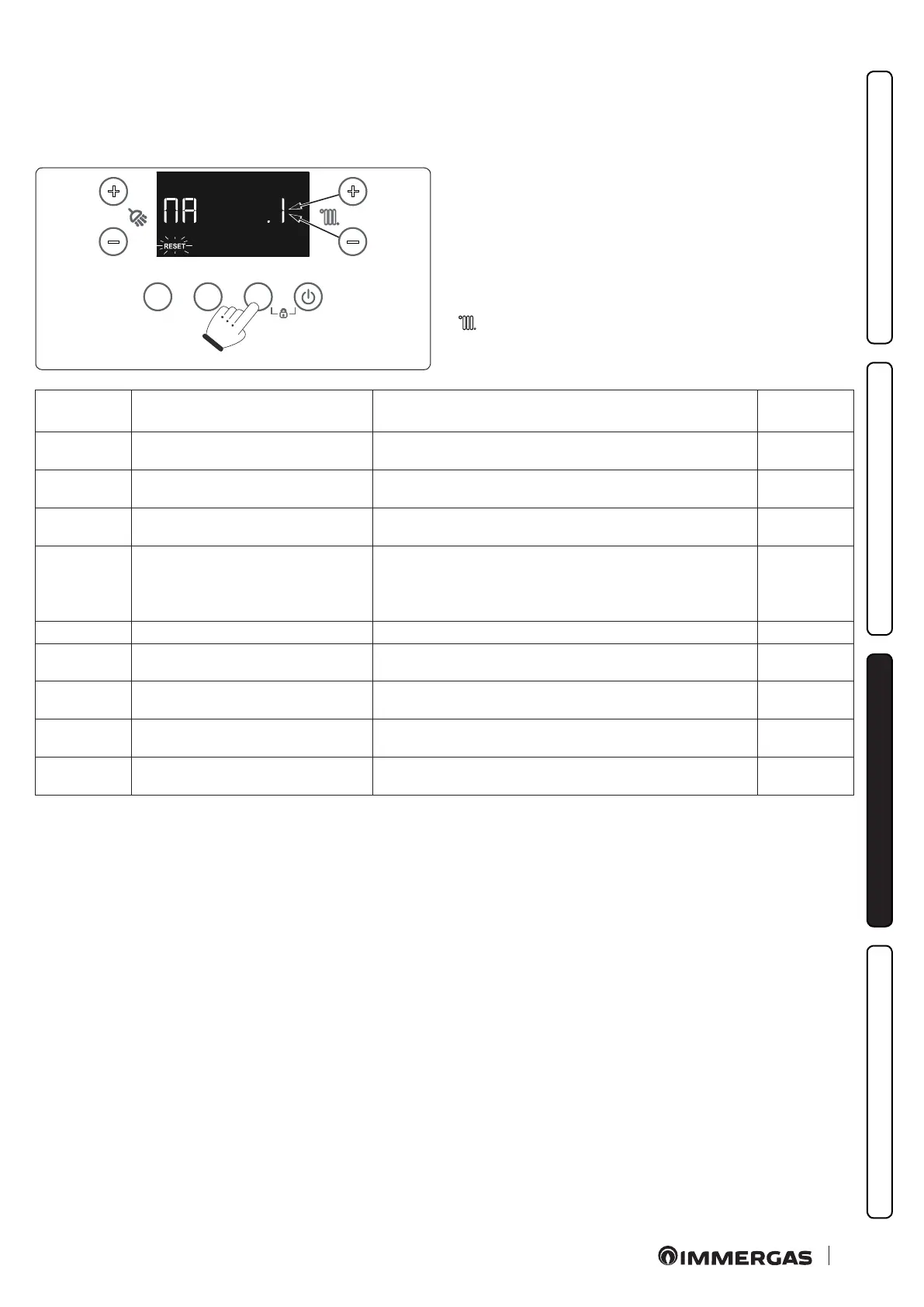
e function can be activated from the Special Functions menu by selecting 'MA'.
Using this function, you can activate some operating devices of the appliance without starting it, thus verifying operation.
e function is active for 15 minutes and it can be stopped by pressing the "RESET" button.
MODEINFORESET
+
-
+
-
80
To activate the “Maintenance” function, access the special func-
tions as described in Paragraph 3.14 and select the “MA” function.
With "MA"displayed by the special functions list, press "MODE"
to enter the "Maintenance" menu. e various items of the "Main-
tenance" menu would then be available (see table below). You may
scroll the menu to select the items by pressing the "INFO" button.
Once you have identied the menu item to be used, press "MODE"
to conrm. en use the heating temperature adjustment knob (
) to set the value for the required forcing. Lastly, press MODE to
activate forcing.
Id
Parameter
Parameter Description Range
MA.0 Permanent spark
0: OFF
1: spark always ON (without gas intake)
0 ÷ 1
MA.1 Permanent fan
0: OFF
> 0: fan on (without gas intake)
0 ÷ 100 %
MA.2 Permanent pump
0: OFF
> 0: pump ON (without gas intake)
0 ÷ 100 %
MA.3 3-way forcing
0: OFF
1: system position
2: DHW position
3: intermediate position
0 ÷ 3
MA.4 Not available - 0 ÷ 100 %
MA.5 Board relay forcing
0: OFF
1: energised relay
0 ÷ 1
MA.6 Forcing relay 1 on relay board (optional)
0: OFF
1: energised relay
0 ÷ 1
MA.7 Forcing relay 2 on relay board (optional)
0: OFF
1: energised relay
0 ÷ 1
MA.8 Forcing relay 3 on relay board (optional)
0: OFF
1: energised relay
0 ÷ 1







 To Next Page