69
INSTALLER
USERMAINTENANCE TECHNICIAN
TECHNICAL DATA
2.5 FAULT AND ANOMALY SIGNALS
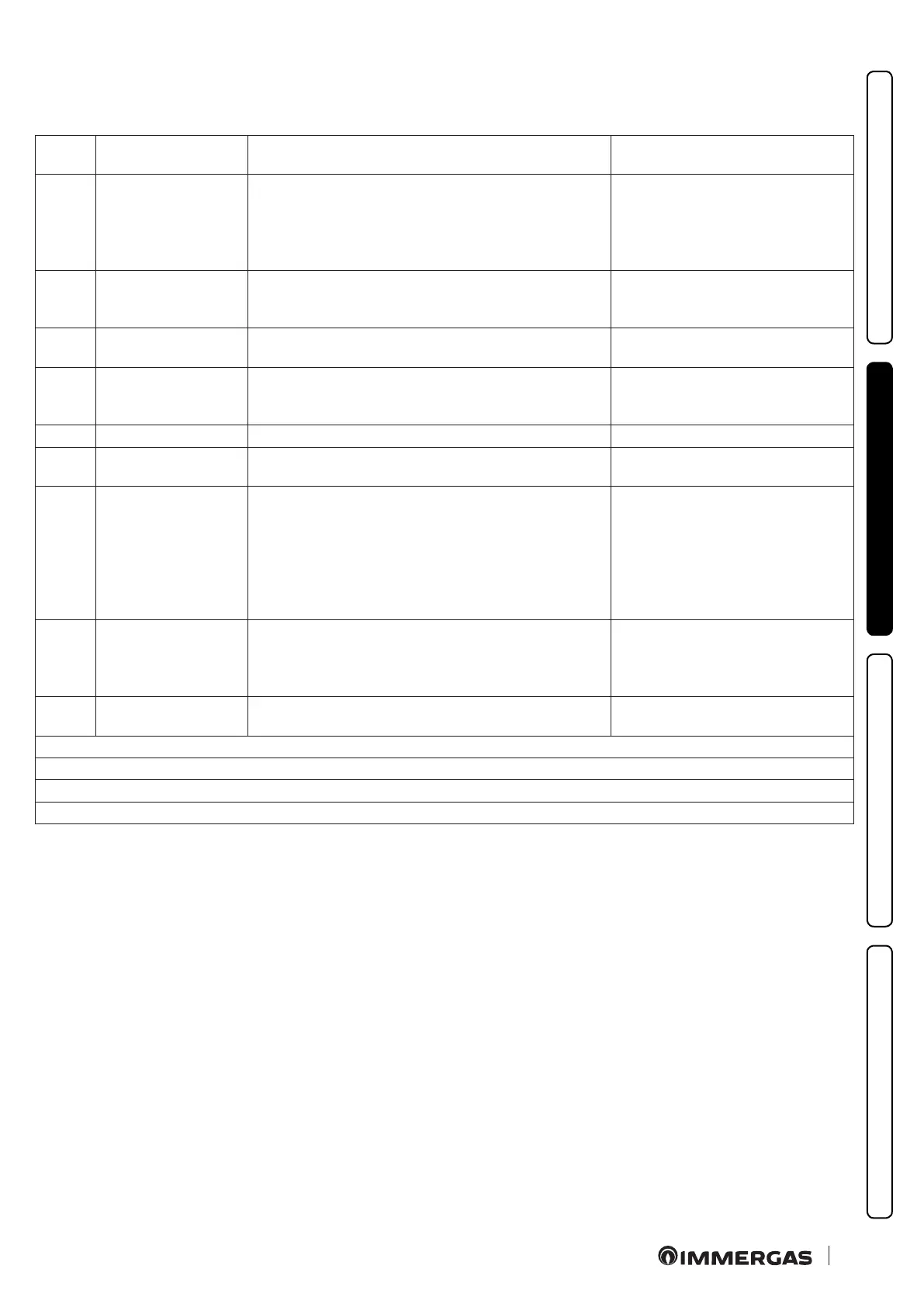
e boiler signals any anomalies using a code shown on the boiler display (Fig. 48) according to the following table:
Error
Code
Anomaly signalled Cause Appliance status / Solution
01 No ignition block
In the event of request of room central heating or domestic
hot water production, the boiler does not switch on within
the preset time. Upon appliance commissioning or aer
extended downtime, it may be necessary to eliminate the
block.
Press the Reset button (1)
02
Safety thermostat
block (overheating
safety device)
During normal operation, if a fault causes excessive over-
heating internally, the boiler goes into overheating block.
Press the Reset button (1)
03
Flue safety thermostat
block
During normal operation, if a fault causes excessive ue gas
overheating, the boiler blocks.
Press the Reset button (1)
04
Contacts resistance
block
e P.C.B. detects a fault on the gas valve supply. Check its
connection. (the anomaly is detected and displayed only in
the event of a request).
Press the Reset button (1)
05 Delivery probe fault e board detects an anomaly on the ow NTC probe. e appliance does not start (1)
07
Chimney sweep
function
e boiler is in chimney sweep or calibration operation. (3)
08 Maximum N° of resets Number of allowed resets already performed.
e anomaly can be reset 5 times
consecutively, aer which the
function is inhibited for at least one
hour. One attempt is gained every
hour for a maximum of 5 attempts. By
switching the appliance on and o
again, the 5 attempts are re-acquired.
10
Insucient system
pressure
Water pressure inside the central heating circuit that is suf-
cient to guarantee the correct operation of the boiler is not
detected.
Check the appliance pressure gauge to
ensure the system pressure is between
1-1.2 bar and restore the correct
pressure, if necessary.
12
Storage tank probe
anomaly
e board detects an anomaly on the storage tank probe.
e appliance cannot produce
domestic hot water (1)
(1) If the shutdown or fault persists, contact an authorised company (e.g. Authorised Service Centre)
(2) e anomaly can only be veried in the list of errors in the “Information” menu
(3) Error displayed only on CAR
V2
(4) Error displayed only on Anomalies log







 To Next Page