68
INSTALLER
USERMAINTENANCE TECHNICIAN
TECHNICAL DATA
Operation with zone card connected on DimBUS
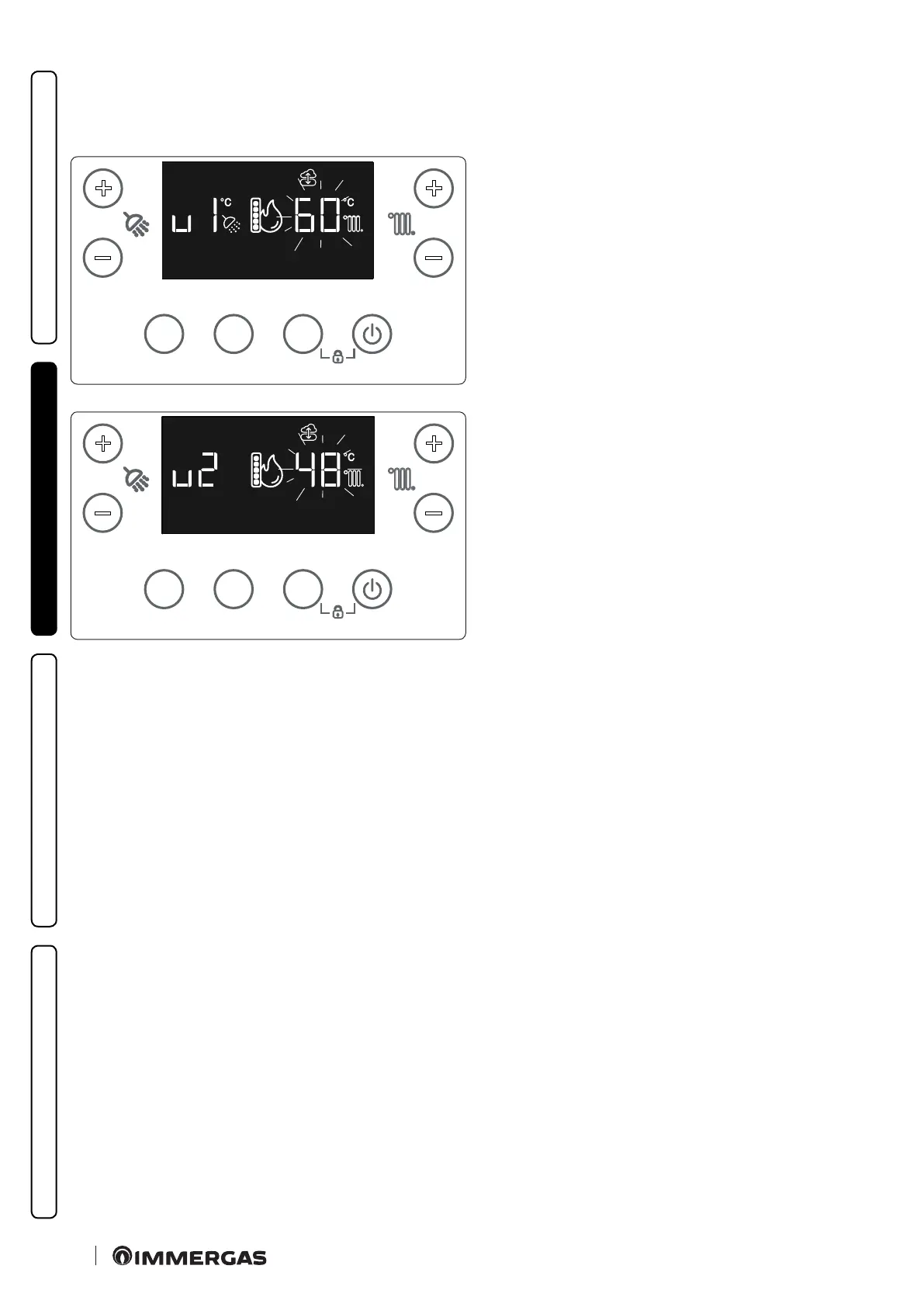
By connecting the zone card (optional) to DimBus, the ow temperature settings of the three zones can be set by pressing the CH buttons
+/- (7-8).
e display will then show the setting of the rst zone (u1) and you can change its value by pressing the CH +/- buttons (7-8).
MODEINFORESET
+
-
+
-
49
If the optional outside sensor is present, the ow temperature cal-
culation curve is set depending on the outside temperature (Par-
ag. 1.11).
Conrming the value with MODE will display the setting of the
second zone (u2), which can be changed in the same way by subse-
quently accessing the third zone (u3).
MODEINFORESET
+
-
+
-
50
When the third zone mode is over, the display will return to the
standard display.







 To Next Page