89
INSTALLER
USERMAINTENANCE TECHNICIAN
TECHNICAL DATA
3.10 AUTOMATIC CALIBRATION FUNCTION TA
is function allows you to calibrate the appliance automatically without the possibility of altering the parameters. "Automatic calibra-
tion" is used aer the parameters have been changed or the components have been replaced (Parag. 3.9).
Before carrying out automatic calibration, ensure that all the requirements indicated in (Parag. 1.28 - 1.29).
In the event of anomaly "62" or "72" (Parag. 2.5) :in these cases, automatic calibration is required
If you want to dissipate the entire energy on domestic hot water, set the DHW set to maximum. en activate the "automatic calibration"
function and open a hot water tap.
e function can be activated from the Special Functions menu by selecting "tA".
If OFF or Stand-by mode is selected, the function cannot be activated.
MODEINFORESET
+
-
+
-
56
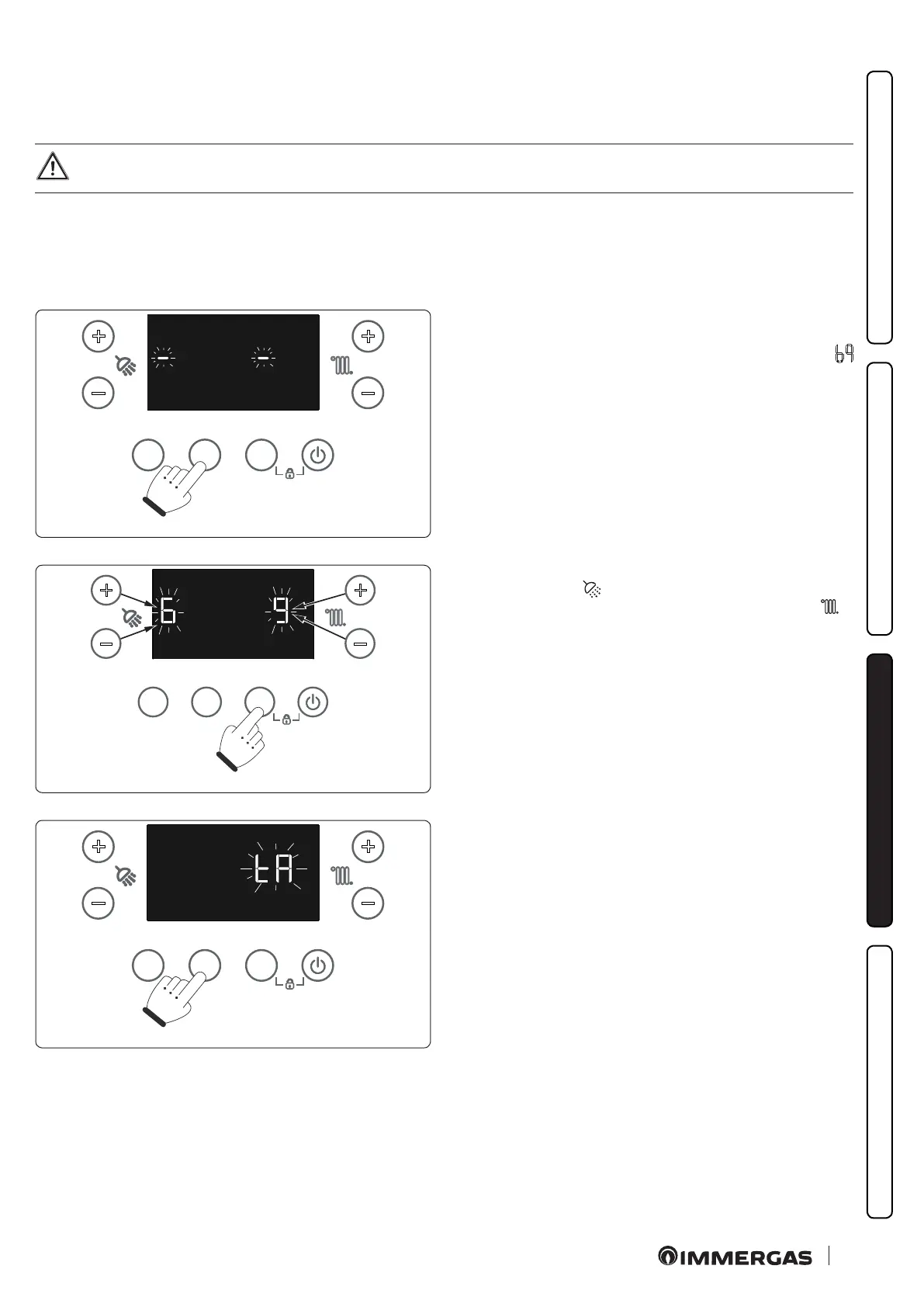
To access the automatic calibration function, the "INFO" button
must be pressed and held down for longer than 5 seconds; two sin-
gle ashing "-" dashes appear on the display and the password (
) for access to the programming menus must be entered.
MODEINFORESET
+
-
+
-
57
To enter the digit on the le, use the +/- buttons (5-6) to adjust the
DHW temperature (
); to enter the digit on the right, use the +/-
buttons (7-8) to adjust the central heating temperature ( ).
Press MODE to conrm the password.
MODEINFORESET
+
-
+
-
58
Once in the menu, press INFO until the ashing "tA" appears.
Conrm by pressing MODE.







 To Next Page