64
INSTALLER
USERMAINTENANCE TECHNICIAN
TECHNICAL DATA
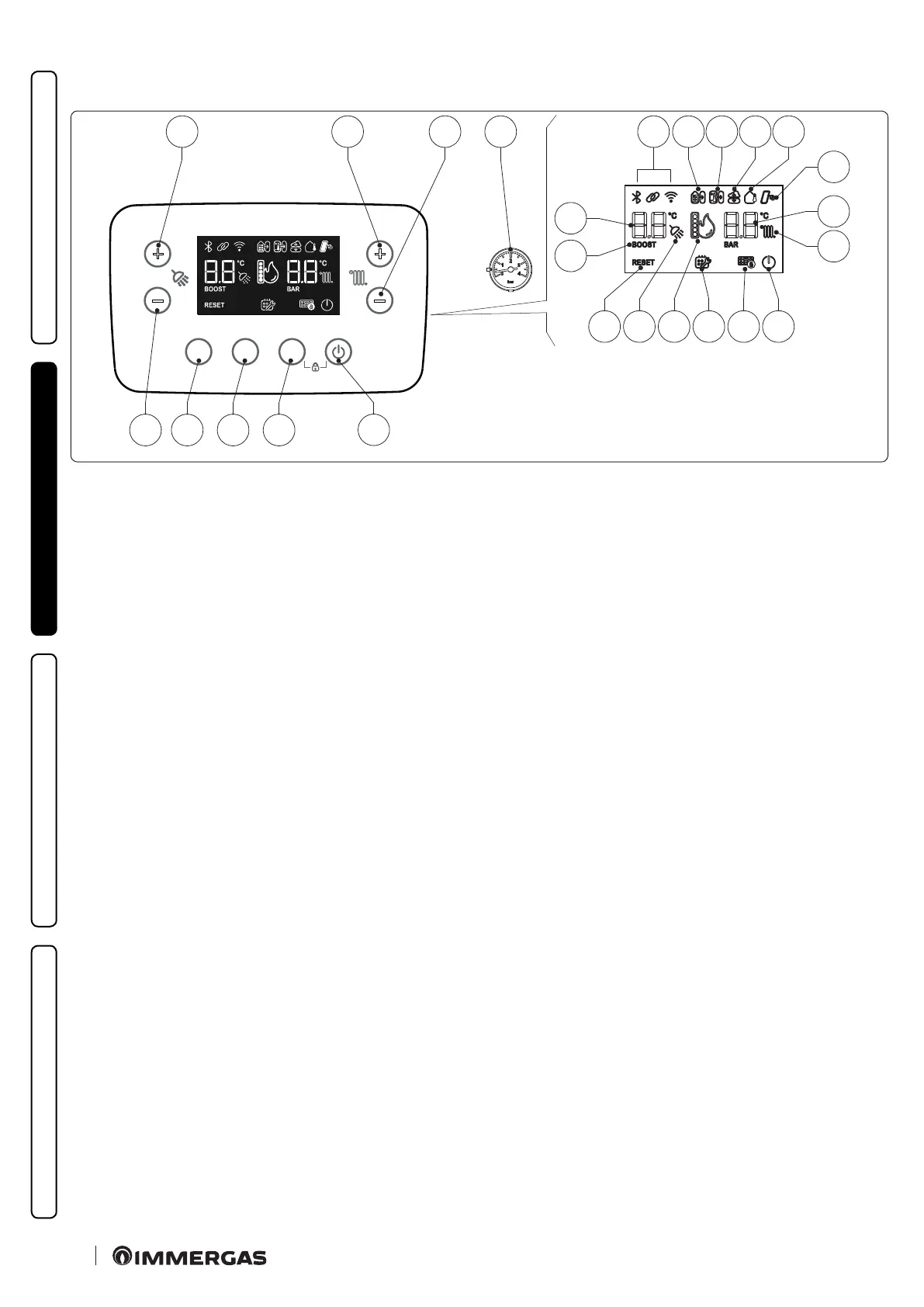
2.3 CONTROL PANEL
MODEINFORESET
+
-
+
-
12345
6 7 11
18202223 21 19
15
16
17
24
25
12 13 141098
48
Key (Fig. 48):
1 - ON/Stand-by button.
2 - DHW + CH / DHW ONLY / CH ONLY operating mode but-
ton.
3 - Information buttons.
4 - Reset Button.
5 - Button used to decrease the DHW temperature.
6 - Button used to increase the DHW temperature.
7 - Button to increase the system water ow temperature.
8 - Button to decrease the system water ow temperature.
9 - Boiler manometer.
10 - System general icon display.
11 - Connection to other Immergas units.
12 - Remote control connection (optional).
13 - External server connection.
14 - Operation with external temperature probe active (optional).
15 - Solar operating mode active.
16 - Central heating / C.H. set display.
17 - Central heating room mode function active.
18 - Boiler in Stand-by mode.
19 - Keyboard lock active.
20 - Programmed maintenance request.
21 - Flame presence symbol and relative output scale.
22 - DHW production phase operating mode active.
23 - Blocked boiler, it needs to be unblocked by pressing the "Reset"
button.
24 - DHW recirculation function (active).
25 - DHW (Domestic hot water) set display.







 To Next Page