Thermography System VarioCAM
®
HD
6. Introduction
User Manual © InfraTec GmbH 2016 15
6 Quick guide
The procedure described below is intended to make your first operation of the VarioCAM
®
HD easier. In
order to achieve professional results, we recommend reading the entire manual.
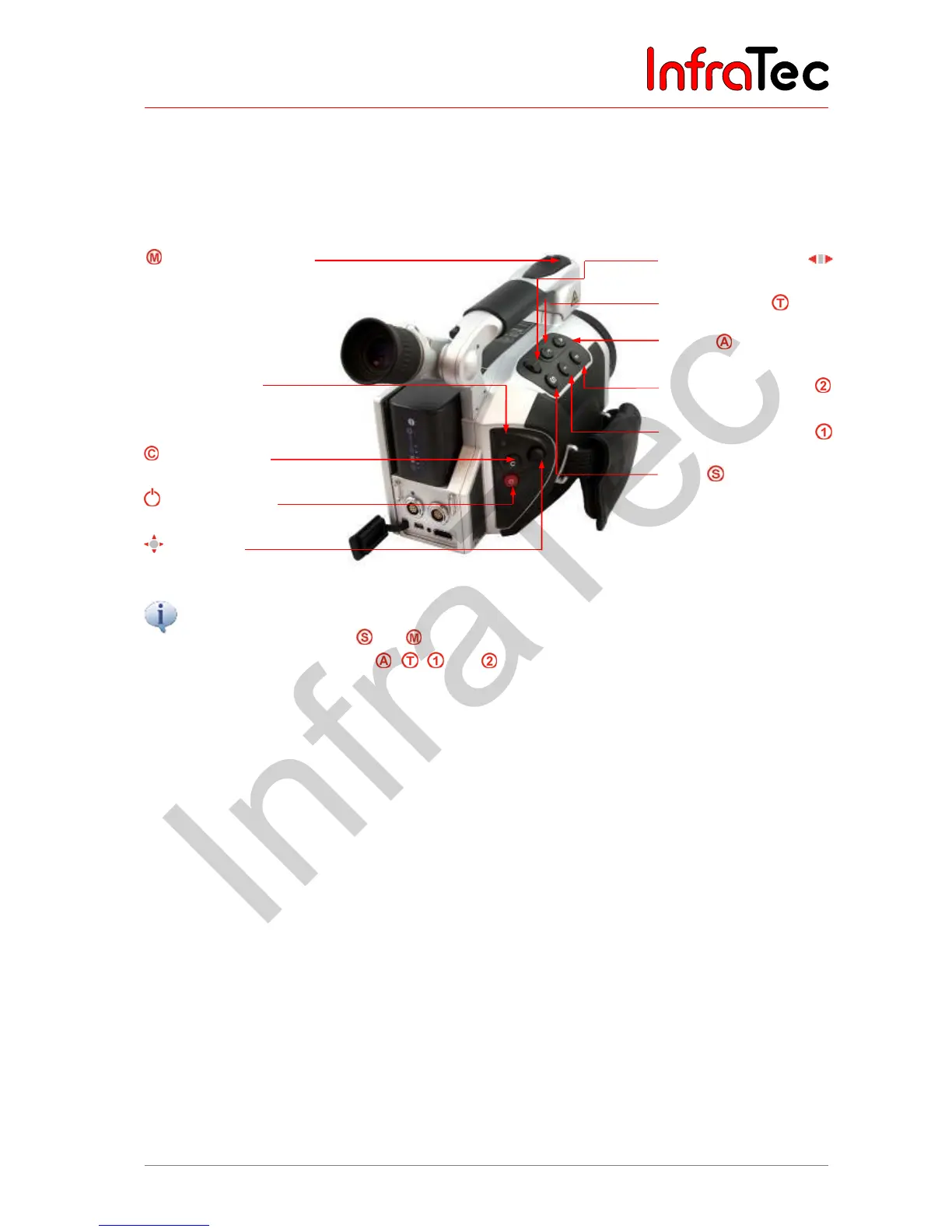
Multi-function butto
Power-on LED
"ESC" button
Power button
Joystick
Focus rocker switch
with autofocus function
"Temperature"
"Auto"
Multi-function button
Multi-function button
Save
All buttons can be used for multiple functions triggered either by
■ Half or full pressing: and and/or
■ Short or long pressing: , , , and .
The button function can be changed by changing the settings in menu "Settings" Buttons
6.1 Preparation
You will need the following equipment:
■ VarioCAM
®
HD
■ Rechargeable lithium-ion battery or wall plug transformer* with LEMO connector
■ IRBIS
®
3 software
■ SDHC-card
■ Card reader for SD-/SDHC-cards



 To Next Page