Thermography System VarioCAM
®
HD
8. Introduction
30 © InfraTec GmbH 2016 User Manual
Please observe the calibration range limit of the currently used measuring range. If the temperature of the
current scene is outside of the set range, an appropriate calibration range must be selected (see chapter
9.4.1 Menu item "Calibration" – page 68).
The manual setting options regarding the ideal adjustment of the temperature scale are described in
detail in chapter 9.1.1 Menu item "Manual" – starting on page 36.
8.2.3 Focus
Carefully setting the focus is particularly important in order to achieve a precise temperature
measurement of the thermography system.
8.2.3.1 Manual and automatic focus (without laser range finder)
The focus rocker switch can be used in order to
■ Manually focus by
■ Pushing the left side of the focus rocker switch in order to change the focus to longer distances
and/or
■ Pushing the right side of the focus rocker switch in order to change the focus to shorter
distances.
■ You can also set the focus automatically by pushing the center function of the focus rocker
switch.
In order to provide support during manual focusing for small objects to be measured, the zoom
setting can be used.
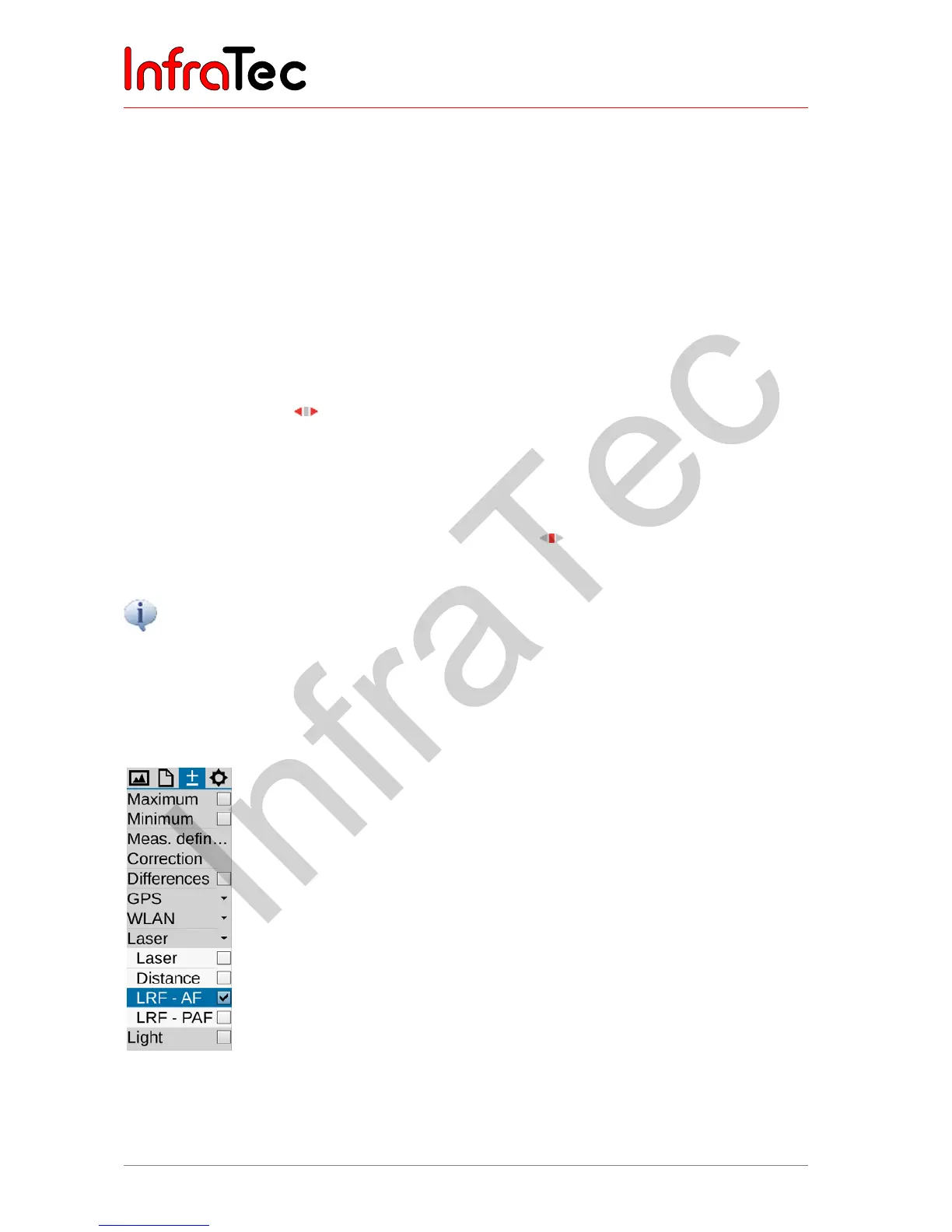
8.2.3.2 Automatic focus with laser range finder*
An automatic focus mode with an equipped laser range finder (depending on the design) is optionally
selectable. Please select the function LRF- AF from the menu Measurement for this purpose.
Fig. 28 Selection function LRF – AF / laser range finder – supported autofocus



 To Next Page