Thermography System VarioCAM
®
HD
9. Introduction
User Manual © InfraTec GmbH 2016 43
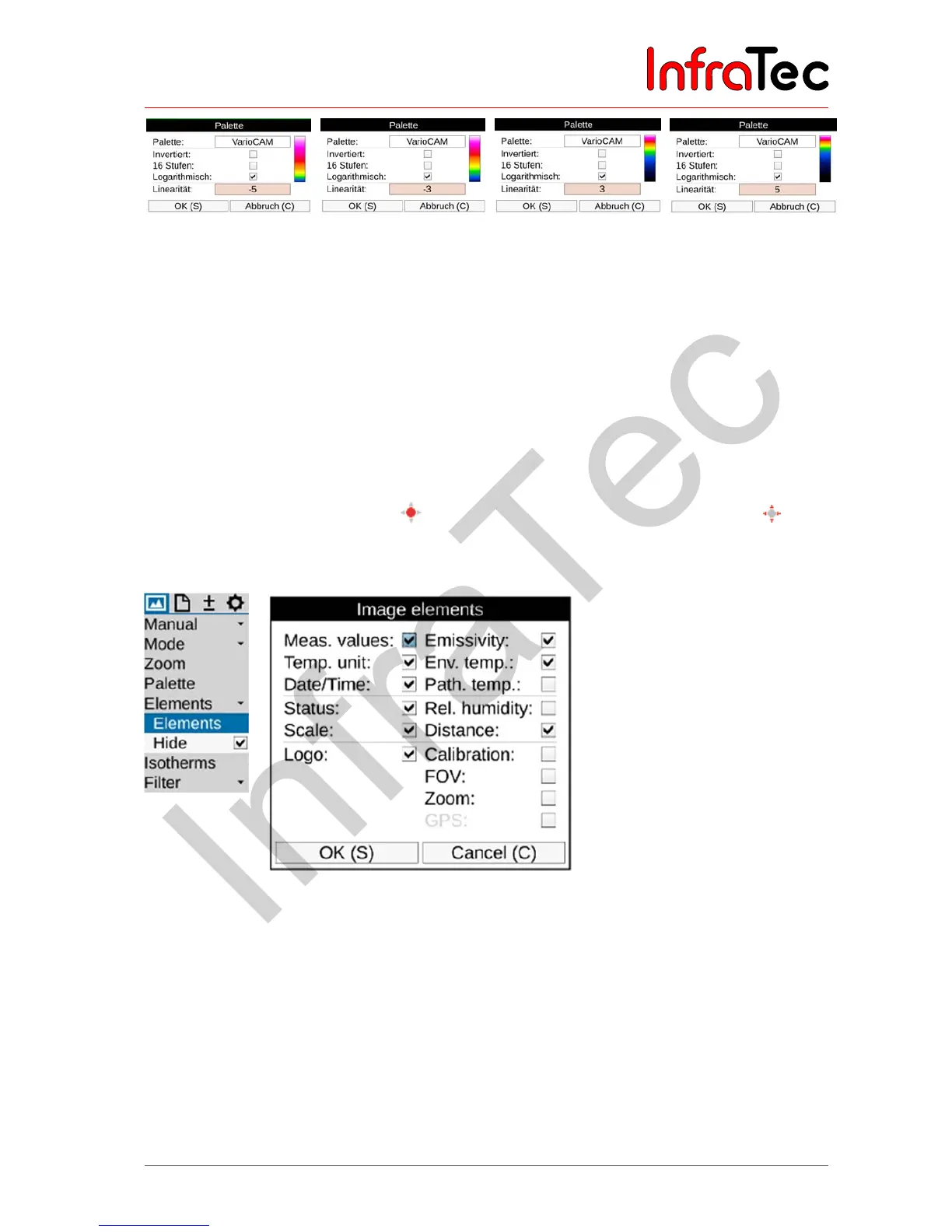
Fig. 70 VarioCAM palette with logarithmic representation – different linear settings
The effects of the logarithmic representation are illustrated by Fig. 69.
Whether the functions "Inverse", "16 steps" or "Logarithmic" are activated is indicated by a checkmark
on the respective menu item. It is also possible to combine the three variants with each other.
9.1.5 Menu item "Elements"
The "Elements" menu item can be used in order to individually adapt the user interface by selecting the
individual image elements. The menu comprises the two sub-menus "Elements" and "Hide". The
"Elements" sub-menu can be used to open the "Image elements" dialogue (see also Fig. 71) in order to
individually select the image elements. The selection is made by setting the corresponding checkmark
using the Enter button of the joystick ; the dialog can also be navigated with the joystick . When
selecting the "Hide" menu item, all image elements of the graphical user interface are hidden at once. If
this function is activated, a checkmark will be shown on the right side of the "Hide" menu item.
Fig. 71 Menu item "Image elements", dialog "Image elements"
9.1.6 Menu item "Isotherms"
In the "Image" menu using the menu item "Isotherms" (see Fig. 72), the isotherms editor can be started
and/or settings regarding already created isotherms can be made, or all isotherms can be shown or
hidden simultaneously. The “Isotherms” function is used to show all image areas characterised by the
same temperature (in a defined temperature interval) with the same representation color and/or shade of
gray. With the help of the isotherms editor, it is possible to create isotherms for differently sized
temperature intervals. The temperature ranges are identified with different colours. The VarioCAM
®
HD
supports a maximum of 9 different isotherms*.



 To Next Page