Thermography System VarioCAM
®
HD
9. Introduction
User Manual © InfraTec GmbH 2016 55
9.2.6 Menu item "Format SD"
If all data saved to the SDHC-card is to be deleted, this can be done by formatting the card. The
corresponding function must be started in the "Format SD" menu item.
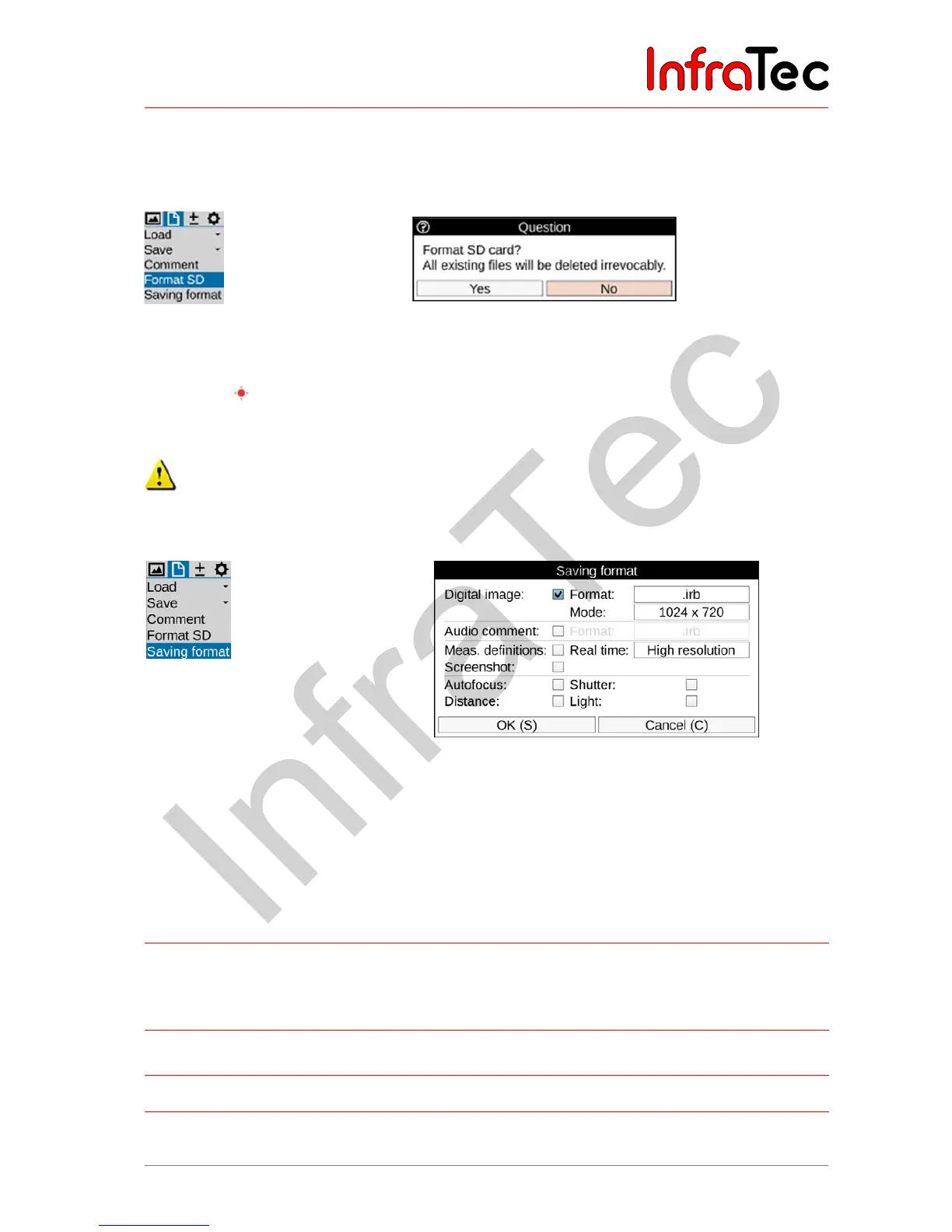
Fig. 104 Menu "Format SD" Fig. 105 Dialogue for confirming the formatting of the SD-card
After having clicked the "Format SD" item, a dialogue is displayed that must be confirmed by pushing the
Enter button in order to delete all data from the card and to re-format the card. After the card is
formatted, all data is deleted irrevocably.
This process cannot be undone!
9.2.7 Menu item "Saving format"
Fig. 106 Menu item "Saving format" Fig. 107 Setting the saving format
Using the "Saving format" menu item, data to be saved in addition to the thermal image and its format can
be selected, and furthermore settings to be made in connection with the process of saving can also be
selected. For this, a dialogue is shown (see also Fig. 107).
The following table shows the selectable settings:
Selection Format
Digital image
Saving the visual image
synchronously with the thermal
image
.irb thermal image and photo in one file
.jpg photo in separate file
(1.024 x 720)
8 MP (3.264 x 2.448)
Audio comment
Saving the audio files
.irb thermal image and audio in one file
.wav audio in separate file
Measurement
definitions
Saving measurement definitions .irb (no selection possible)
Screenshot
Graphics file screenshot .png (no selection possible)



 To Next Page