Thermography System VarioCAM
®
HD
9. Introduction
User Manual © InfraTec GmbH 2016 65
All correction parameters must be correctly set up before you use the difference image function
and subsequent image storing. A subsequent change of this in the difference image is no longer
possible.
9.3.6 Menu item "GPS"
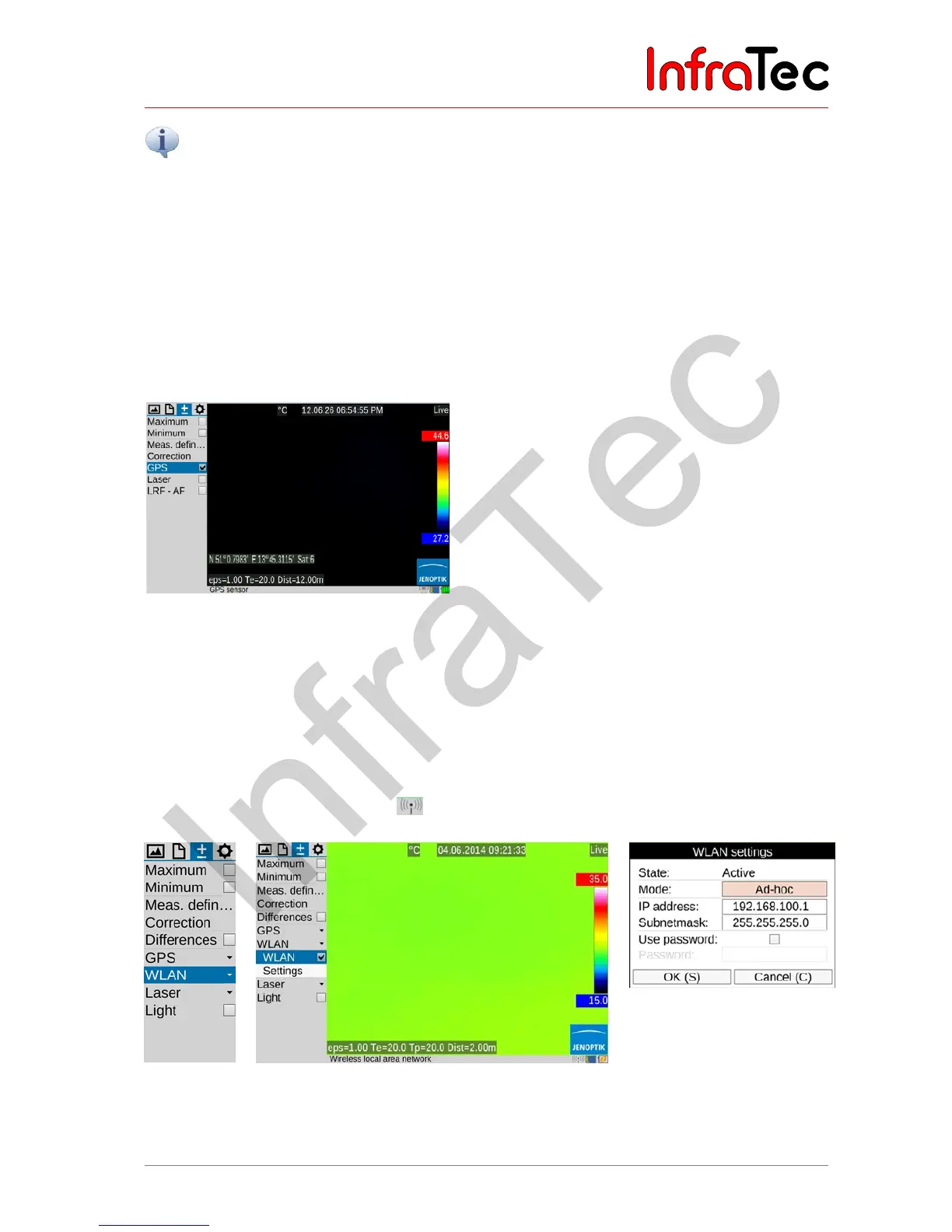
The GPS receiver integrated into the VarioCAM
®
HD is activated in the "GPS" menu item. After having
switched on the GPS receiver, the function of the GPS receiver is displayed on the right-hand side below
the Jenoptik logo as a symbol. When the GPS receiver is activated, the display of the GPS data (latitude,
longitude, satellites) can also be activated in the first information line in the "Image elements" menu (see
chapter 9.1.5 Menu item "Elements" – page 43). When switching off the GPS receiver, the first
information line is hidden automatically.
Fig. 150 Menu item "GPS"
Along with latitude, longitude and the number of satellites, further GPS information is saved together with
the thermal image: height, speed and bearing.
9.3.7 Menu item "WLAN"*
VarioCAM
®
HD has a WLAN interface through which selected camera functions can be remote controlled.
For an optimum transmission quality, the wireless antenna must be mounted on top of the camera (see
Fig. 1 View from the side – page 14) and then placed vertically. The activation is done in the menu item
“WLAN” and is displayed with the icon in the info line.
Fig. 151
Menu item
"WLAN"
Fig. 152 Active WLAN with info line
Fig. 153
WLAN Settings: detailed
information



 To Next Page