Thermography System VarioCAM
®
HD
9. Introduction
User Manual © InfraTec GmbH 2016 37
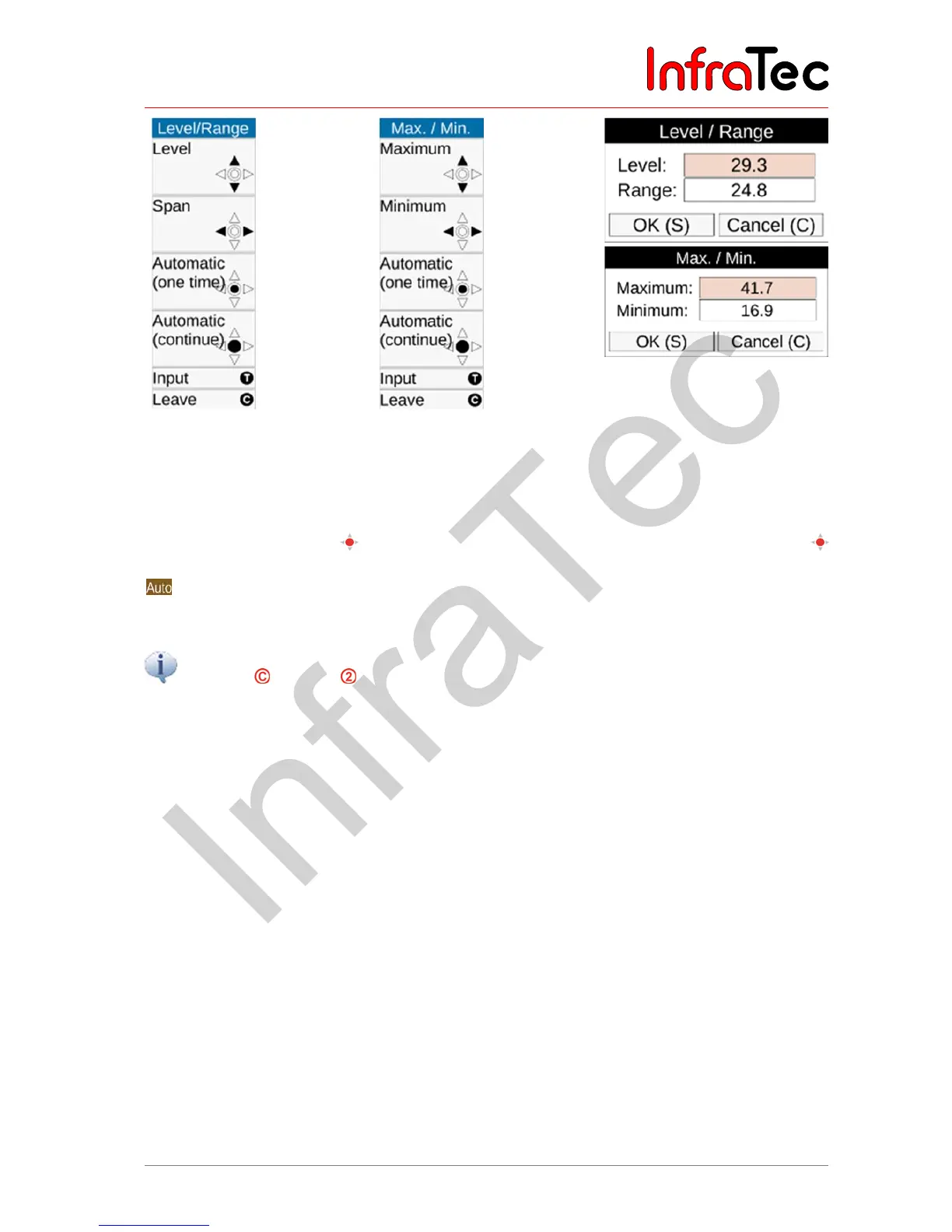
Fig. 43 Manual setting
level/range
Fig. 44 Manual setting
maximum/minimum
Fig. 45 Dialog fields for
numerical temperature
input
Along with the option of manually setting the temperature scale, the temperature scale can be set once
by pushing the Enter button
shortly or permanently automatically by pushing the Enter button
longer. The permanent automatic adaptation of the temperature range called Autoimage is indicated by
in the right top corner of the screen. The Autoimage mode is deactivated by any manual change to
the temperature scale or non-recurrent triggering of the Autoimage function.
The setting menus Level/Range and Maximum/Minimum can be accessed directly by the button
functions Long and Long, as set ex factory.
9.1.2 Menu item "Mode"
In Live mode, the VarioCAM
®
HD displays thermal images (Infrared images), video images (Digital
images), or the superimposition of both (Merge). The options can be selected in the "Mode" menu, which
must be dropped down for this. If an Infrared image is currently displayed, you can switch to Digital
image or Merge; from the Digital image mode you can switch to Infrared image or Merge; and from the
Merge mode you can switch to Infrared image or Digital image. The different representation variants in
the Merge mode can be set after the sub-menu dropped down.



 To Next Page