Thermography System VarioCAM
®
HD
9. Introduction
78 © InfraTec GmbH 2016 User Manual
9.4.8.5 "Menu control"
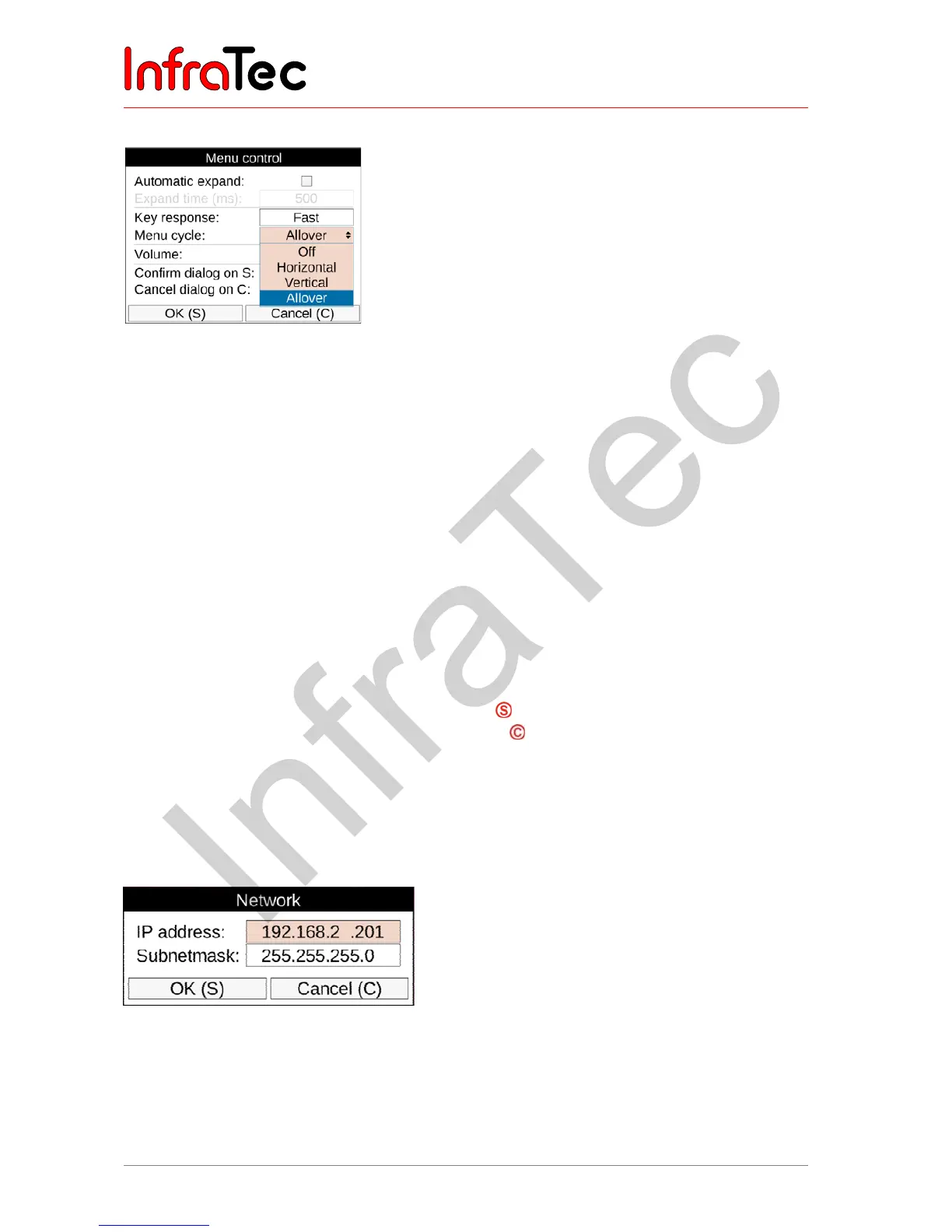
Fig. 186 "Menu layout" settings – menu control
The way the navigation in the camera menu is controlled can also be adapted to individual requirements.
For quick navigation, the experienced user can set sub-menus to drop down automatically when a menu
item is selected. This way, pushing the Enter button on the corresponding menu item, otherwise
neccessary, is no longer required. When exiting the menu item, the sub-menu will be closed automatically
as well. When this function is activated, the speed of the sub-menu dropping down can also be set.
Regarding the button response, the delay time can be selected in the three levels "Slow", "Medium", and
"Fast". In order to accelerate the navigation within the menu, it is possible to navigate from the "Settings"
menu directly to the "Image" menu using → and vice versa using ← (menu cycle "Horizontal"). It is
furthermore possible to navigate from the lower menu line directly to the first menu line using ↓ and vice
versa using ↓ (menu cycle "Vertical"). In order to combine both variants, you can select the sub-menu
"Allover" option in the menu cycle.
In order to play voice comments, as well as alarm and system signals, the volume can be set to the three
levels "Quiet", "Normal" and "Loud".
By quickly accepting settings in dialogues by using the button without having to navigate to the OK
button, and by quickly aborting input operations using the button. VarioCAM
®
HD operation can also
be accelerated.
9.4.8.6 Network*
The factory default network address of the GigE Vision-Interface* can be customized according to
individual requirements.
Fig. 187 Settings Network Address



 To Next Page