Thermography System VarioCAM
®
HD
8. Introduction
User Manual © InfraTec GmbH 2016 29
■ Information
Screen area bottom left
1
st
line
2
nd
line and 3
rd
line
Information indicators for
■ GPS data*: latitude, longitude, satellites
■ (Global) Emissivity
■ Ambient temperature
■ Path temperature
■ Relative humidity
■ Distance
■ Calibration range
■ Lens information
■ Zoom
eps
Te
Tp
rH
Dist
Cal
FOV
Z
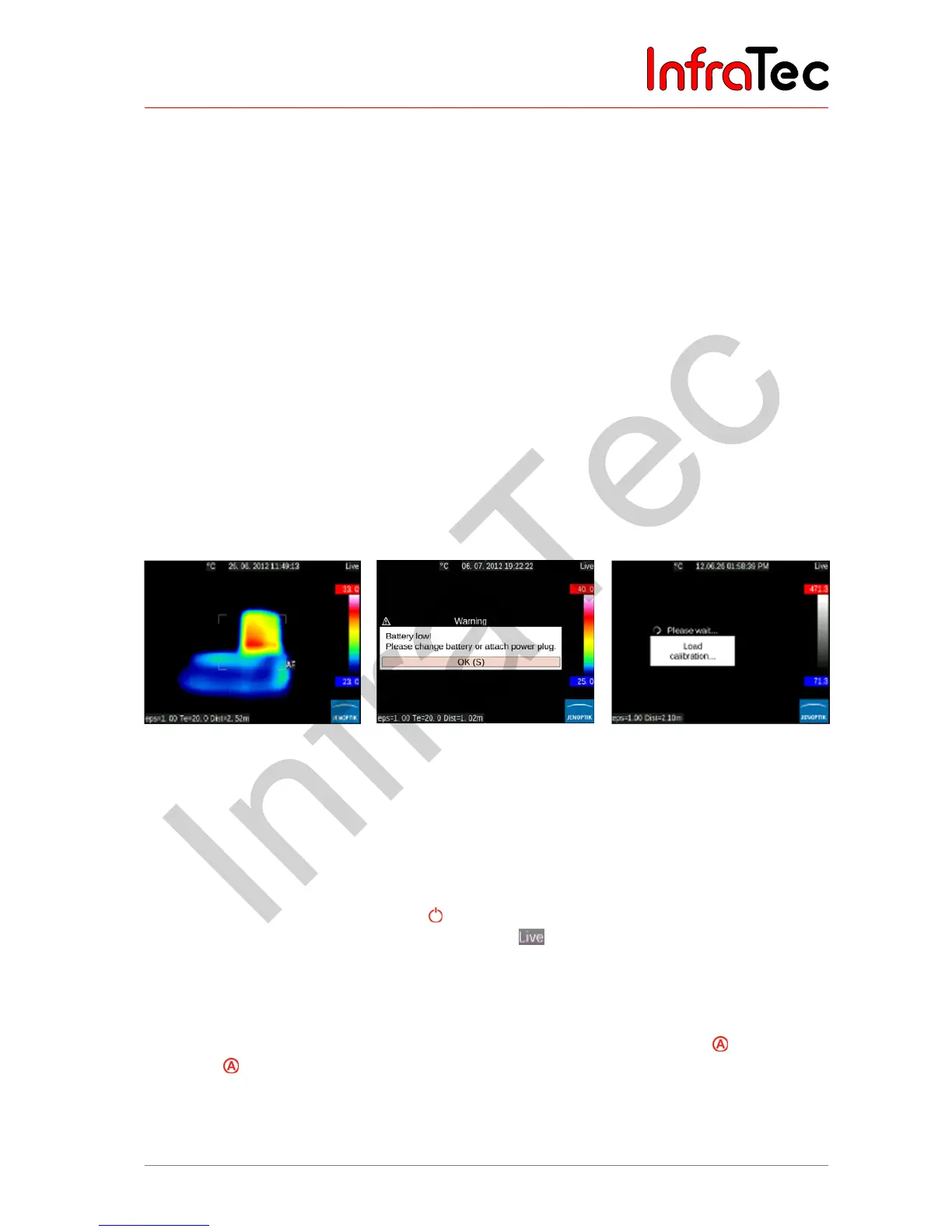
In addition to the current temperature scene in false colour representation, different image elements are
used in order to show information about the camera status and regarding operation. The displayed image
elements can be changed and adapted in accordance with the individual requirements in the “Image”
menu using the menu item “Elements”, see chapter 9.1 Menu "Image" – page 36.
Along with the (normally always displayed) main image elements, further system messages are displayed
depending on the current function, providing information about the system status and intended to facilitate
operation, e. g. autofocus, temperature indicators for isotherms, temperature alarm indicators, messages
regarding critical status of the rechargeable battery. “Please wait…”, etc.
Fig. 25 Autofocus indication
Fig. 26 Rechargeable battery
warning message
Fig. 27 Message “Please wait:
loading calibration…“
The VarioCAM
®
HD can be operated both by the control directly attached to the camera and, depending
on the equipment, remotely using GigE, RS232, or WLAN*.
8.2.2 Setting the temperature scale
Upon activation (pushing the power button ) and system start, the camera is in Live mode. This mode
is shown on the right-hand side at the top of the screen: . In Live mode, the current scene is shown
as a false colour representation of the temperature distribution (IR image), as a video image (visible, VIS),
or as a superimposition of IR and VIS (Merge). The temperature scale of the false colour representation
of the IR image can be set automatically or manually.
In order to automatically adapt the temperature scale to the current scene, push the button (factory
setting for button): the scale is set in accordance with the highest (= upper limit) and lowest
temperature (= lower limit) of the current scene. If the temperature scale was adapted before the focus
was changed, the temperature should be re-adapted afterwards.



 To Next Page