Thermography System VarioCAM
®
HD
6. Introduction
User Manual © InfraTec GmbH 2016 17
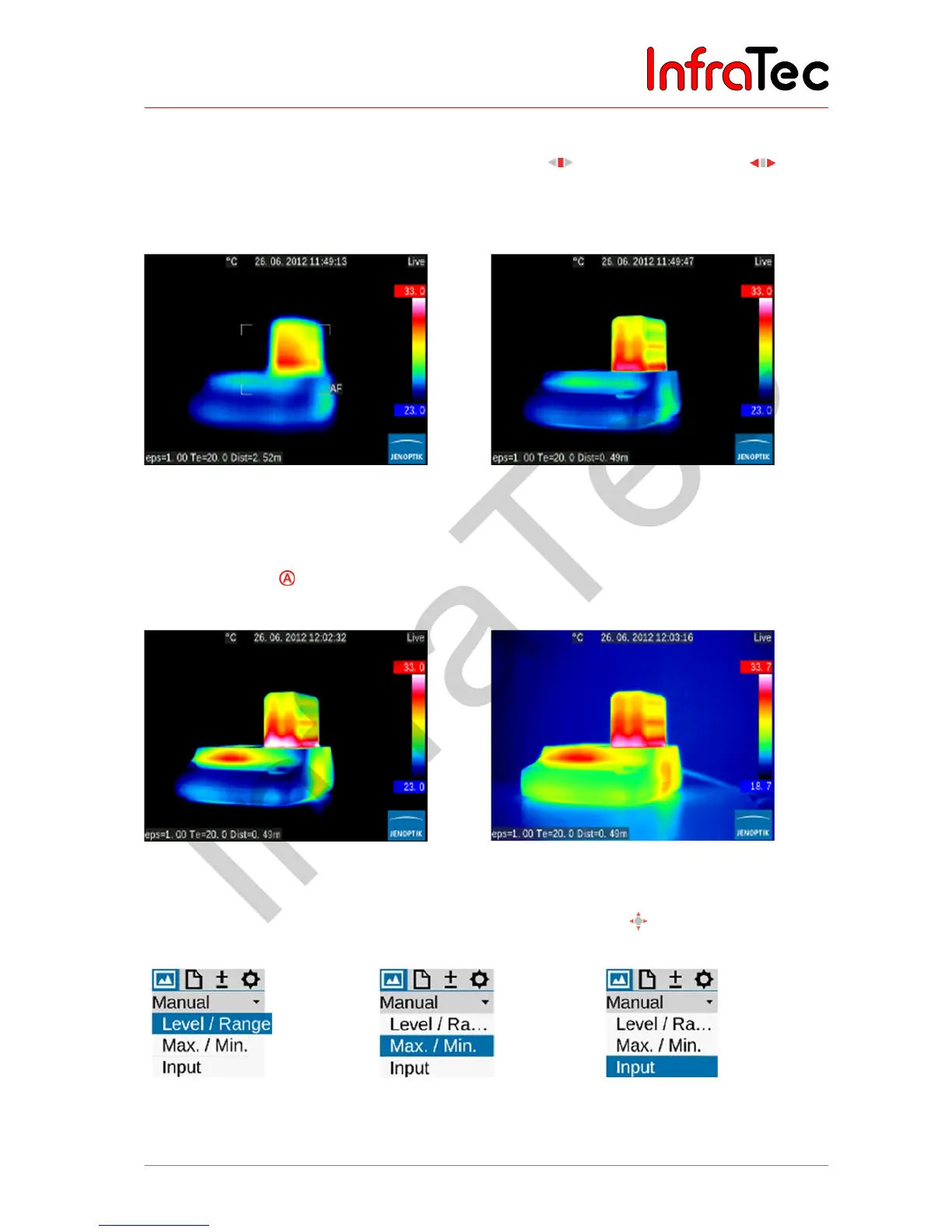
6.4 Setting the focus
■ Push the focus rocker switch: middle button for autofocus or to the left or to the right in order
to set the focus for longer or shorter distances to the measuring object. If the autofocus function is
used, a rectangle will be displayed in the center of the screen. The distance setting is optimised
taking the distance of the objects contained in the rectangle.
Fig. 5 Display when using autofocus Fig. 6 Display after autofocus
6.5 Setting the temperature range
■ Push the button (shortly). The thermography system will automatically set a temperature scale of
the false colour image corresponding to the current scene:
Fig. 7 Overloaded and underloaded
thermal image
Fig. 8 Image after temperature range adaptation
■ The required temperature scale can also be set by means of joystick . For this, please select the
following: Menu Image Manual:
Fig. 9 Menu selection for
manually setting
level/range
Fig. 10 Menu selection for
manually setting
maximum/minimum
Fig. 11 Menu selection for
numerical temperature
input



 To Next Page