Thermography System VarioCAM
®
HD
9. Introduction
User Manual © InfraTec GmbH 2016 41
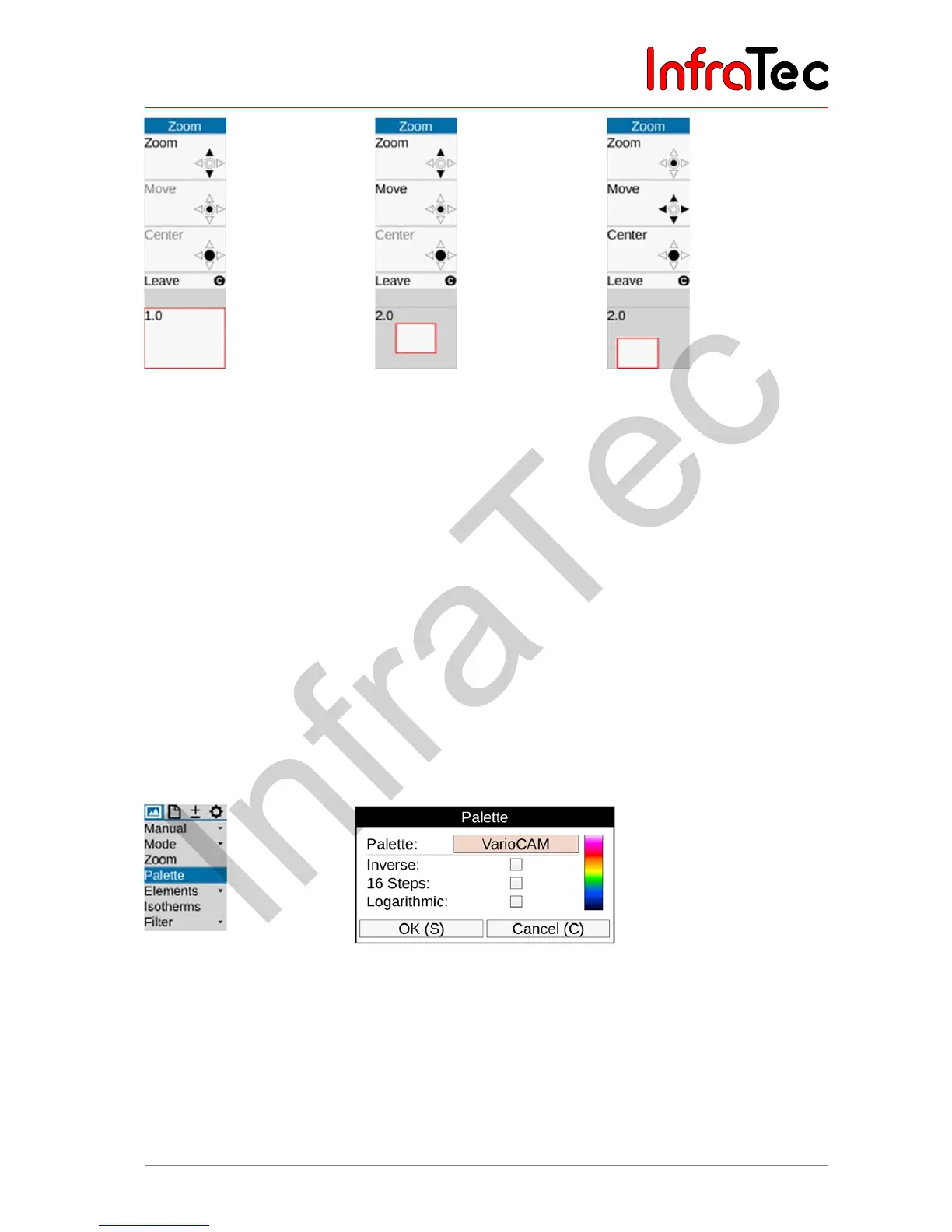
Fig. 61 Tools for zoom setting.
before setting the zoom
level
Fig. 62 Zoom level 2 set.
enlarged area in the
center of the image.
"Zoom " function active
Fig. 63 Zoom level 2 set.
enlarged area moved
from the center of the
image, "Move "
function active
Regardless of any set digital magnification of the Infrared or VIS images, the total image is always saved
when saving digital raw data in the IRB format,
9.1.4 Menu item "Palette"
The current allocation of the individual colors/shades of gray of the false color representation to the
corresponding temperatures is performed by using the palette shown on the right-hand side margin of the
screen ("colour scale", see Fig. 24 Arrangement of the image elements – page 28). In this, the maximum
value of the image area above and its minimum value below the palette serve the purpose of orientation
regarding the temperature level.
The Image
Palette (Palette) menu item is used in order to open a dialogue for selecting and setting
predefined palettes:
Fig. 64 Palette menu Fig. 65 Selection and setting of palettes



 To Next Page