Thermography System VarioCAM
®
HD
9. Introduction
User Manual © InfraTec GmbH 2016 35
9 The main menu
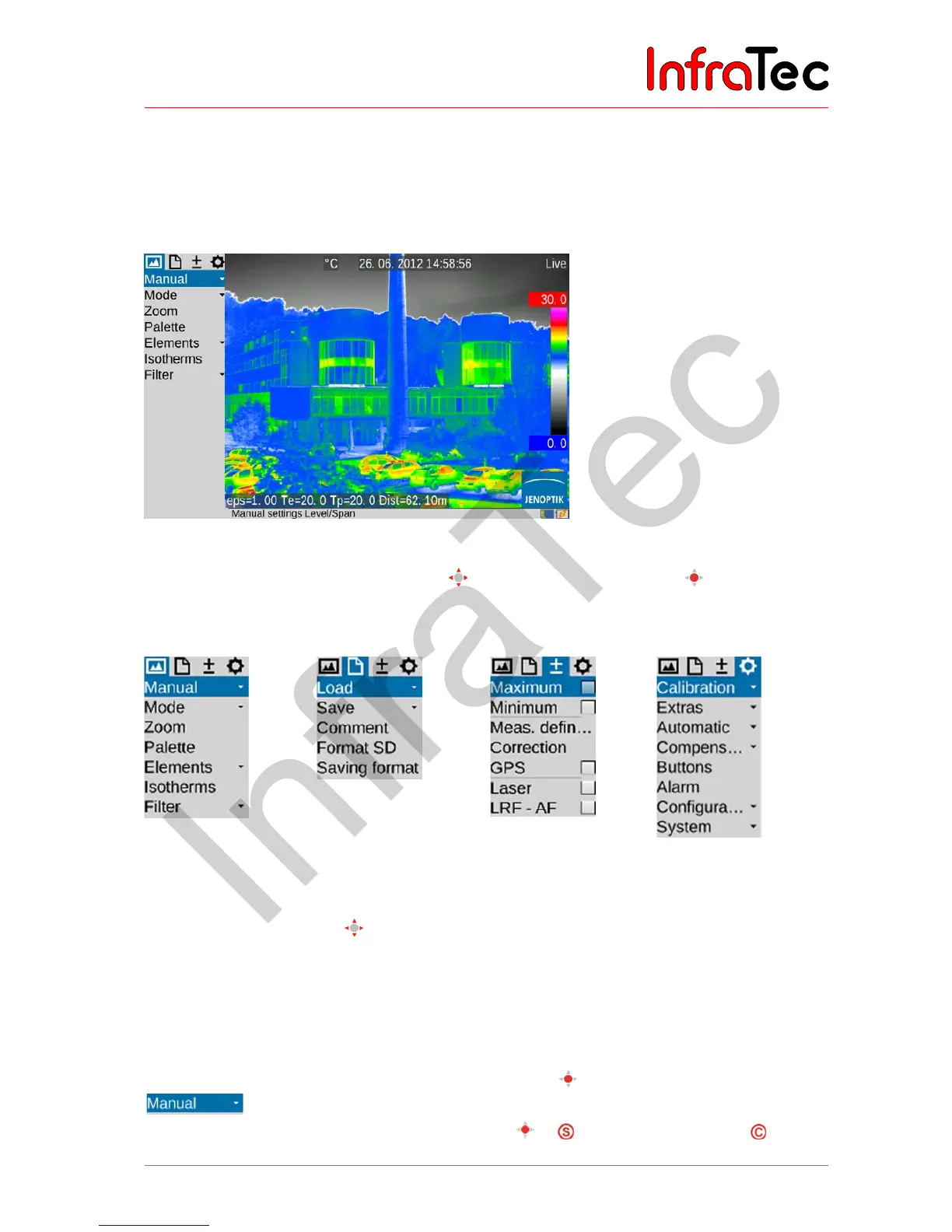
The main menu is designed to select and set the different functions of the VarioCAM
®
HD. It is arranged
to the left of the image section.
Fig. 34 Camera menu
The menu can be navigated using the joystick , settings are accepted using the
button (Enter). The
4 main menus are located on the upper margin of the menu and can be selected by means of the
corresponding symbols of the tabs:
Fig. 35 Menu "Image" Fig. 36 Menu "File"
Fig. 37 Menu
"Measure"
Fig. 38 Menu "Settings"
Within the menus, the joystick is used to navigate to the top ↑ and/or to be bottom ↓. The main menus
can be switched using the buttons ← and →. Depending on the settings for “Menu control” made in the
"Settings" menu in the "System" menu item at the "Menu control") function (see chapter 9.4.8 Menu item
"System" – page 75), the lower menu in each case can be accessed directly by pushing ↑ from the very
top and/or the upper menu in each case can be accessed directly by pushing ↓ from the very bottom
and/or "Image" can be selected directly by → from "Settings" and/or vice versa by ←.
Sub-menus can be opened by pushing the Enter button
on the respective menu item, e.g.
in order to open the sub-menu for manual temperature range setting. Changes performed
to setting dialogs can be accepted using the Enter button or or can be discarded using .



 To Next Page