Thermography System VarioCAM
®
HD
6. Introduction
User Manual © InfraTec GmbH 2016 19
6.6.2 Quick saving
■ Immediately push the button completely image is saved immediately: , the camera
control then automatically re-activates the Live mode: .
Alternatively, you can save by using the multifunction button
(see chapter 9.4.5 Menu item "Buttons"
Abschnitt 9.4.5 – page 72).
6.7 Menu functions
■ The VarioCAM
®
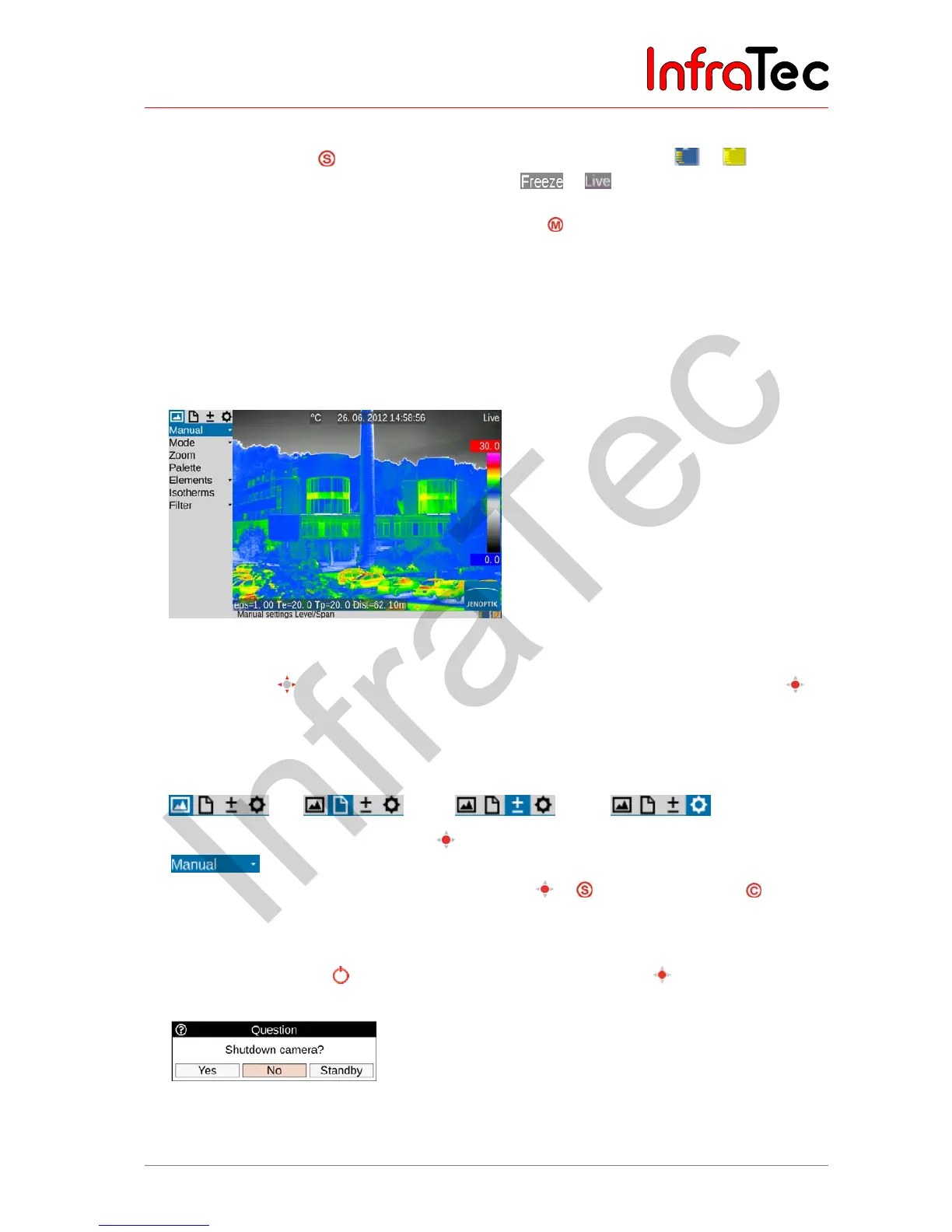
HD offers a large number of analysis and automatic functions and can be configured
individually for the respective use case. The settings and functions are selected in the camera menu,
which is arranged at the left-hand side of the image area.
Fig. 15 Camera menu
■ Use the joystick
(, , , ) to navigate the menu and select the functions using the Enter
button.
■ The 4 main menus can be selected by means of tabs located on the upper margin of the menu and
identified with the corresponding symbols:
“Image” “File” “Measure” “Settings”
■ Sub-menus can be opened by using the
button (Enter) on the respective menu item, e.g. push the
button in order to open the sub-menu for manually setting the temperature range.
■ Settings made can be accepted using the buttons Enter
or or discarded using the
button.
6.8 Shutdown and Standby
■ Using the Power button , the shutdown dialog is opened, whereupon
(Enter) can be used to
confirm the selection.
Fig. 16 Camera menu
If the (mobile) operation of the VarioCAM
®
HD needs to be paused, it can be put into standby mode in
order to reduce the power consumption. The standby mode can be chosen in the shutdown dialogue and



 To Next Page