Thermography System VarioCAM
®
HD
9. Introduction
58 © InfraTec GmbH 2016 User Manual
9.3.2.1 Measuring point P
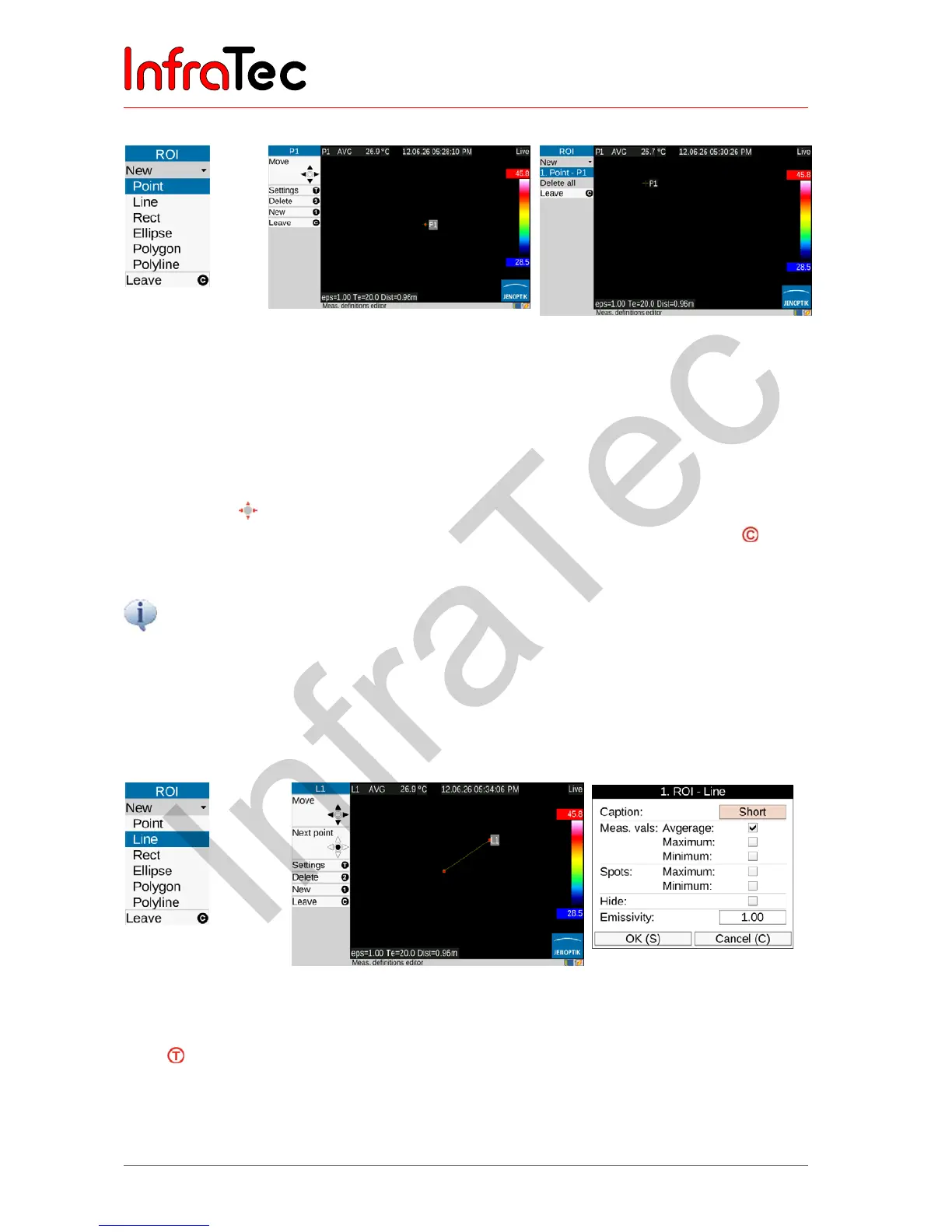
Fig. 115 Menu
item
"Point"
Fig. 116 Shown ("active") point Fig. 117 Moved point. exit editor
The shape of the ROI and the index of the measuring object active in each case are displayed in the left
top of the editor menu (see also point P1 in Fig. 117. ellipse E2 in Fig. 128).
A measuring point is initially created in the centre of the image and can be moved in the image area by
using the joystick . The “active” point is identified with a red square in crosshairs as well as an identifier
shaded in gray. After the position of the point is reached, the editor is exited by pushing the button:
Thereafter, the red mark on the point is no longer visible.
While the measuring objects are being moved, the measured value is not updated.
9.3.2.2 Line L*
The position of the measuring line can be defined by moving one of the terminal points or by
synchronously moving both terminal points simultaneously. The respective “active” point and/or both
points are also marked red in this (see Fig. 119):
Fig. 118 ROI selection
"Line"
Fig. 119 Editor, Line indicated in the
thermogram
Fig. 120 Settings for "Line"
If the button is pressed in the editor, the settings dialogue for displaying the measured values is
shown. For surface areas and lines, the maximum and minimum can be shown as values and as spot in
the image, along with the average value. Furthermore, the identifier of the measuring object can be
hidden and the (local) emissivity for the measuring object can be set. A further line can be created by



 To Next Page