Thermography System VarioCAM
®
HD
9. Introduction
68 © InfraTec GmbH 2016 User Manual
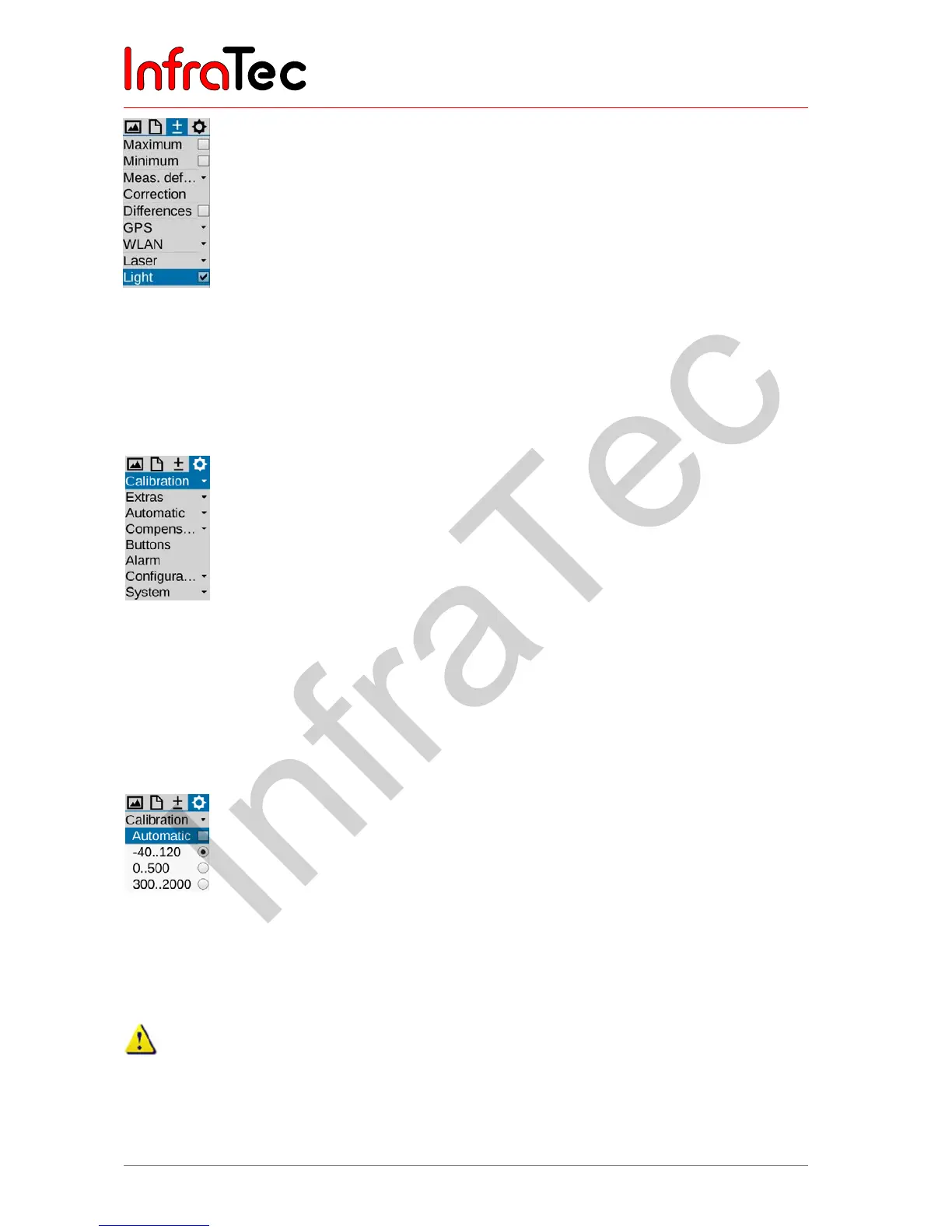
Fig. 158 Menu item "Light"
9.4 Menu item "Settings"
The "Settings" menu contains functions for system and hardware setting regarding the VarioCAM
®
HD,
Fig. 159 shows the "Settings" menu.
Fig. 159 Menu item "Settings"
9.4.1 Menu item "Calibration"
Ex factory, the VarioCAM
®
HD is calibrated for measuring temperatures in the range of (-40…1.200) °C*.
Depending on the equipment, the total measuring range and the individual ranges of your device may
deviate from this standard calibration. The actually available ranges can be found in the "Calibration"
menu item:
Fig. 160 Menu item "Calibration"
Depending on the object temperature and the measurement assignment, the measuring ranges can be
set manually or automatically. However, it must be ensured that the temperature of the current scene
does not exceed the set range in order to avoid overloads within the thermogram.
The VarioCAM
®
HD is equipped with a highly sensitive uncooled microbolometer detector. The
object radiations occurring in thermographic practice do not induce any changes to the detector.
However, overloads exceeding a black body radiation of 1.000°C in the measuring ranges 1 and
2*, as well as 2.000 °C in measuring range 3* may result in irrevocable damages and thus must be
avoided.



 To Next Page