Thermography System VarioCAM
®
HD
9. Introduction
42 © InfraTec GmbH 2016 User Manual
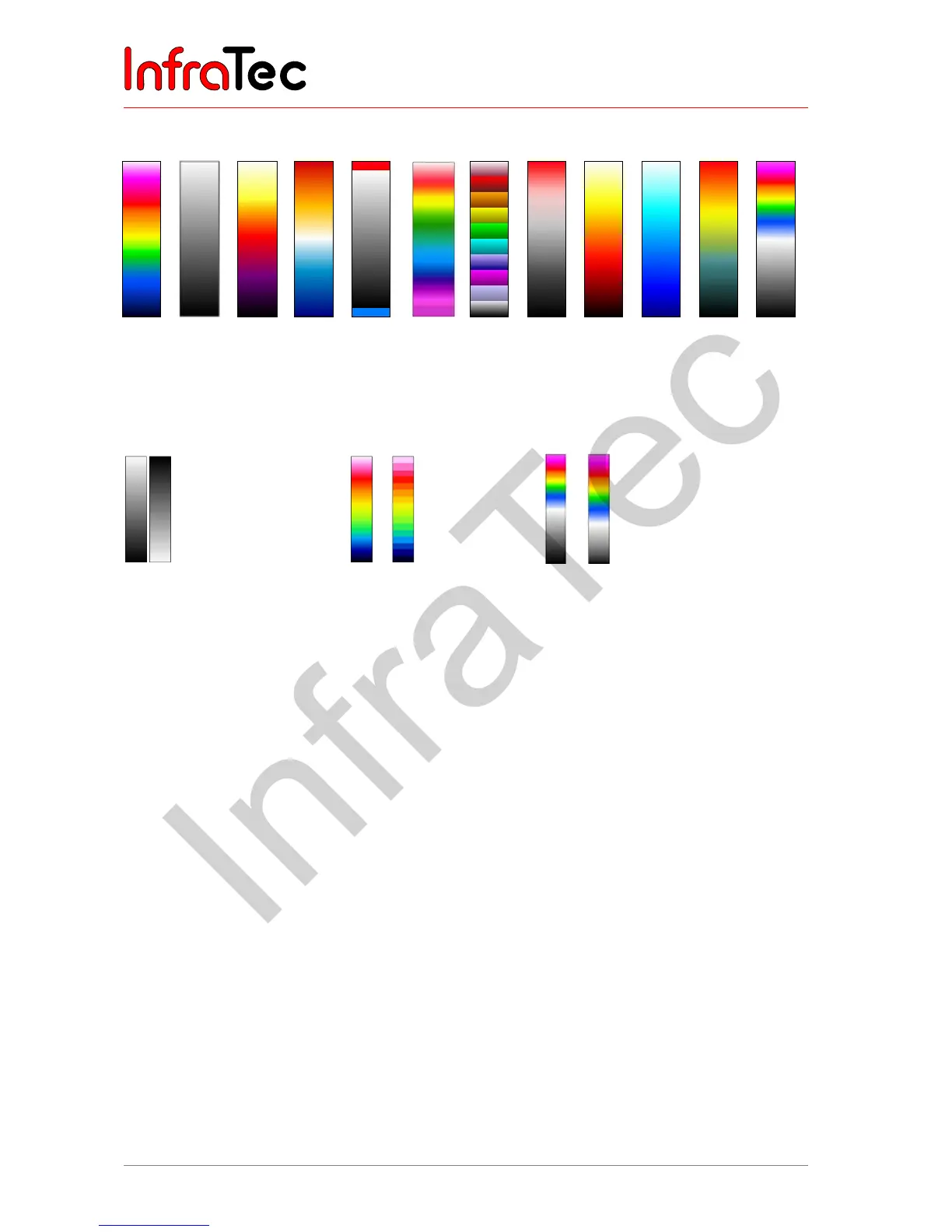
The following palettes are available:
VarioCAM
Black
White
Iron
Blue Red
Marked
Rainbow
Steps
Black Red
Fire
Menthol
Sepia
BW/
VarioCAM
Fig. 66 Ranges
Fig. 67 Black/white palette
(left) and inverted
representation (right)
Fig. 68 Palette containing
256 colors (left)
and 16 colors
(right)
Fig. 69 Black/white-VarioCAM palette
with temperature-linear (left)
and logarithmic
representation
The "Inverse" function can be used in order to invert the current palette. For example, if the black/white
palette is set, the low temperatures are indicated in darker colorus when compared to the higher
temperatures by default. If the "Inverse" function is activated for the black/white palette, the
representation is inverted: The low temperatures are now indicated in lighter colours and the higher
temperatures are now indicated in darker colours (see also Fig. 67).
The "16 steps" function can be used to set the representation of the palette from 256 colour steps to 16
steps. Accordingly, only 16 temperature levels can be indicated instead of 256, which is why
differentiations exceeding the 16 steps are no longer displayed on the screen. Therefore, the scene is
“summarised” to 16 “classes” of the same temperature levels (see also Fig. 68).
The "Logarithmic" function can be used to toggle the representation of the temperature values between
a linear and a logarithmic curve. By default, a linear curve is selected in order to represent the
temperatures. By activating this function, it is possible to use a more differentiated resolution for the low
temperature range when compared to the high temperature range:



 To Next Page