Thermography System VarioCAM
®
HD
9. Introduction
User Manual © InfraTec GmbH 2016 49
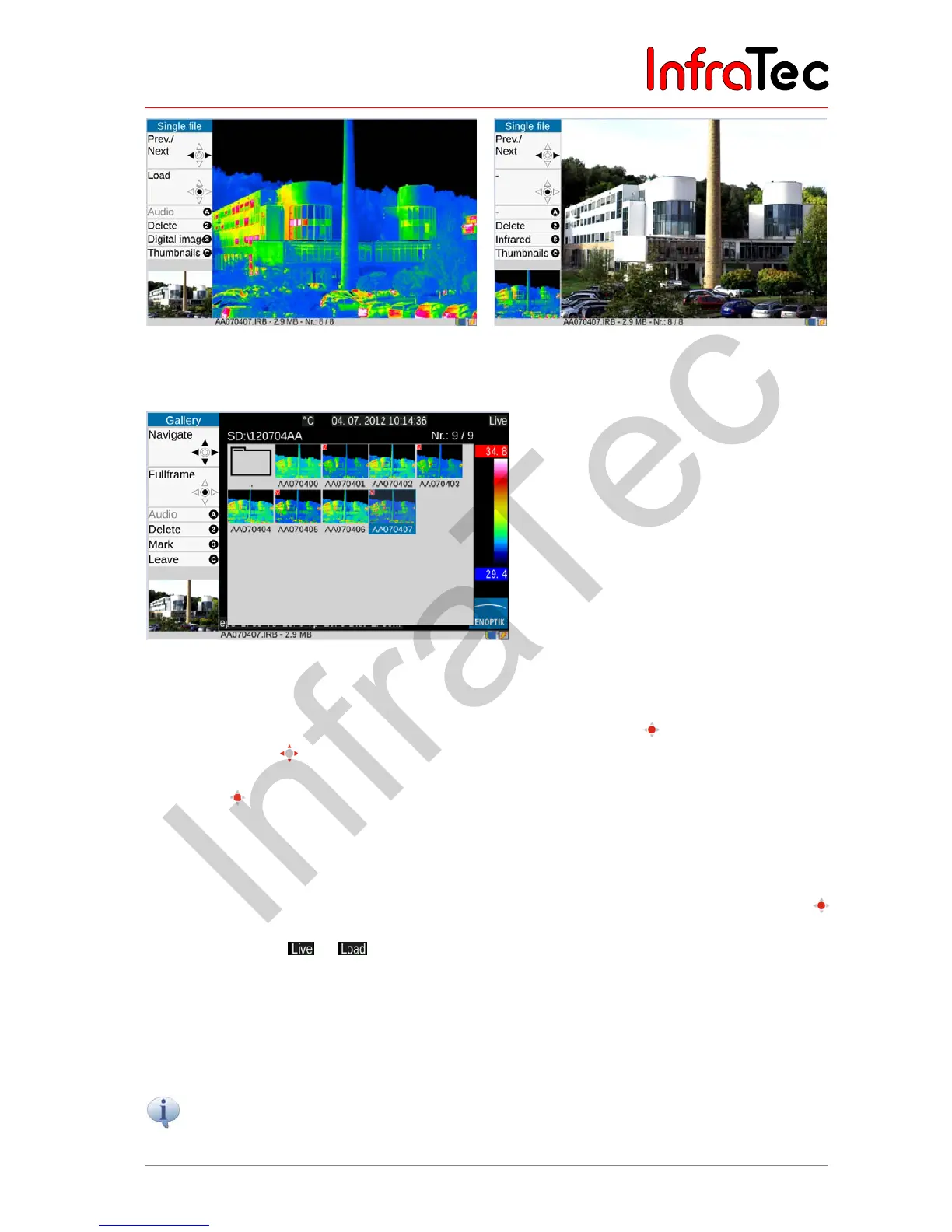
Fig. 87 Selected thermogram Fig. 88 Selected visual image (photo)
The "Load Gallery" sub-menu function can be used in order to quickly find files from preview images.
Fig. 89 Selecting images from the gallery
After the function is started, the directories are shown as index cards, the contents of which can be
opened and then displayed by preview images by using the Enter button in each case. Within the
gallery, the joystick can be used for navigation purposes. In the event of more than 20 directories
and/or files, it is possible to scroll out of the display area. In analoguey to the single image display, the
Enter button must be pushed on the preview image in order to show the file in its enlarged size. The
functions available at this point correspond to the functions of the single image display (see above, see
also Fig. 87 and Fig. 88). Possible is then, for example, the change of the representation scale of the
loaded image
For subsequent processing of the opened enlarged images of „Single file“ or „gallery“ the Enter button
must be pushed again. When charging, the status indicator in the upper right corner of the image
changes accordingly: . With the now available (limited) menu settings an analysis and editing
of the loaded thermal image can be carried out. Possible is then, for example, the change of the
representating scale of the loaded image (see chapter 9.1.1 Menu item "Manual" – page 36),
measurements in the image (see chapter 9.3.1 and 9.3.2 from page 56) or the change of correction
parameters (see chapter 9.3.3 Analogue output * – page 61). The original stored comment to an image
can also be changed here.
Please note that the displayed date and time are constantly updated and therefore do not
correspond with the acquisition time of the image.



 To Next Page