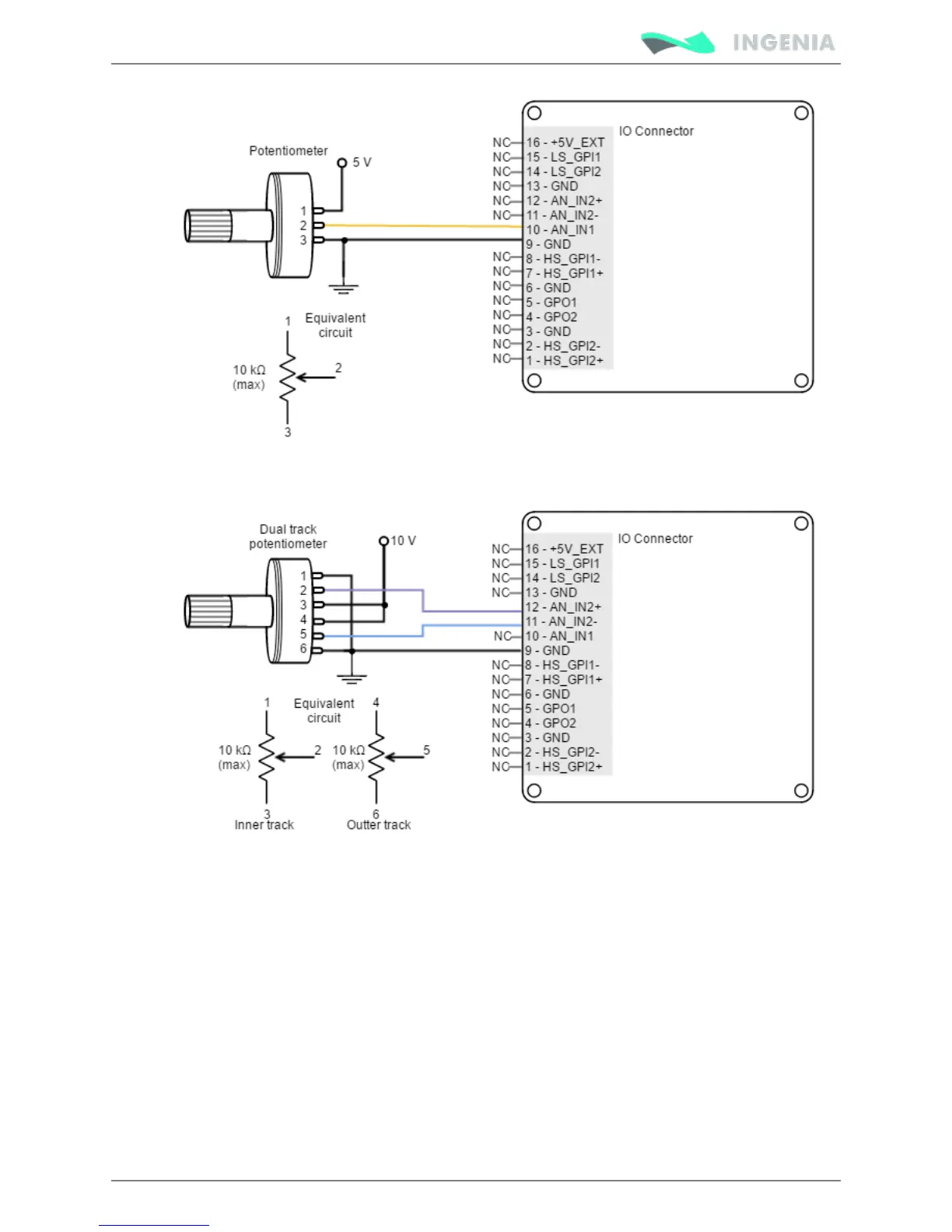
As an application example, the next picture shows how to connect a dual track potentiometer to get a ±10
V differential input.
The most usual example of use for this command source is the use of joysticks (or other kinds of
potentiometers) for controlling the position or velocity of a system.
Step and direction
For this command source, the driver typically accepts 2 inputs from an external source: Step (pulse) and
Direction. The direction signal sets the direction of rotation (for example, "logic 0" for clockwise rotation
and a "logic 1" for counter clockwise rotation). Pulse signal is a ~50% PWM signal and each pulse on this
signal causes the controller to move the motor one step in that direction. This command source can be
used only for position mode.
General purpose high speed digital inputs are used here. HS_GPI1 is the Step input, and HS_GPI2 is the
Direction input. Next figures illustrates how to connect a step and direction command source to the Pluto
Servo Drive (for differential and single ended mode).



 To Next Page