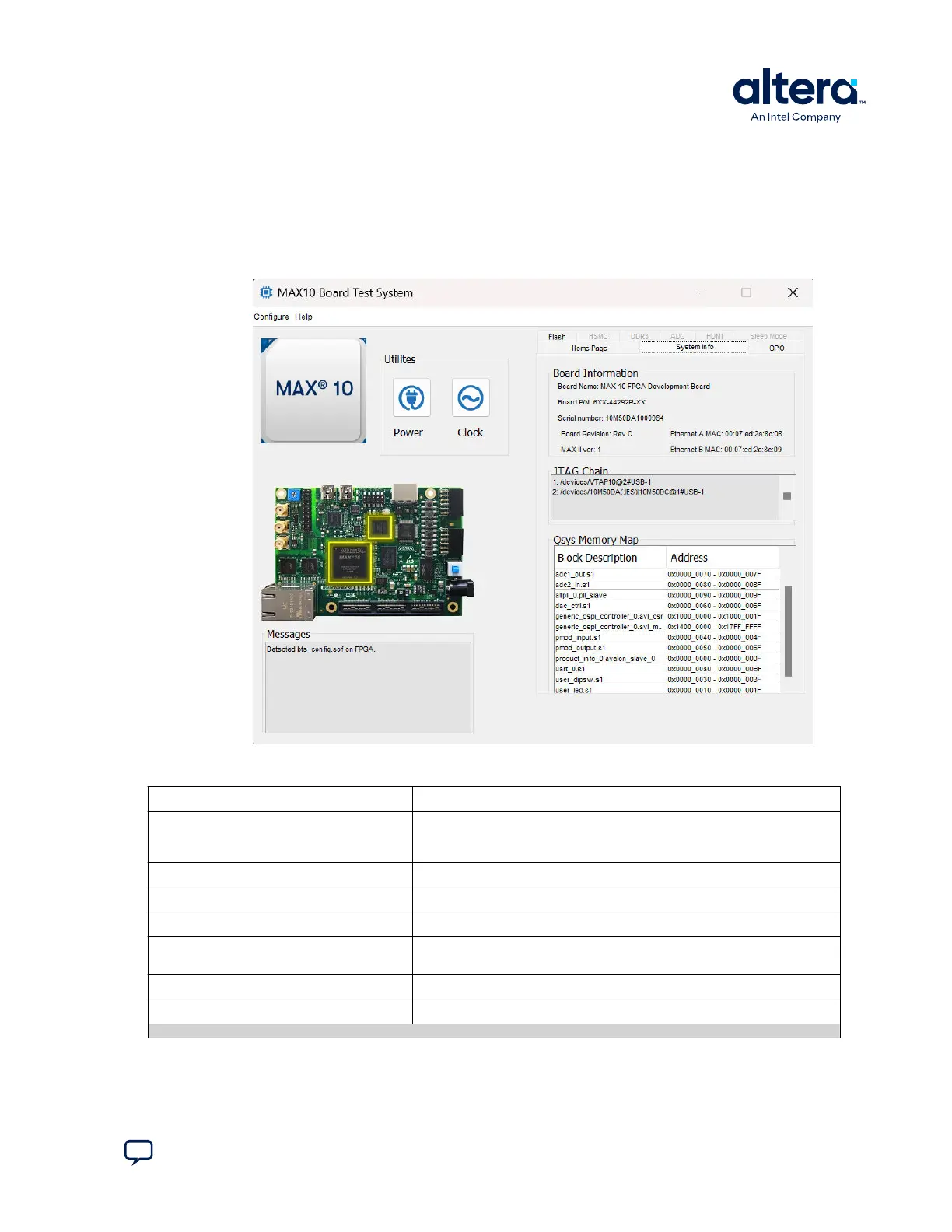
3.2. The System Info Tab
The System Info tab shows the board’s current configuration. The tab displays the
JTAG chain, the board’s MAC address, the Qsys memory map, and other details stored
on the board.
Figure 7. The System Info Tab
Table 3. Controls on the System Info Tab
Controls Description
Board Information Controls The board information is updated once the GPIO design is configured.
Otherwise, this control displays the default static information about your
board.
Board Name Indicates the official name of the board, given by the Board Test System.
Board P/N Indicates the part number of the board.
Serial Number Indicates the serial number of the board.
Factory Test Version Indicates the version of the Board Test System currently running on the
board.
MAX Version Indicates the version of MAX code currently running on the board.
Ethernet A MAC Indicates the Ethernet A MAC address of the board.
continued...
3. Board Test System
683460 | 2024.11.20
Send Feedback
MAX
®
10 FPGA Development Kit User Guide
15














 To Next Page