Display antenna versions
and parameters
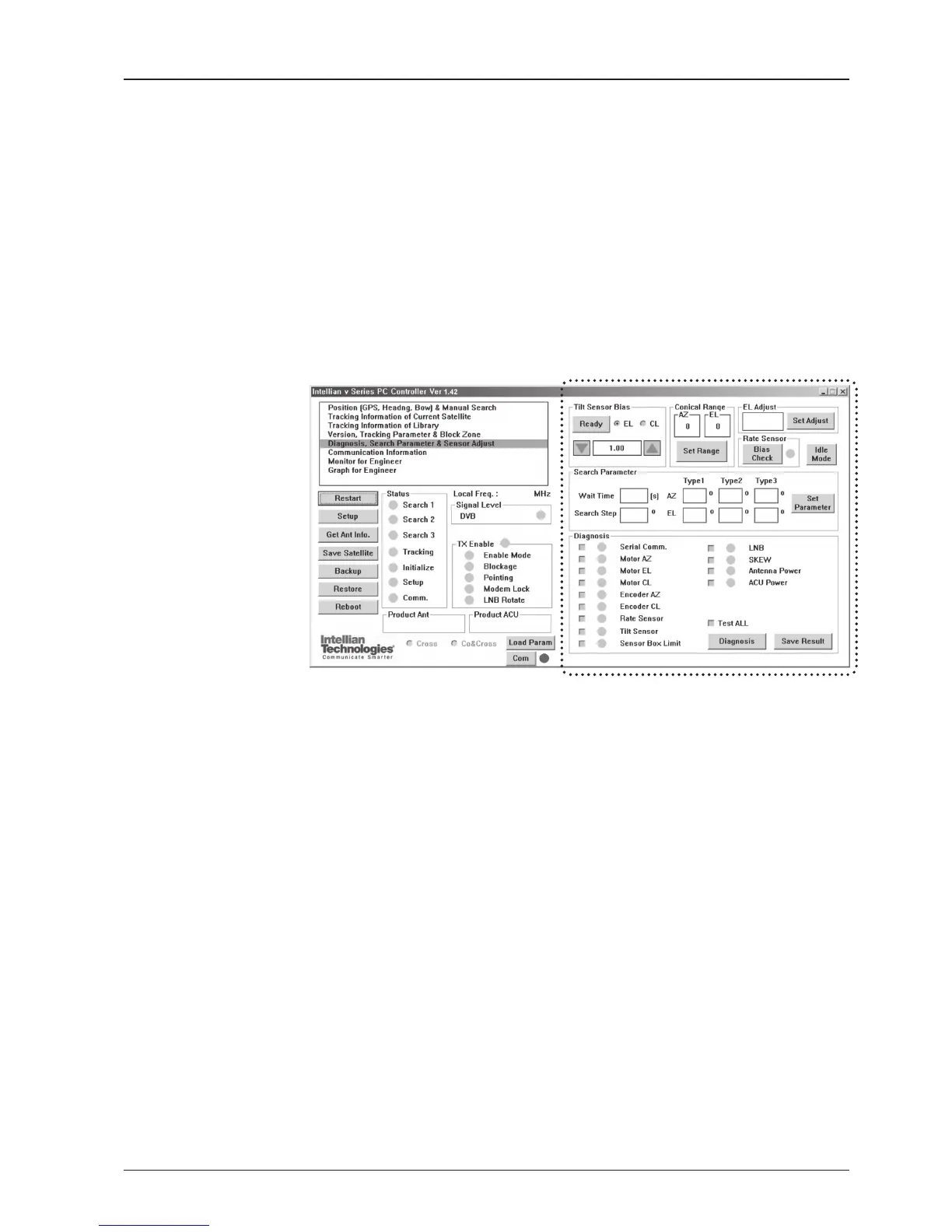
Tilt Sensor Bias
- Tilt sensor bias: Adjust the two solid-state tilt sensors used to provide absolute
cross-level tilt of the antenna and elevation feedback to eliminate long-term
pointing drift (error). Tilt bias is required to be adjusted when the antenna control
board or sensor box is replaced. Check and see if the bubble is located at the
center of the level vial.
- Ready: Make elevation angle go to 0º for tilt sensor bias adjustment.
Conical Range
- Conical rage: set conical range while the antenna is on tracking mode.
EL Adjust
- EL adjust: The elevation adjustment is to offset the angle difference between the
mechanical elevation angle and actual elevation angle.
Diagnosis, Search Parameter & Sensor Adjust
Set the tilt sensors and calibrate rate sensors.
Set the antenna search parameters.
Run an antenna diagnostic test.



 To Next Page
 Loading...










