6700SR Refrigerated Sampler
123
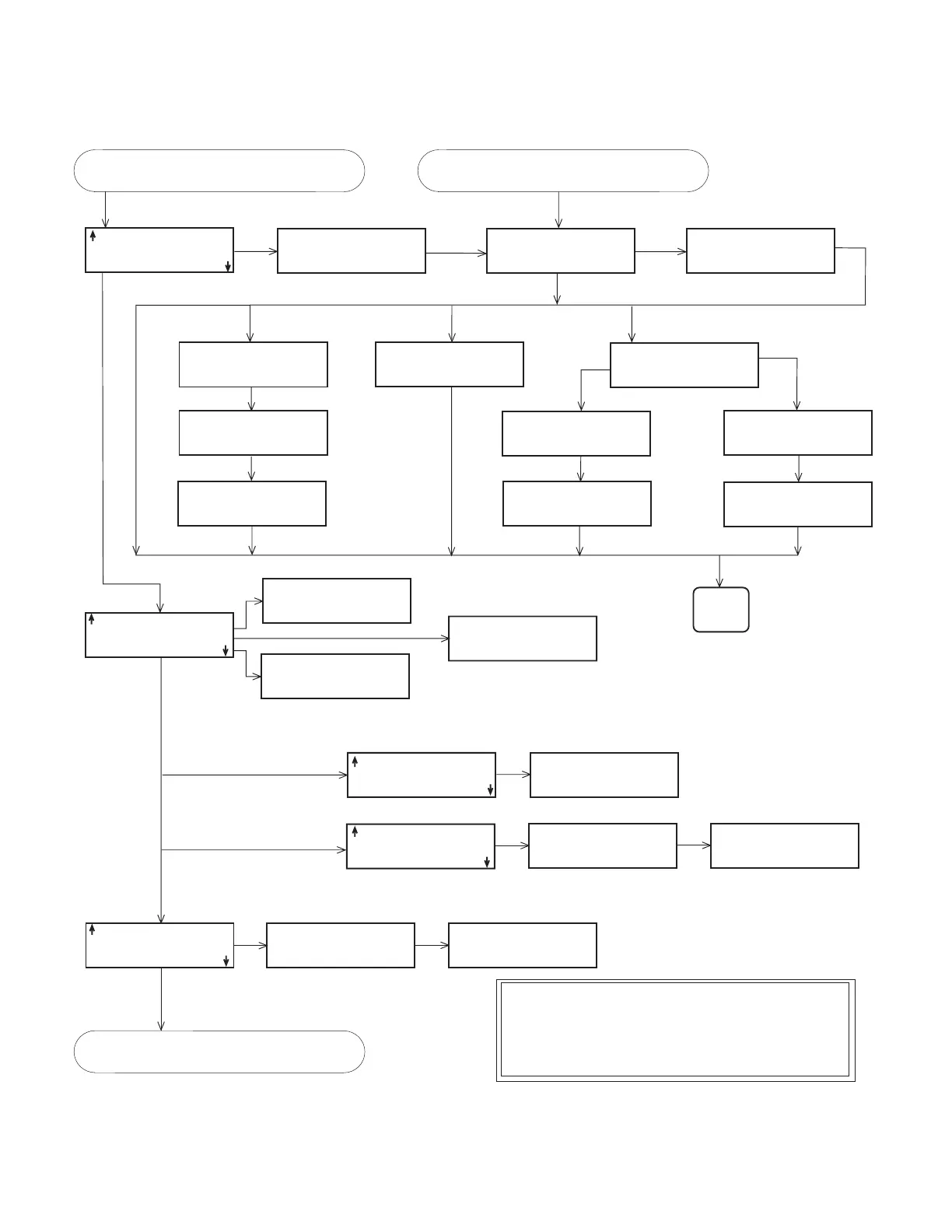
Figure 39 Extended Programming: Quick View; Programmed Sampler Enable
'A' ENABLE:
RAIN>0.11"/12:00
AND
0.500<LEVEL<1.500
'A' ENABLE:
COUNTDOWN CONTINUES
WHILE DISABLED
SAMPLE AT ENABLE?
YES NO
START OF SAMPLING
AFTER A
___ MINUTE DELAY
(0-999)
RESET SAMPLE
INTERVAL AT ENABLE?
YES NO
ONCE ENABLED,
STAY ENABLED?
YES NO
CONTINUE COUNTDOWN
WHILE DISABLED?
YES NO
PAUSE RESUME
1.HH:MM DD HH:MM DD
2.HH:MM DD HH:MM DD
CLEAR DONE
SAMPLE AT RESUME?
YES NO
'A' ENABLE:
REPEATABLE ENABLE
SAMPLE AT DISABLE
NO SAMPLE AT ENABLE
'A' ENABLE:
__ MINUTE DELAY TO
START OF SAMPLING
'A' ENABLE:
_ PAUSE & RESUMES
NO SAMPLE AT RESUME
Latched Enable +
No Sample at Enable
NO
SAMPLE AT DISABLE?
YES NO
Repeatable Enable
Repeatable Enable
ENABLE:
I/O RAIN LEVEL
FLOW Y-pH Y-TEMP
Y-COND Y-D.O. NONE
ENABLED WHEN:
ABOVE SET POINT
BELOW SET POINT
"RAIN" SET POINT:
__.__ INCHES PER
15 MIN 30 MIN
1 HOUR 2 HOURS
ENABLE: RAIN
AND OR DONE
ENABLE: RAIN AND
I/O LEVEL FLOW
Y-pH Y-TEMP Y-COND Y-D.O.
NONE
"LEVEL" CONDITION:
SET POINT
RANGE
"LEVEL" RANGE:
LOWER:_.__ft
UPPER:_.__ft
(0.001-30.000)
"LEVEL" SET POINT:
_.__ft
(0.001-30.000)
ENABLED WHEN:
INSIDE RANGE
OUTSIDE RANGE
ENABLED WHEN:
ABOVE SET POINT
BELOW SET POINT
ENABLED WHEN:
I/O ENABLE IS HIGH
I/O ENABLE IS LOW
RESET RAIN HISTORY?
YES NO
REPEAT
FOR
SECOND
TYPE
I/ORAIN'A' DONE
All except
NONE
DONE
AND
or OR
See Note A.
See Note A.
See Note B.
If applicable
All except I/O, Rain, and 'A' Done
Notes
A. All valid enable options will be shown. Enable options may include:
LEVEL, FLOW, pH, TEMP, PERCENT, VEL, RAIN, I/O, 'A'DONE
FR-TEMP, Y-TEMP, Y-COND, Y-SP_CO, Y-TDS, Y-SAL, Y-DO,
Y-pH, Y-ORP, Y-LEVEL, Y-NH4, Y-NH3, Y-NO3, Y-TURB, Y-Cl,
Y-FLOW
B. YES = Latched or Stay Enabled
NO = Repeatable Enable
'A' Done and I/O are not options for I/O Conditions
See
Figure 26
,
Standard and Extended
Programming: Quick View; Start Times
,
on page 111.
Continued from
Figure 38
,
Extended
Programming: Quick View; Pacing and
Distribution
, on page 122.
Continued from
Figure 41
,
Extended
Programming: Hardware Quick View
Screens
, on page 125.



 To Next Page