Appendix 85
6.2 Text Editing
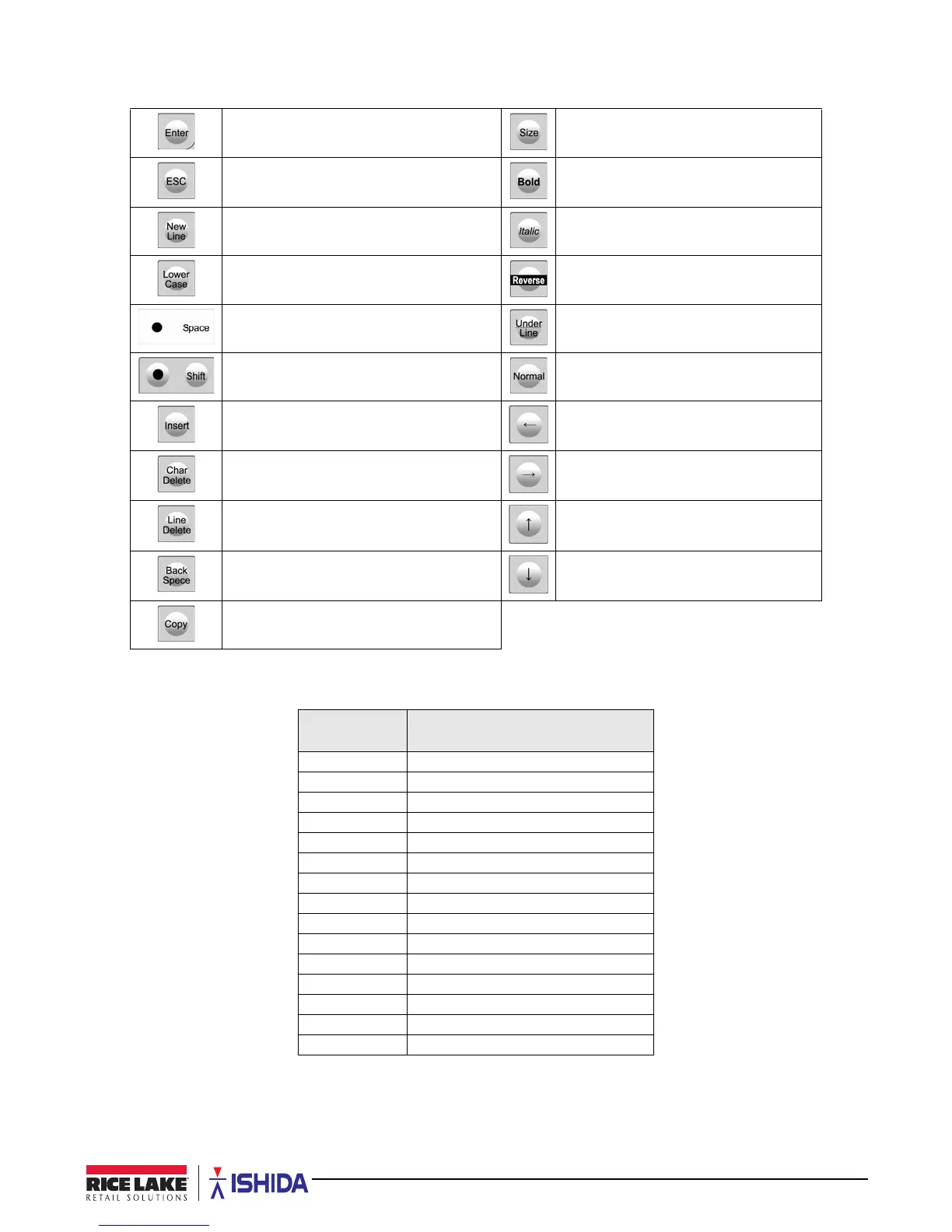
Table 6-2. Text Editing Buttons
Used to finalize editing a text.
Select font size for text displayed on
screen. **See Table 6-3
Exit editing a text. Specify a bold character font style.
Begin a new line. Specify an italic character font style.
Select either lower case or upper case
character mode for a text to be entered.
Specify a reverse character font style.
Enter a space. Specify an underlined character font style.
Select either lower case or upper case
character mode for a text to be entered.
Specify a normal character font style.
Insert a character, or select characters by
pressing the left or right arrow keys.
Move cursor left.
Delete a character. Move cursor right.
Delete a line of text. Move cursor up.
Delete a character by moving the cursor
back by one character.
Move cursor down.
Copy original data to current data.
Font Size
Choice
Description
0 30 x 15, 25 character/line (default)
1 32 x 15, 25 character/line
2 34 x 16, 24 character/line
3 40 x 20, 19 character/line
4 56 x 28, 14 character/line
5 60 x 30, 13 character/line
6 80 x 40, 10 character/line
7 120 x 60, 7 character/line
8 10 x 5, 62 character/line
9 10 x 6, 54 character/line
10 14 x 7, 48 character/line
11 20 x 10, 36 character/line
12 22 x 10, 36 character/line
13 24 x 12, 31 character/line
14 28 x 14, 27 character/line
Table 6-3. Available Font Sizes for the Size Button



 To Next Page