Settings
USER MANUAL FPC 200 - 3/2017 131
Installation
Please check system requirements before starting the installation process.
System Requirements:
Windows XP/Vista/7/8/10
Processor: 1 GHz
RAM: 512 MB
Disk space:
o 600 MB (32-bit system)
o 1,5 GB (64-bit system)
Monitor with VGA resolution
4.3.1.1 Procedure
Close down all running programs before starting the
installation.
To install MiQen to your computer:
1. Download MiQen installation package and
Driver installation .pdf file from
http://www.iskra.eu/download/software/
2. Run Setup.exe from your media.
3. Follow the on-screen instructions.
4. Read Driver install.pdf and follow instructions
The program group MiQen has been created after the
installation. In this group the executive file MiQen2.exe
and help file MiQen2_en.chm can be found. Also MiQen
shortcut will be created on the desktop.
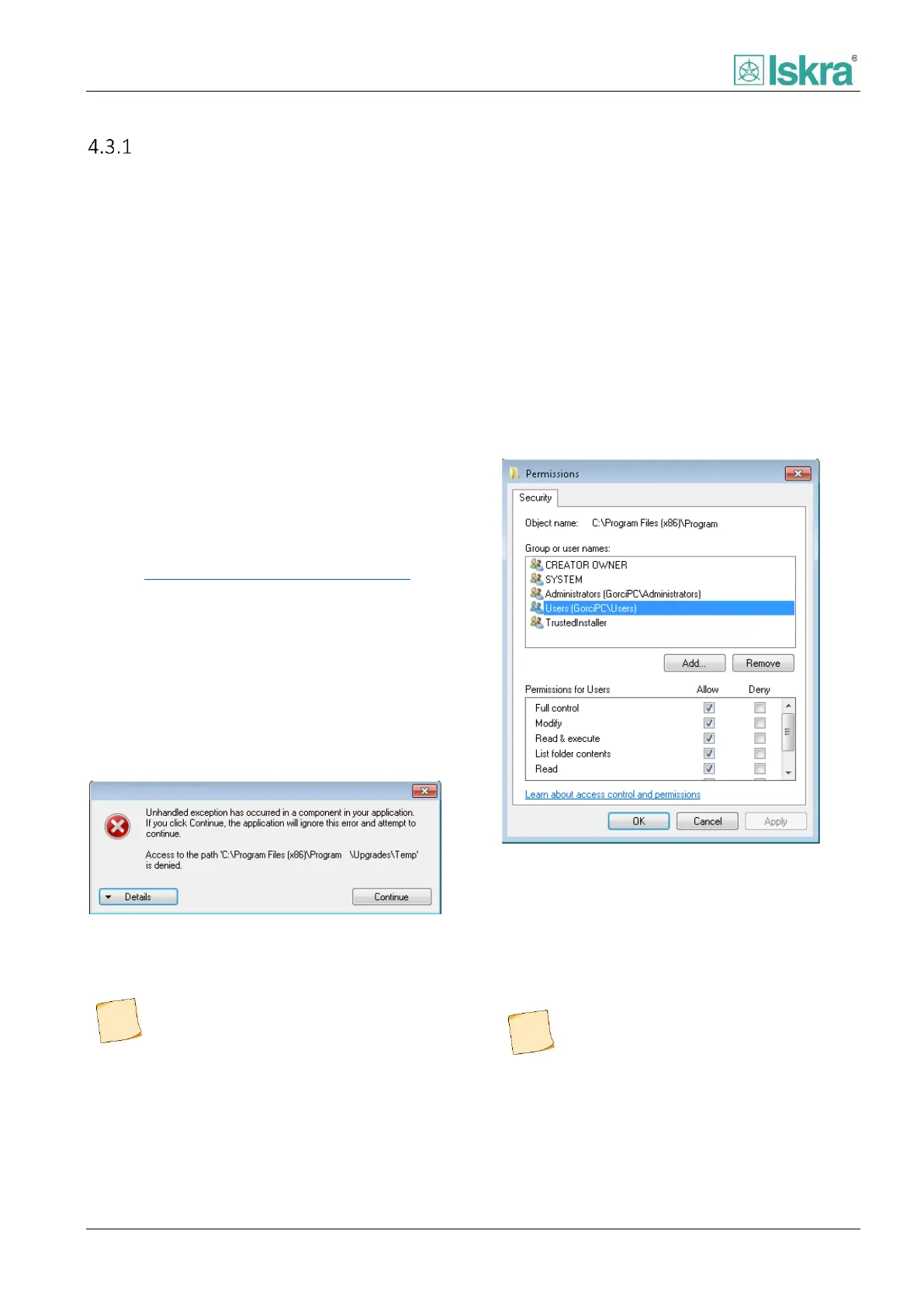
Access to MiQen default installation folder
Figure 4.42 Administrative rights are needed to apply this
change to the system.
To change security policy for installation folder
(Windows XP, 7, 8) right click on installation
folder, than select "Properties" and "Security"
tab. Click on "Edit..." button and in "Security"
window select "User(s)" and check "Full control"
check box. Apply the changes.
Figure 4.43 Permissions for specific PC user.
In some cases MiQen reports "Unhandled
exception" at start-up. In this case access to
default installation folder is denied and program
will not be able to write (save or modify) files in
this location. This issue can be managed by
manually change security policy for MiQen
installation folder.



 To Next Page