Functionality
76 USER MANUAL FPC 200 - 3/2017
2.8 Disturbance recording
Description
Disturbance recording function is used to record analog
and binary values intended for post fault analysis.
Disturbance records are saved in non-volatile device
memory and can be read and analysed using USB
memory stick. The device can hold up to 127
disturbance records, with user definable sample rate
and pretrigger record time. In the device records are
sorted by date of trigger occurred.
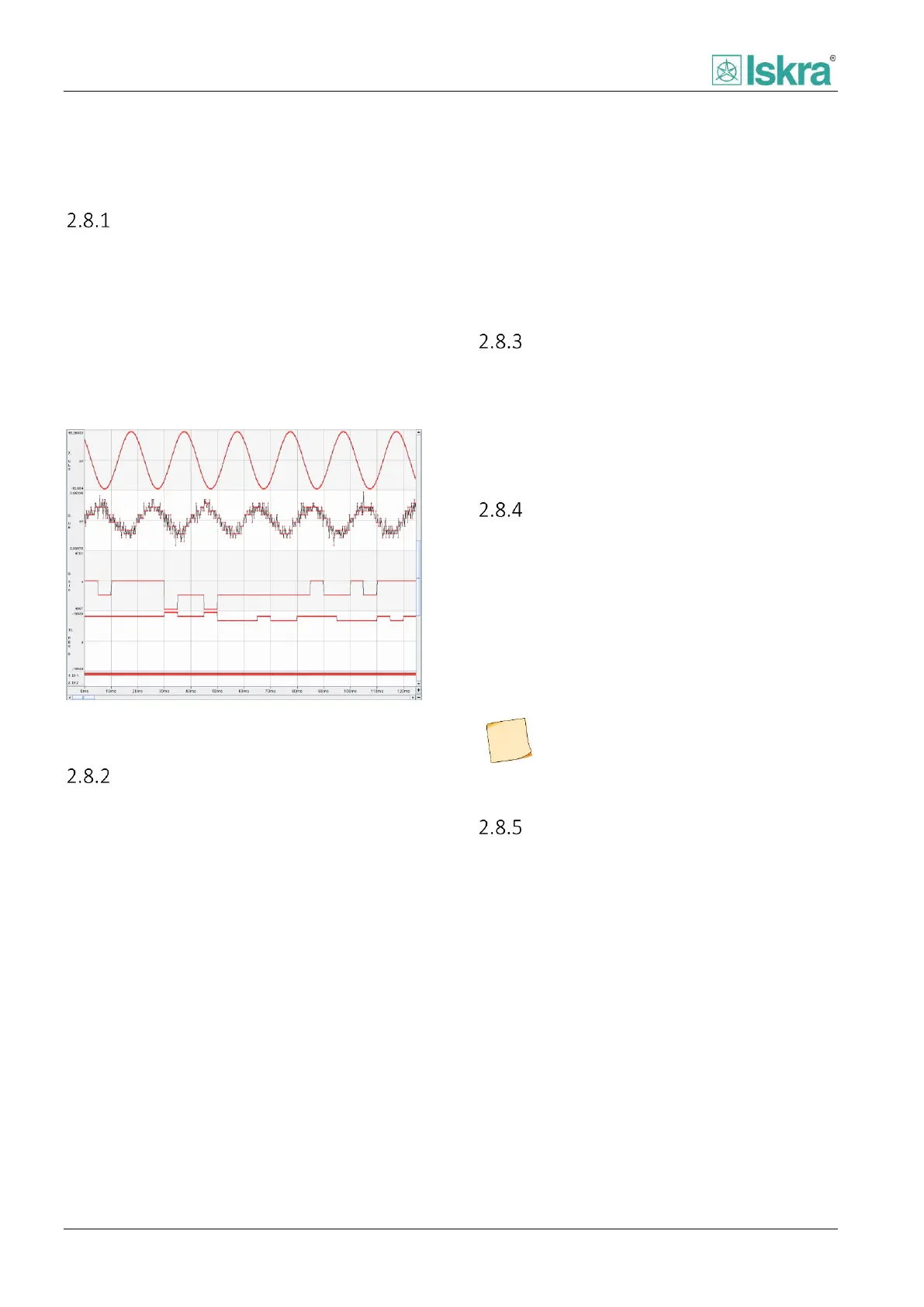
Figure 2.49: Disturbance recording saved as COMTRADE
format and visualized with fault analysis software.
USB stick
The records can be transferred to USB stick separately
or altogether. They can be transferred from device as
standard COMTRADE file and reviewed in third party
software. For purpose of transparency of the stored
data a separate folder named by serial number is
created on USB stick by the device. In the created folder
records are named by the following mask: year, month,
day, hour, minute, second, millisecond and name of the
trigger.
Trigger
Trigger purpose is to activate record of disturbance
record. It can be set through corresponding menu and
includes, defined by user: Any trip signals, any pickup
signals and all individual digital outputs and inputs
respectively.
Recorded data
There are four separate channels reserved for analog
values, dedicated to record AI measurement values.
Based on a device type a current or voltage values are
stored. In addition the binary signals of functions,
protections, digital outputs and digital inputs in the
device are also recorded. Additionally to achieve better
transparency of the disturbance data only enabled
functions and protection functions are recorded.
All recorded digital input and output
signals are presented in positive logic
regardless of individual binary signal logic
setting.
Clearing disturbance records
Disturbance records can be manually cleared using
Reset/Clear menu [4.2.4.6].



 To Next Page