Settings
132 USER MANUAL FPC 200 - 3/2017
Using MiQen software
Double-click (click) on MiQen icon or
Click on close button of the program control box or
Click on Windows Start button, then Programs, MiQen and
MiQen Setting Studio
Select Exit from File menu or
Press combination of keys Alt+F4
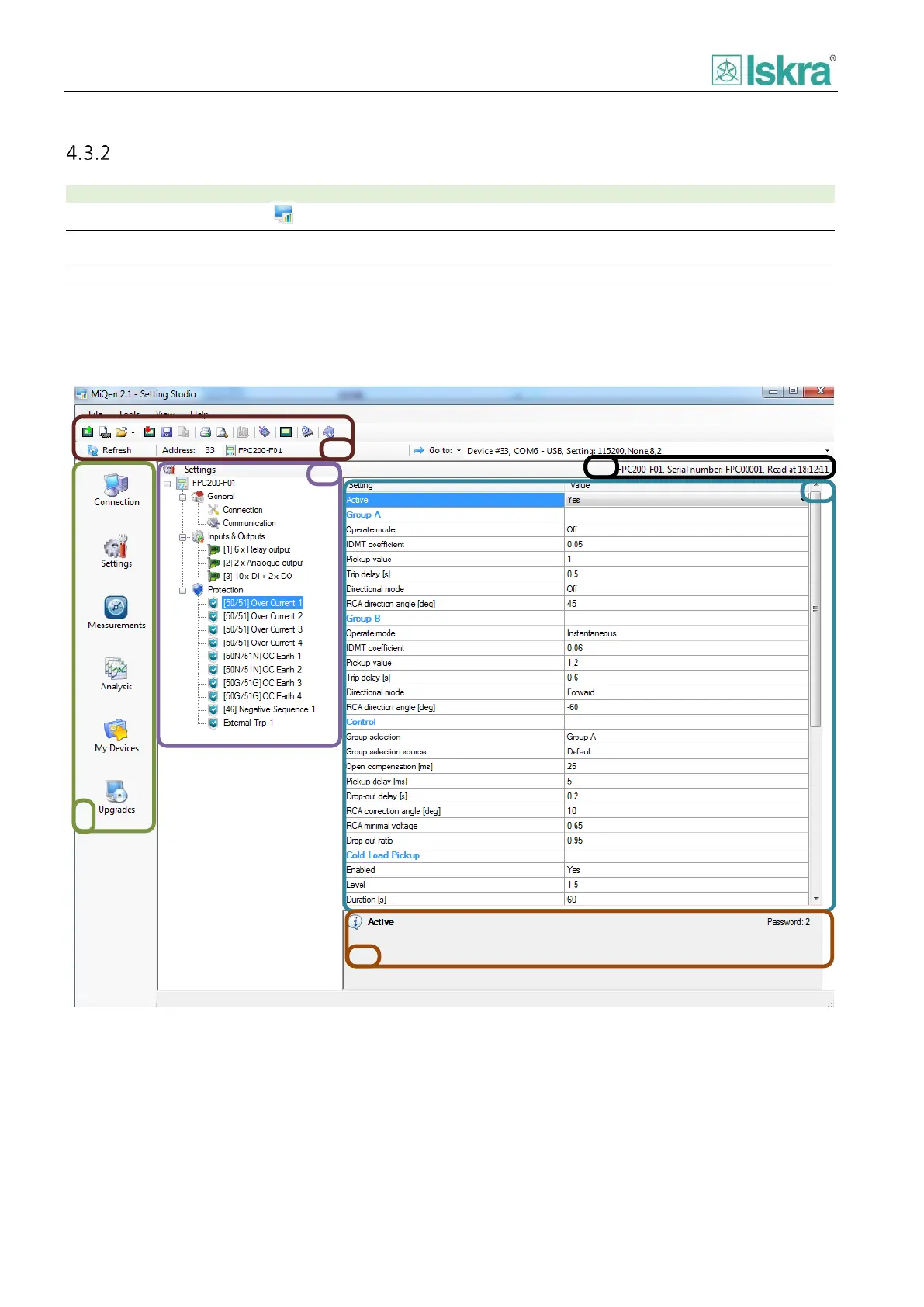
4.3.2.1 General screen organization
Software interface enables simple and fast communication between user and MiQen program.
Figure 4.44 General screen organization



 To Next Page