Mounting and commissioning
USER MANUAL FPC 200 - 3/2017 159
Serial connection
In order to connect to FPC 200 please connect accordingly to rear serial port.
5.5.3.1 MiQen software
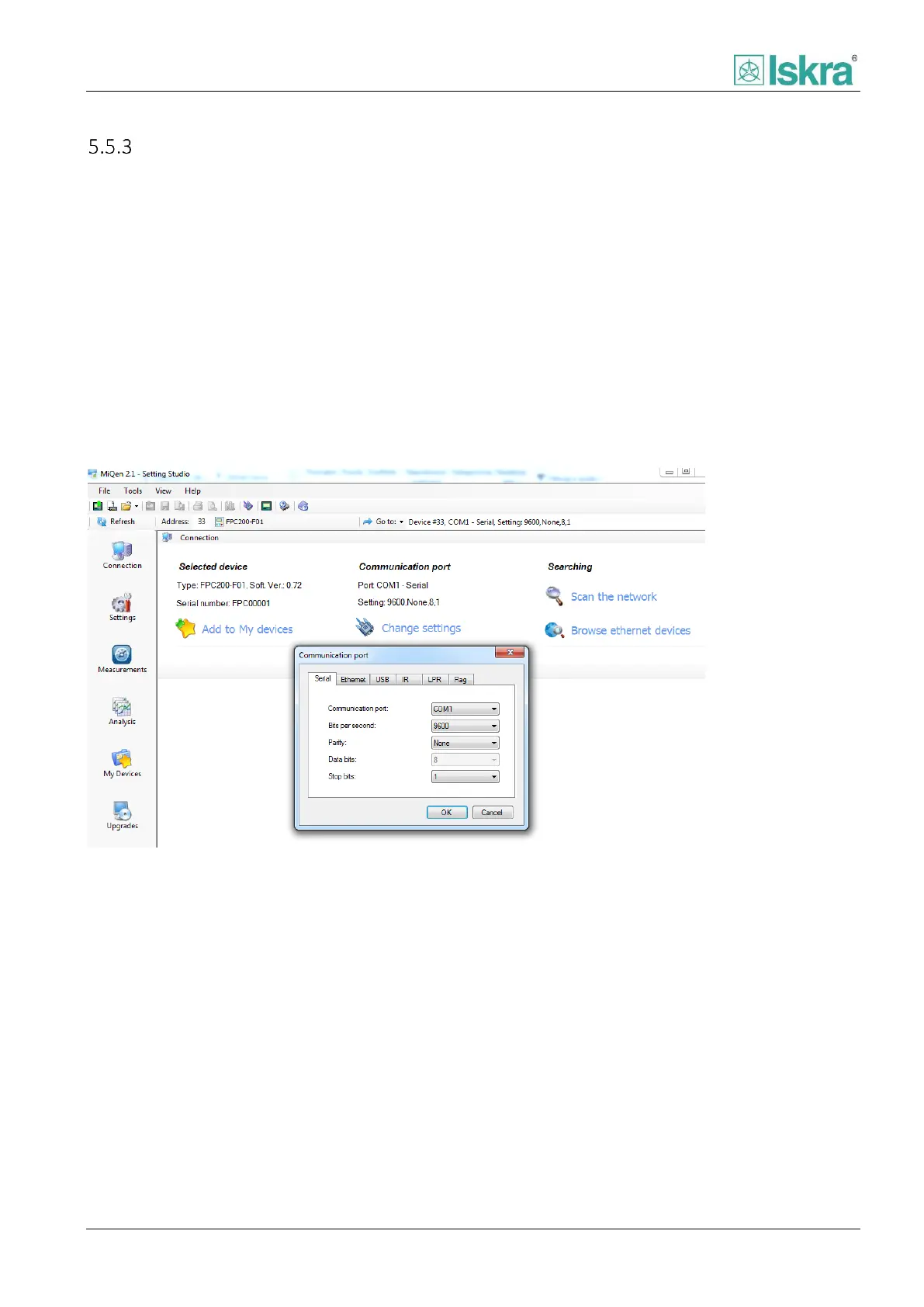
Steps to connect device to MiQen software are listed below. Figure 5.9 illustrates setting communication parameters.
1. Open Connection menu
2. Set parameters to:
a. Communication port: Serial
b. Set bits per second: to 9600
c. Parity: None
d. Stop bits: 1
After you confirm the settings click on Refresh button in upper left corner and connection is established.
Figure 5.9: MiQen - setting serial communication



 To Next Page