Settings
USER MANUAL FPC 200 - 3/2017 141
4.3.2.4 Measurements
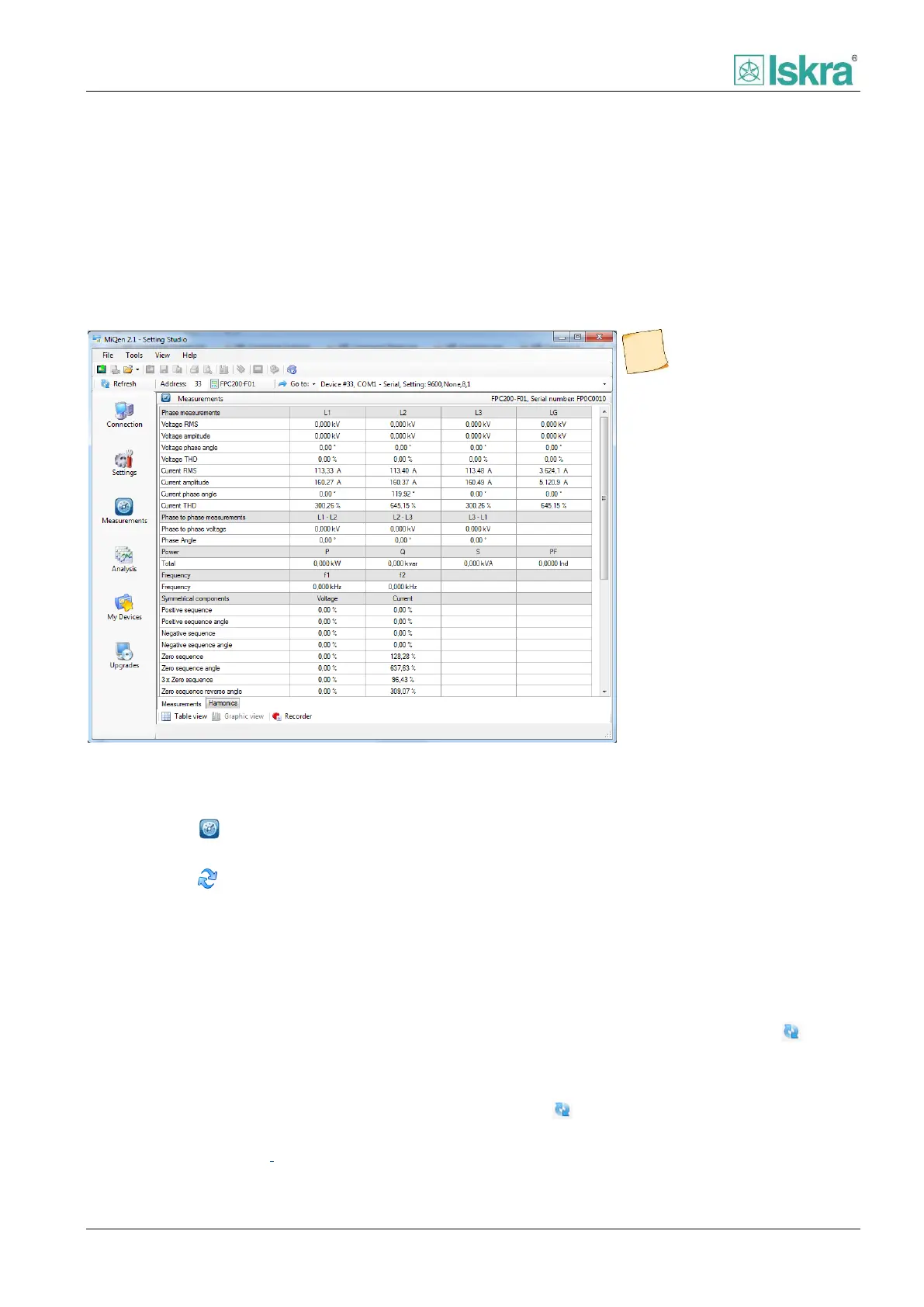
Online measurements
All supported measurements can be shown in real-time
in a table form. For some devices, also presentation in
graphical form is possible. The measurements are
presented on more measuring sheets (similar to
Microsoft Excel), depending on type and range of
measurements supported by device. To view online
measurements, the communication connection with the
device needs to be established. Refreshing time for
measuring results is 2 seconds.
To view online measurements
1. Click on Measurements button to show
Measurements form,
2. Click on Online measurements button (or
keyboard F5) on program interface
Measurements,
3. Click on measuring group tab if more
measuring groups are supported by device.
Switching between graphical and table view
To switch between graphical and table view click on
button Table view or Graphic view at the bottom of the
window.
Default view
It is possible to set default view presentation for each
group of measurements. This can be done in Options –
Measurements dialogue box. To set default view:
1. Select Options… from Tools menu.
2. Go to Measurements tab
3. Check measurements groups that will be
presented in graphic form by default.
For some devices graphical presentation of
measurements is not supported. In this case
measurements are automatically presented in table
form.
To hold measurements
Right-click on measurements table and select Hold
measurements from context menu. Click on Refresh
button on toolbar for repeated measurements
refreshing.
Click on Refresh button on toolbar if problems on
communication connection occur between
measurements.
It is also possible to record
measurements. Recorded
measurements are saved in
CSV file format.
Figure 4.46 MiQen 2.1 displaying live measurements from FPC 200 protection relay device.



 To Next Page