All rights reserved. The reproduction of this document, also partially, is allowed only with authorization by alpitronic s.r.l.
NFC WhiteList Configuration
The NFC whitelist configuration menu allows to set up the NFC tags which are allowed to
charge an electric vehicle without confirmation from the backend server.
Location:
Click on ‘GENERAL’ from the main menu, and ‘WhiteList NFC’ following the top menu.
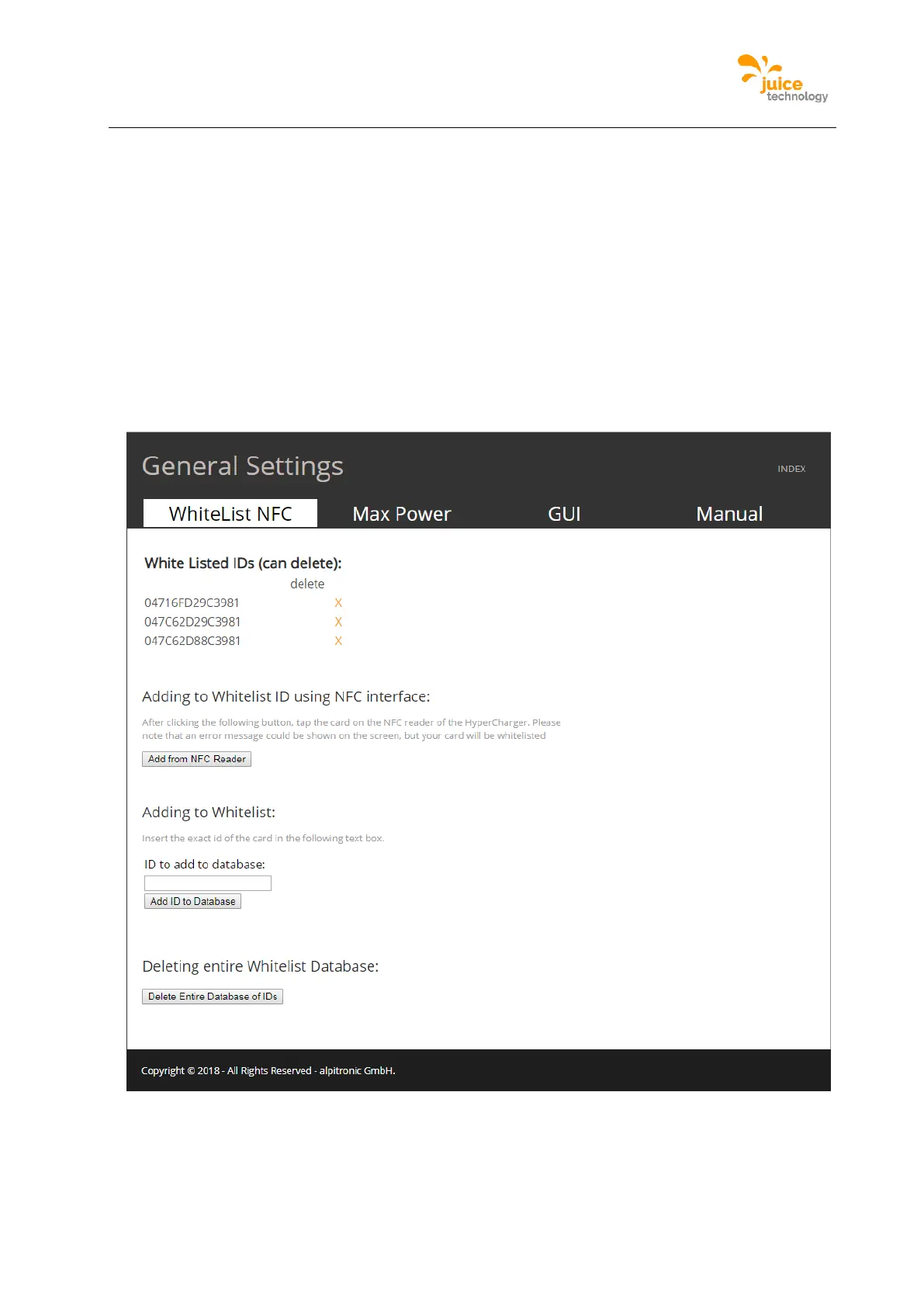
Figure 40 is an example of the WhiteList NFC. There are four parts to this configuration, the first part
displays the NFC tags currently whitelisted in the charging station and for each NFC-id one can delete
it. The second part allows adding a new NFC tag directly by tapping the card on the NFC reader of
the charging station. The third allows adding new NFC tag by writing it in the text box. The last part
allows to fully deleting the entire list of NFC cards stored in the charging station.
Figure 49: Example of the NFC WhiteList webpage


 To Next Page