All rights reserved. The reproduction of this document, also partially, is allowed only with authorization by alpitronic s.r.l.
Password Configuration
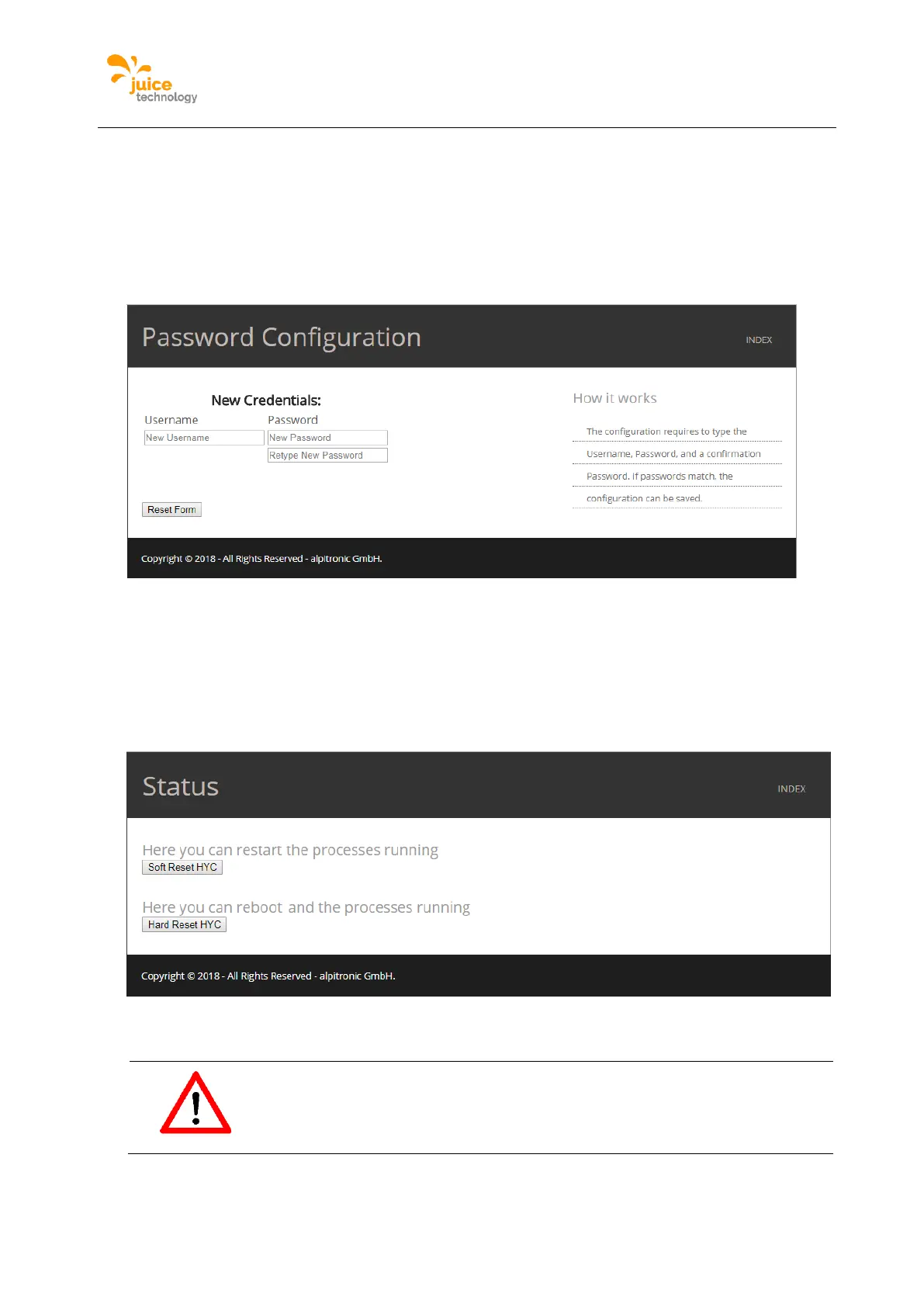
The password configuration menu is used to change the password to access the web
interface. Credentials should be changed after first login.
Location:
Click on ‘PASS’ from the main menu.
Figure 50: Example of the Password Configuration webpage
Charging Station Reset
Used to perform a soft and hard reset on the charging station.
Location:
Click on ‘RESET’ from the main menu.
Figure 51: Example of the JUICE ULTRA Status
Attention


 To Next Page